

Pitatto Video Compressor
Naoki Maeda Photo & Video iPhoneiPadiPod touch
Pitatto Video Compressor is a free Photo & Video app for iPhone and iPad by Naoki Maeda. Requires iOS 17.0. Updated September 4, 2026.
- Price
- Free
- on the App Store
- Size
- 6 MB
- Age 4+
- Updated
- Sep 4
- 2026 · v1.1.0
Screenshots



About Pitatto Video Compressor
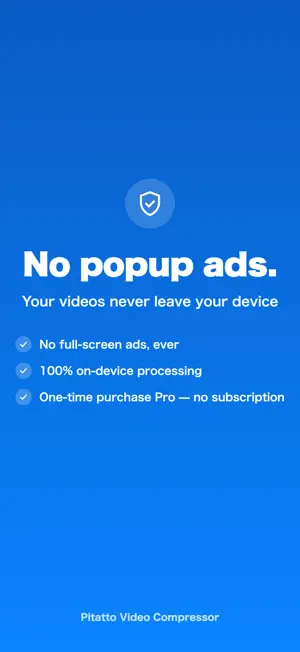
Struggling with videos that are too big to attach to an email or upload? Pitatto Video Compressor shrinks your videos to the right size for wherever you are sending them, while keeping the quality as high as possible. And it never interrupts you with ads. Even in the free version there are no interstitial (full-screen) ads at all — just a modest banner. It stays out of your way from start to finish. PICK YOUR DESTINATION, NO GUESSWORK No need to learn about resolution or bitrate. Just choose how you want to use the video: - Attach to an email (under 10MB) - Share on messaging or social apps (under 50MB) - Make it as small as possible (under 5MB) - Keep the quality (under 100MB) - Custom: set your own target from 5MB to 100MB with a slider The app automatically fits your video to the right size for its destination. SEE THE SIZE BEFORE YOU PICK The video picker shows the current file size and length of every video, so you can tell at a glance which clips are eating up your storage and pick the ones you want to shrink. ONE TAP FROM THE SHARE SHEET Tap "Share" in Photos or another app, choose Pitatto Video Compressor, and the compression screen opens right away — no need to reopen the app and hunt for the video again. BEFORE AND AFTER AT A GLANCE See the file size before and after, plus the reduction percentage, for each video. When you compress several at once, you also see the total space you saved. Happy with the result? Save them all to Photos, or share straight to your destination from the share sheet. YOUR VIDEOS NEVER LEAVE YOUR DEVICE All compression happens on your device. Your videos are never uploaded to any server, so even private videos stay private. GREAT FOR - When a video was too big to attach to an email - Shrinking video size before sending on messaging or social apps - Getting compression done fast without being interrupted by ads - Compressing several videos at once - Anyone who does not want to hand their videos to an outside server FREE - Compress videos (no limit on how many times) - Batch up to 3 videos at once - Simple destination presets - Before/after size comparison, save all to Photos, one-tap share - Banner only (never any full-screen ads) PRO (ONE-TIME PURCHASE) - Batch up to 20 videos at once - Remove the banner - Pay once — no add-ons, no monthly fees, yours to keep Pro is currently offered at a special introductory price. As more people use the app and reviews come in, the price will gradually rise. Stop letting video size slow you down. Download Pitatto Video Compressor and give it a try today.
What’s new
Version 1.1.0 · Updated September 4, 2026
Much better size accuracy. • Videos now land inside the size you picked, like "under 10MB" • Pick your destination from cards — all five options visible at once • The starting mode is now "Messages & social (under 50MB)", so more videos actually get smaller • Results explain themselves now, e.g. "Already under the target" Videos that overshoot are re-compressed automatically, so some may take a little longer than before.
App privacy
The developer, Naoki Maeda, reported these privacy practices to Apple.
Data Used to Track You
The following data may be used to track you across apps and websites owned by other companies:
- Identifiers: Device ID
Data Not Linked to You
The following data, which may be collected but is not linked to your identity, may be used for the following purposes:
- Identifiers: Device ID
Used for: Third-Party Advertising, Analytics, App Functionality
Alternatives to Pitatto Video Compressor
Looking for apps like Pitatto Video Compressor? Here are 6 similar apps on the App Store. The highest rated is Shrink: Video Size Compressor (5.0/5), and all 6 are free to download.
-
 Meme Locker
-
 Video Compressor & Resize: Kio
-
 Shrink: Video Size Compressor
5.0
Shrink: Video Size Compressor
5.0
-
 ClipCut - 写真&動画編集アプリ
-
 Video Compressor: Keep Quality
5.0
Video Compressor: Keep Quality
5.0
-
 VideoCompressor - Fast Shrink
| App | Rating | Price | Last updated | Compare |
|---|---|---|---|---|
| Pitatto Video Compressor | – | Free | September 4, 2026 | |
| Meme Locker | – | Free | Jul 27, 2026 | Compare |
| Video Compressor & Resize: Kio | – | Free | Oct 11, 2026 | Compare |
| Shrink: Video Size Compressor | 5.0 / 5 (1) | Free | Sep 22, 2026 | Compare |
| ClipCut - 写真&動画編集アプリ | – | Free | Jul 4, 2026 | Compare |
| Video Compressor: Keep Quality | 5.0 / 5 (2) | Free | Aug 6, 2026 | Compare |
| VideoCompressor - Fast Shrink | – | Free | Dec 15, 2025 | Compare |