

OrbitCAD
Aldo HernandezCalzada Productivity iPhoneiPadiPod touch
OrbitCAD is a free Productivity app for iPhone and iPad by Aldo HernandezCalzada. Requires iOS 16.4. Updated August 21, 2026.
- Price
- Free
- on the App Store
- Size
- 38 MB
- Age 17+
- Updated
- Aug 21
- 2026 · v3.1.0
Screenshots
About OrbitCAD
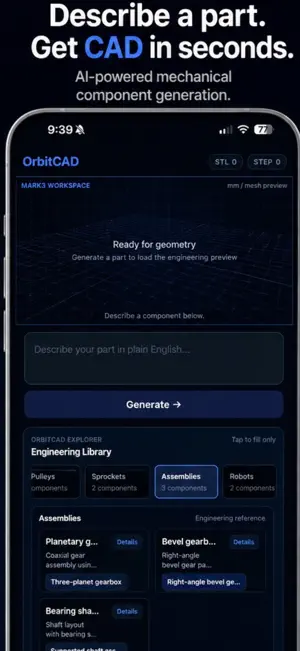
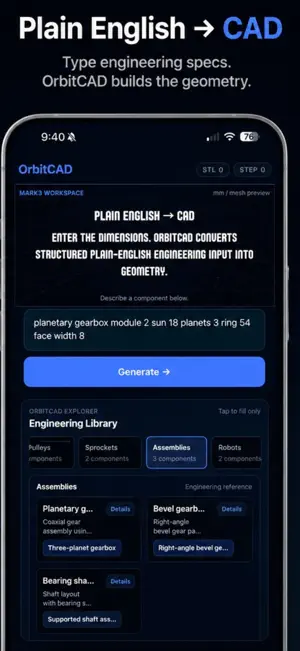
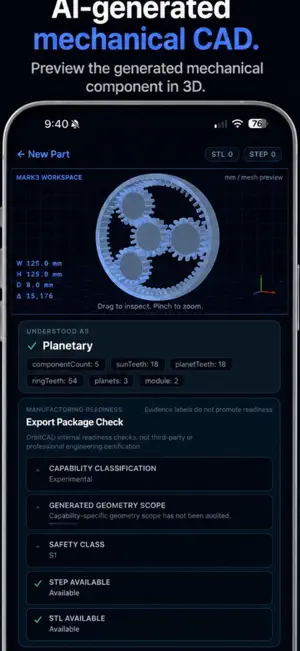
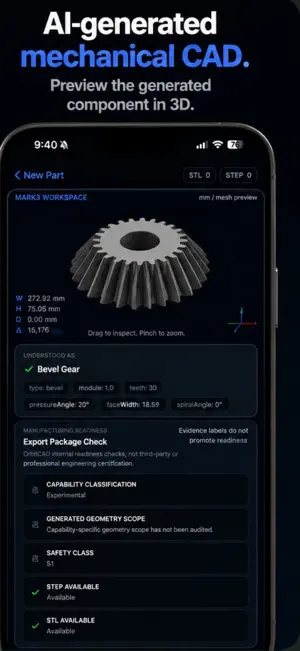
OrbitCAD turns plain-English descriptions into real, engineering-grade mechanical parts — no CAD training required. Just describe what you need: "spur gear, module 2, 24 teeth" or "arm joint, 40mm bore" — and OrbitCAD generates accurate, parametric 3D geometry in seconds. Rotate, inspect, and export it as STEP or STL for 3D printing or professional CAD workflows. WHAT YOU CAN DESIGN - Gears — spur, helical, bevel, worm - Planetary gearboxes - Shafts, couplings, and drive components - Robotics parts — arm joints, mounts, and more - Drone propellers and custom blade geometry - And an expanding library of mechanical components BUILT FOR REAL ENGINEERING Every part is generated with accurate dimensions, correct tooth profiles, and proper mechanical relationships — not approximations. Inspect wall thickness, diameters, and tolerances directly in the app before you export. EXPORT READY Download STEP files for professional CAD software, or STL for 3D printing — straight from your phone. Whether you're prototyping a robotics project, need a quick replacement part, or just want to explore mechanical design without opening a full CAD suite, OrbitCAD gets you from idea to exportable geometry in one conversation. Terms of Use (EULA): https://www.apple.com/legal/internet-services/itunes/dev/stdeula/
What’s new
Version 3.1.0 · Updated August 21, 2026
OrbitCAD 3.1 is our biggest engineering update yet. • Analyze tolerance stacks directly from iPhone. • Keep projects across sessions with safer conflict handling. • Export designs as STEP, STL, DXF, and BOM data. • Major reliability and web-to-mobile parity improvements across generation, projects, and exports. Describe it. Generate it. Analyze it. Export it.
App privacy
The developer, Aldo HernandezCalzada, reported these privacy practices to Apple.
Data Linked to You
The following data, which may be collected and linked to your identity, may be used for the following purposes:
- User Content: Other User Content
Used for: App Functionality
Data Not Linked to You
The following data, which may be collected but is not linked to your identity, may be used for the following purposes:
- Purchases: Purchase History
- Identifiers: User ID
Used for: App Functionality
Alternatives to OrbitCAD
Looking for apps like OrbitCAD? Here are 6 similar apps on the App Store. The highest rated is DWG, STL & 3D CAD File Viewer (5.0/5), and all 6 are free to download.
-
 STP One - STEP CAD Viewer
-
 AiCadGen
-
 stl-er
-
 Turf/OS - Lawn Planner
3.9
Turf/OS - Lawn Planner
3.9
-
 DWG, STL & 3D CAD File Viewer
5.0
DWG, STL & 3D CAD File Viewer
5.0
-
 3D Print Commander
5.0
3D Print Commander
5.0
| App | Rating | Price | Last updated | Compare |
|---|---|---|---|---|
| OrbitCAD | – | Free | August 21, 2026 | |
| STP One - STEP CAD Viewer | – | Free | Oct 7, 2026 | Compare |
| AiCadGen | – | Free | Aug 30, 2026 | Compare |
| stl-er | – | Free | Jun 27, 2026 | Compare |
| Turf/OS - Lawn Planner | 3.9 / 5 (15) | Free | May 7, 2026 | Compare |
| DWG, STL & 3D CAD File Viewer | 5.0 / 5 (1) | Free | Oct 15, 2026 | Compare |
| 3D Print Commander | 5.0 / 5 (1) | Free | Oct 17, 2026 | Compare |
Compare OrbitCAD with the top alternatives: ratings, updates, ASO score and keyword gaps →