

Slide AI: Presentation Maker
Aliye Sinem Battal Yildiz Productivity iPhoneiPadiPod touch
Slide AI: Presentation Maker is a free Productivity app for iPhone and iPad by Aliye Sinem Battal Yildiz. Requires iOS 16.0. Updated October 17, 2026.
- Price
- Free
- on the App Store
- Size
- 82 MB
- Age 4+
- Updated
- Oct 17
- 2026 · v1.1.41
Screenshots


About Slide AI: Presentation Maker
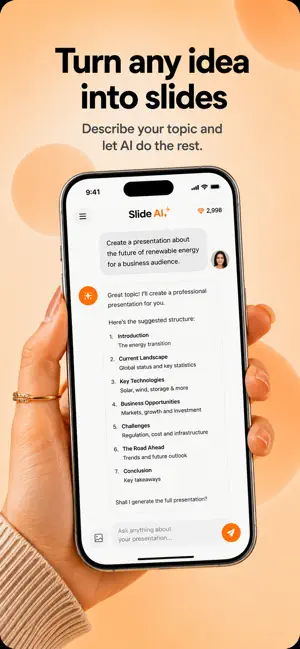
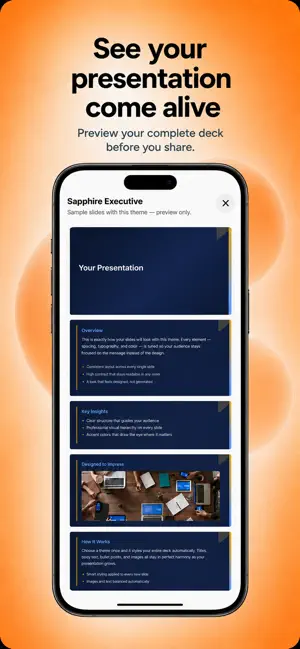
Your idea deserves a memorable presentation — not hours of dragging slides. Slide AI is an AI-powered mobile presentation maker. Tell your story in a natural chat, pick a professional theme, and generate a complete deck in minutes. Export as PowerPoint (PPTX) or PDF and share it from class to the boardroom. WHY SLIDE AI? Most presentation tools were built for the desktop. Slide AI is built for how you actually work today: on your phone, on the move, with an idea that cannot wait. No blank slides. No design background required. Tell the AI what you want, refine it together, and walk away with a deck you are proud to present. WHO IT'S FOR • Business plans, quarterly reports, and strategy decks • School projects, homework, and academic presentations • Product launches, sales pitches, and marketing slides • Freelance portfolios and client proposals • Personal CVs, career, and personal-brand presentations HOW IT WORKS 1. Choose a category — Business, Education, Product, Freelance, or Personal 2. Pick a visual theme from dozens of ready-made designs 3. Chat with AI to shape your message, structure, and key points 4. Optionally add photos from your gallery for extra context 5. Generate your full presentation in one tap 6. Export as PPTX or PDF, present in-app, or share with anyone HIGHLIGHTS • AI chat that understands your topic and builds slide content with you • 20+ professional themes — applied to the whole deck in one tap • In-app present mode to rehearse before you share • PPTX and PDF export on your device • Save drafts and pick up where you left off • Sign in with Apple, Google, or email — or continue as a guest INCLUDED PLAN • Up to 10 presentations on Home • Up to 10 AI messages per presentation • Limited slide preview; upgrade for the full deck • Access to basic themes • PDF export SLIDE AI PRO • Unlimited presentations • Full presentation preview with no slide lock • All premium themes • PPTX export for PowerPoint and Keynote • Unlimited AI messages per presentation • No watermark on export • Higher generation quota CREDIT PACKS Need more AI generations beyond your plan? Optional credit packs are available for extra decks. Credits are used when creating or regenerating slides. SUBSCRIPTIONS AND BILLING Slide AI offers optional Pro subscriptions (monthly or yearly) and consumable credit packs. Payment is charged to your Apple ID at confirmation of purchase. Subscriptions renew automatically unless cancelled at least 24 hours before the end of the current period. Renewal is charged within 24 hours prior to the end of the current period. Manage or cancel anytime in Settings → Apple ID → Subscriptions. Any unused portion of a free trial is forfeited when you purchase a subscription. AI-GENERATED CONTENT AI-generated content is provided as-is. You are responsible for reviewing and verifying every slide before you present or share it. Privacy Policy: https://voysapps.io/app/slide-ai/privacy-policy Terms of Use: https://voysapps.io/app/slide-ai/terms-of-use EULA: https://www.apple.com/legal/internet-services/itunes/dev/stdeula/ Support: https://voysapps.io/app/slide-ai/support
What’s new
Version 1.1.41 · Updated October 17, 2026
Editing slides is easier, including from the presentation screen. Credit recovery in chat and presentation loading have been improved.
App privacy
The developer, Aliye Sinem Battal Yildiz, reported these privacy practices to Apple.
Data Used to Track You
The following data may be used to track you across apps and websites owned by other companies:
- Identifiers: Device ID
Data Linked to You
The following data, which may be collected and linked to your identity, may be used for the following purposes:
- Contact Info: Email Address, Name
- User Content: Photos or Videos
- Identifiers: User ID, Device ID
Used for: App Functionality
Data Not Linked to You
The following data, which may be collected but is not linked to your identity, may be used for the following purposes:
- Identifiers: Device ID
Used for: Third-Party Advertising, Analytics
Alternatives to Slide AI: Presentation Maker
Looking for apps like Slide AI: Presentation Maker? Here are 6 similar apps on the App Store. The highest rated is Fogwing Copilot (5.0/5), and all 6 are free to download.
-
 AI Presentation Maker: SlideAI
-
 AI Presentation Maker: Gamma
4.0
AI Presentation Maker: Gamma
4.0
-
 AI Presentation Maker - Slate
-
 Fogwing Copilot
5.0
Fogwing Copilot
5.0
-
 Presentation Maker: Powerpoint
5.0
Presentation Maker: Powerpoint
5.0
-
 Slideshow AI
| App | Rating | Price | Last updated | Compare |
|---|---|---|---|---|
| Slide AI: Presentation Maker | – | Free | October 17, 2026 | |
| AI Presentation Maker: SlideAI | – | Free | Sep 8, 2026 | Compare |
| AI Presentation Maker: Gamma | 4.0 / 5 (1) | Free | Jul 27, 2026 | Compare |
| AI Presentation Maker - Slate | – | Free | Oct 12, 2026 | Compare |
| Fogwing Copilot | 5.0 / 5 (1) | Free | Jan 7, 2026 | Compare |
| Presentation Maker: Powerpoint | 5.0 / 5 (5) | Free | Oct 17, 2026 | Compare |
| Slideshow AI | – | Free | Apr 14, 2026 | Compare |