

PDF Studio: Editor & Reader
Edip Yılmaz Productivity iPhoneiPadiPod touch
PDF Studio: Editor & Reader is a free Productivity app for iPhone and iPad by Edip Yılmaz. Requires iOS 15.5. Updated August 25, 2026.
- Price
- Free
- on the App Store
- Size
- 94 MB
- Age 4+
- Updated
- Aug 25
- 2026 · v0.0.3
Screenshots


About PDF Studio: Editor & Reader
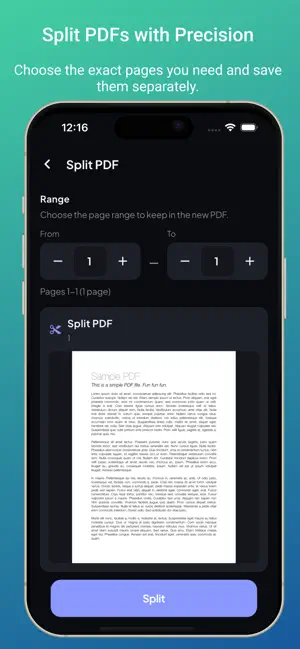
Merge, split, compress and edit PDFs without uploading a single file. Everything runs on your iPhone — no account, no sign-up, nothing leaves your device. One app instead of ten: MERGE PDF Combine multiple PDF files into a single document. Drag to set the order, merge in one tap. SPLIT PDF Split a PDF into separate files, or extract an exact page range from a large document. COMPRESS PDF Get under the email attachment limit without turning your document into mush. ROTATE & REARRANGE PAGES Fix sideways scans, reorder pages, delete the ones you do not need. WATERMARK PDF Stamp DRAFT or CONFIDENTIAL across any page. PROTECT PDF Lock a file with a password and keep private documents encrypted. EXTRACT TEXT & OCR Pull real, selectable text out of a scan, a photo, or a PDF. SCAN TO PDF Point your camera at any document. Auto edge detection crops and straightens each page. Receipts, contracts, ID cards, notes. IMAGE TO PDF Convert JPG, PNG or any photo to PDF. Pick your images, reorder, export one file. PDF TO IMAGE Export any PDF page as a high quality JPG. SIGN PDF Draw your signature once, then place it on any contract or form. READ & SEARCH A fast PDF viewer with in-document search, so you can find any word in a long file. FILES Everything you have made in one place. Search, rename, share, organise. PRIVACY There is no server. Your documents are processed on your device and stay there. No account required, and it all works in airplane mode. PDF STUDIO PREMIUM Premium removes all ads and unlocks unlimited use, as a monthly or yearly auto-renewing subscription. Payment is charged to your Apple ID at confirmation of purchase. The subscription renews automatically unless it is turned off at least 24 hours before the end of the current period, and your account is charged for renewal within 24 hours of the end of that period. You can manage or cancel your subscription in your App Store account settings after purchase. Terms of Use (EULA): https://www.apple.com/legal/internet-services/itunes/dev/stdeula/ Privacy Policy: https://iamadeeb.github.io/pdfstudio-legal/?lang=en&doc=privacy
What’s new
Version 0.0.3 · Updated August 25, 2026
Bug Fixes
App privacy
The developer, Edip Yılmaz, reported these privacy practices to Apple.
Data Used to Track You
The following data may be used to track you across apps and websites owned by other companies:
- Identifiers: Device ID
- Usage Data: Advertising Data
Data Linked to You
The following data, which may be collected and linked to your identity, may be used for the following purposes:
- Identifiers: Device ID
- Usage Data: Advertising Data
Used for: Third-Party Advertising
Data Not Linked to You
The following data, which may be collected but is not linked to your identity, may be used for the following purposes:
- Usage Data: Product Interaction
- Diagnostics: Crash Data
Used for: Analytics
Alternatives to PDF Studio: Editor & Reader
Looking for apps like PDF Studio: Editor & Reader? Here are 6 similar apps on the App Store. The highest rated is PDF Genius: AI PDF Text Editor (5.0/5), and all 6 are free to download.
-
 PDF Pro AI Editor
-
 PDF Tools: Merge & Compress
-
 PDF Editor Converter
-
 Adobe Editor AI: Edit PDF Text
-
 PDF Genius: AI PDF Text Editor
5.0
-
 InfiniChat AI
| App | Rating | Price | Last updated | Compare |
|---|---|---|---|---|
| PDF Studio: Editor & Reader | – | Free | August 25, 2026 | |
| PDF Pro AI Editor | – | Free | Jul 22, 2026 | Compare |
| PDF Tools: Merge & Compress | – | Free | Mar 5, 2026 | Compare |
| PDF Editor Converter | – | Free | Jul 8, 2026 | Compare |
| Adobe Editor AI: Edit PDF Text | – | Free | Oct 14, 2026 | Compare |
| PDF Genius: AI PDF Text Editor | 5.0 / 5 (1) | Free | Oct 14, 2026 | Compare |
| InfiniChat AI | – | Free | Sep 18, 2026 | Compare |