

Restore Old Photos with AI
HALIME USLU Photo & Video iPhoneiPadiPod touch
Restore Old Photos with AI is a free Photo & Video app for iPhone and iPad by HALIME USLU. Requires iOS 17.0. Updated August 14, 2026.
- Price
- Free
- on the App Store
- Size
- 42 MB
- Age 4+
- Updated
- Aug 14
- 2026 · v1.02
Screenshots
About Restore Old Photos with AI
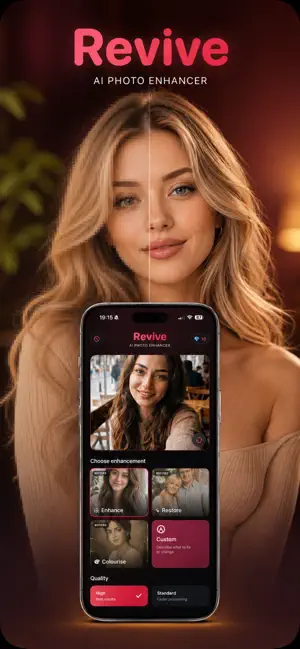
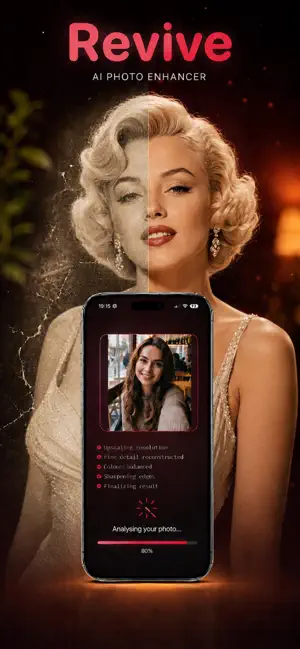
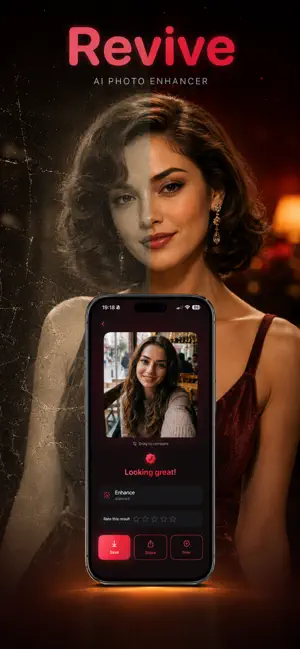
Revive is an AI photo restoration studio for old family pictures, blurry portraits, faded prints, low resolution scans and images that deserve a careful quality upgrade. It is made for the photos people actually keep: album scans, phone captures of printed pictures, faded portraits, damaged memories, black and white images, and low quality files that need to look clearer before they are saved or shared. Choose a photo from your library and select the workflow that matches the image. Enhance sharpens soft details, improves clarity, raises perceived resolution and creates a cleaner HD or Ultra HD result. Restore focuses on older and damaged photos with scratches, haze, blur, weak contrast, worn paper, compression artifacts or faded faces. Colorize brings black and white memories back with believable color while keeping the original mood of the photo. Custom Prompt lets you describe a specific repair, atmosphere or creative direction when the built in modes are not enough. Revive is designed for real restoration work, not just a quick filter. The before and after viewer helps you inspect the result, compare small facial details, check texture changes and decide whether the restored version feels natural. You can zoom in, save finished images, share restored photos, create transformation reels and keep a history of previous edits so important memories are easy to revisit later. Revive Pro unlocks stronger restoration, Ultra HD processing, expanded daily use, premium transformations and diamond packs for detailed jobs. It is useful for family archives, scanned albums, portraits, social posts, memorial pictures, old documents with photos and any image that needs a cleaner version without manually editing every detail. Results are generated by AI and may vary depending on the original photo, resolution, lighting, blur, damage level, faces, background detail and selected mode. Revive does not replace professional archival conservation, but it gives you a fast and practical way to make meaningful photos easier to view, preserve and share. Terms of Use: https://www.apple.com/legal/internet-services/itunes/dev/stdeula/
What’s new
Version 1.02 · Updated August 14, 2026
Revive is smoother than ever. We refined photo restoration and processing, improved responsiveness, and fixed bugs, making it even easier to bring treasured memories back to life.
App privacy
The developer, HALIME USLU, reported these privacy practices to Apple.
Data Not Collected
The developer does not collect any data from this app.
Alternatives to Restore Old Photos with AI
Looking for apps like Restore Old Photos with AI? Here are 6 similar apps on the App Store. The highest rated is AI Restore Old & Faded Photos (4.5/5), and all 6 are free to download.
-
 Revive: Old Photo Restore Fix
-
 AI Restore Old & Faded Photos
4.5
AI Restore Old & Faded Photos
4.5
-
 Restore Old Photos - Retrocap
-
 Restore Old Photos: ReTimer AI
4.5
Restore Old Photos: ReTimer AI
4.5
-
 Upscale AI: HD Photo Enhancer
4.4
Upscale AI: HD Photo Enhancer
4.4
-
 Restory - Restore Old Photos
4.4
Restory - Restore Old Photos
4.4
| App | Rating | Price | Last updated | Compare |
|---|---|---|---|---|
| Restore Old Photos with AI | – | Free | August 14, 2026 | |
| Revive: Old Photo Restore Fix | – | Free | Oct 12, 2026 | Compare |
| AI Restore Old & Faded Photos | 4.5 / 5 (2) | Free | Jul 29, 2026 | Compare |
| Restore Old Photos - Retrocap | – | Free | Sep 23, 2026 | Compare |
| Restore Old Photos: ReTimer AI | 4.5 / 5 (31) | Free | Sep 16, 2026 | Compare |
| Upscale AI: HD Photo Enhancer | 4.4 / 5 (14) | Free | Oct 18, 2026 | Compare |
| Restory - Restore Old Photos | 4.4 / 5 (21) | Free | Jul 1, 2026 | Compare |