

Bramble: Password Manager
Webvana Inc. Productivity iPhoneiPadiPod touch
Bramble: Password Manager is a free Productivity app for iPhone and iPad by Webvana Inc. Rated 4.8/5 from 6 ratings. Requires iOS 15.0.
- Rating
- 4.8
- 6 ratings
- Price
- Free
- on the App Store
- Size
- 13 MB
- Age 4+
- Updated
- Oct 28
- 2026 · v1.20.0
Screenshots
About Bramble: Password Manager
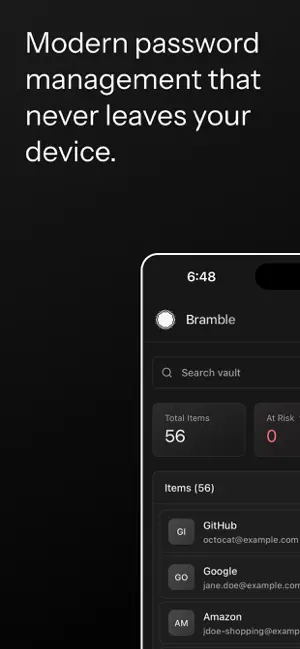
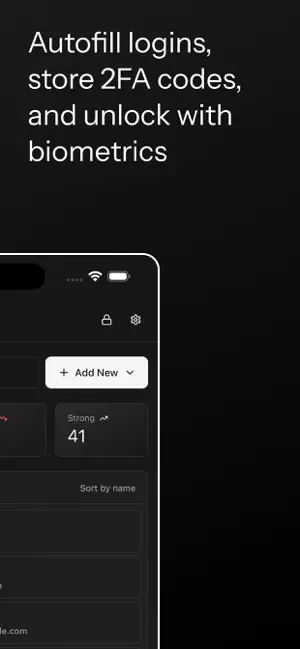
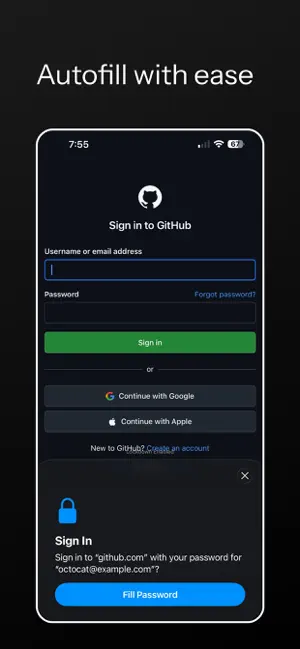
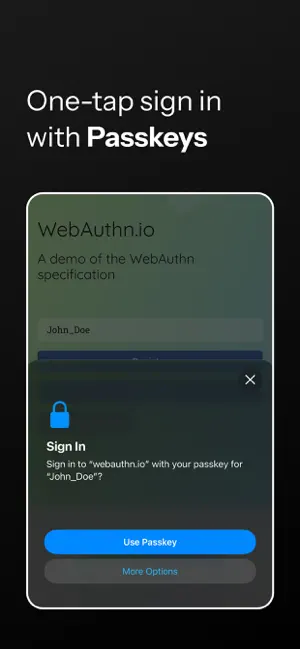
Bramble is a local-first password manager. Your passwords live in an encrypted vault on your device, not on someone else's server. There is no account to create and nothing phoning home. Everything cryptographic runs in a Rust core: Argon2id derives your key, AES-256-GCM encrypts your data, and envelope encryption gives every entry its own key. Site names, usernames, and notes are all encrypted, and secrets are wiped from memory after use. FEATURES - AutoFill passwords and one-time codes into apps and Safari, right from the keyboard. - Passkeys: create and sign in with passkeys, with Bramble as your own authenticator, for sites and apps that support them. - Unlock with Face ID or Touch ID, your master password, or a recovery code. - Store logins, payment cards, secure notes, and SSH keys, each with their own fields. - Built-in strong password generator. - TOTP / 2FA: add an otpauth URI or secret and Bramble generates the six-digit codes. - Import from KeePass (KDBX4), key files included. - Recovery code: a printable, high-entropy backup that unlocks your vault independently of your master password. - Optional breach check using k-anonymity, so nothing about your password leaves your device. - Auto-lock after inactivity. - Sync between your own devices peer-to-peer. No cloud, no relay holding your data. PRIVACY Bramble has no account, no subscription, and no telemetry. Your vault never leaves your control, and the code runs entirely on your device.
Ratings & reviews
4.8
6 ratings
What’s new
Version 1.20.0 · Updated October 28, 2026
What's new in this release: - Attach files to your entries: a passport scan, a contract, a recovery key. Files are encrypted on your device before they leave it, sync between your devices, and are included in your backups. - KeePass import and export now carry attachments too. - A login imported for a site on its own port, like a router or a home server, now matches that exact port. - Security updates to the libraries the app is built on. No account, no cloud. Everything stays on your devices.
App privacy
The developer, Webvana Inc., reported these privacy practices to Apple.
Data Not Collected
The developer does not collect any data from this app.
Alternatives to Bramble: Password Manager
Looking for apps like Bramble: Password Manager? Here are 6 similar apps on the App Store. The highest rated is NotePlus - Markdown Editor (5.0/5), and all 6 are free to download.
-
 Markdown My Words
-
 Edge Mind Ai
-
 Plotted: Planner & To Do List
3.0
Plotted: Planner & To Do List
3.0
-
 Tertiary Markdown
1.0
Tertiary Markdown
1.0
-
 SU Browser
-
 NotePlus - Markdown Editor
5.0
NotePlus - Markdown Editor
5.0
| App | Rating | Price | Last updated | Compare |
|---|---|---|---|---|
| Bramble: Password Manager | 4.8 / 5 (6 ratings) | Free | October 28, 2026 | |
| Markdown My Words | – | Free | Sep 16, 2026 | Compare |
| Edge Mind Ai | – | Free | Sep 25, 2026 | Compare |
| Plotted: Planner & To Do List | 3.0 / 5 (1) | Free | Sep 11, 2026 | Compare |
| Tertiary Markdown | 1.0 / 5 (1) | Free | Jun 30, 2026 | Compare |
| SU Browser | – | Free | Jul 9, 2026 | Compare |
| NotePlus - Markdown Editor | 5.0 / 5 (1) | Free | Oct 18, 2026 | Compare |