

All Document Reader & Scanner
AppHolic Productivity iPhoneiPadiPod touch
All Document Reader & Scanner is a free Productivity app for iPhone and iPad by AppHolic. Rated 4.8/5 from 11 ratings. Requires iOS 15.6.
- Rating
- 4.8
- 11 ratings
- Price
- Free
- on the App Store
- Size
- 93 MB
- Age 4+
- Updated
- Jul 10
- 2026 · v1.0.2
Screenshots


About All Document Reader & Scanner
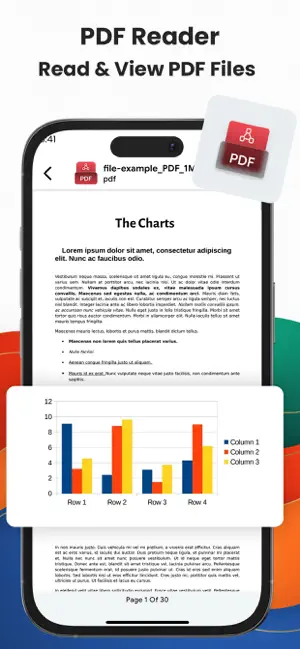
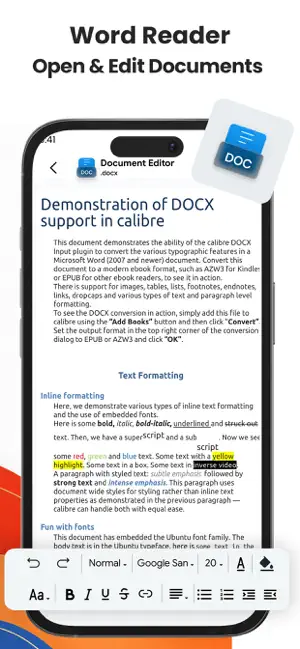
From PDFs and presentations to spreadsheets and scanned documents, All Document Reader & Scanner helps you access, organize, edit, and create files from one place. Whether you're reviewing work documents, studying course materials, managing personal files, or preparing presentations, All Document Reader & Scanner provides practical tools for everyday document management. With support for multiple file formats, document editing features, scanning tools, and file organization options, it helps keep your documents accessible and organized. ALL-IN-ONE DOCUMENT READER – Open and view a wide range of document formats – Read PDFs, DOC files, TXT documents, presentations, spreadsheets, and more – Access and manage files from a single location – Use the app in multiple languages for a more personalized experience FILE ORGANIZATION TOOLS – Sort files by name, date, size, or type – Rename files and view document details – Bookmark important documents for quick access – Keep files organized and easy to locate – Upload and manage documents whenever needed DOCUMENT SCANNER & PDF TOOLS – Scan paper documents and save digital copies – Convert images into PDF files for sharing and storage – Store notes, receipts, forms, and other documents digitally – Manage scanned files alongside your existing documents DOCUMENT EDITING TOOLS – Edit and adjust documents directly within the app – Crop, rotate, resize, and enhance document pages – Apply filters to improve document visibility and appearance – Make document updates without switching between different apps CREATE AND EDIT FILES – Create new documents for work, school, or personal use – Create, edit, and review presentations – Manage spreadsheets for planning, calculations, and records – Create memos for notes, reminders, and important information – Work with different document types from one app DESIGNED FOR DAILY DOCUMENT TASKS Whether you need to read documents, review presentations, organize files, edit spreadsheets, scan paperwork, or create new content, All Document Reader & Scanner brings essential document tools together in a single application. Download All Document Reader & Scanner to read files, edit documents, scan paperwork, create presentations and spreadsheets, convert images to PDF, and manage your documents with ease. By using this app, you agree to our: Privacy Policy: https://sites.google.com/view/appholic/all-document-reader/privacy-policy Terms of Use: https://sites.google.com/view/appholic/all-document-reader/terms-of-use
Ratings & reviews
4.8
11 ratings
What’s new
Version 1.0.2 · Updated July 10, 2026
Bug Fixes & Improvements
App privacy
The developer, AppHolic, reported these privacy practices to Apple.
Data Used to Track You
The following data may be used to track you across apps and websites owned by other companies:
- Usage Data: Advertising Data
Data Not Linked to You
The following data, which may be collected but is not linked to your identity, may be used for the following purposes:
- Usage Data: Advertising Data
- Diagnostics: Crash Data
Used for: Third-Party Advertising, Analytics
Alternatives to All Document Reader & Scanner
Looking for apps like All Document Reader & Scanner? Here are 6 similar apps on the App Store. The highest rated is PDFix: Edit, Sign, Convert PDF (5.0/5), and 5 of the 6 are free to download.
-
 FileMaster: Offline Scanner
1.0
FileMaster: Offline Scanner
1.0
-
 PDFfiled: PDF Editor-Scanner
1.0
PDFfiled: PDF Editor-Scanner
1.0
-
 PDFix: Edit, Sign, Convert PDF
5.0
PDFix: Edit, Sign, Convert PDF
5.0
-
 MCBackup Pro - Contacts Backup
4.8
MCBackup Pro - Contacts Backup
4.8
-
 PatchDoc:File & Code Editor
5.0
PatchDoc:File & Code Editor
5.0
-
 EdgeAI: Local AI Gallery
5.0
EdgeAI: Local AI Gallery
5.0
| App | Rating | Price | Last updated | Compare |
|---|---|---|---|---|
| All Document Reader & Scanner | 4.8 / 5 (11 ratings) | Free | July 10, 2026 | |
| FileMaster: Offline Scanner | 1.0 / 5 (1) | Free | Jul 27, 2026 | Compare |
| PDFfiled: PDF Editor-Scanner | 1.0 / 5 (1) | Free | Oct 27, 2026 | Compare |
| PDFix: Edit, Sign, Convert PDF | 5.0 / 5 (3) | Free | Oct 19, 2026 | Compare |
| MCBackup Pro - Contacts Backup | 4.8 / 5 (128) | 1.99 USD | Mar 20, 2026 | Compare |
| PatchDoc:File & Code Editor | 5.0 / 5 (6) | Free | Oct 17, 2026 | Compare |
| EdgeAI: Local AI Gallery | 5.0 / 5 (3) | Free | Oct 7, 2026 | Compare |