

Wakeforce: Mission alarm
Tobias Thurston Lifestyle iPhoneiPadiPod touch
Wakeforce: Mission alarm is a free Lifestyle app for iPhone and iPad by Tobias Thurston. Rated 5.0/5 from 5 ratings. Requires iOS 16.0.
- Rating
- 5.0
- 5 ratings
- Price
- Free
- on the App Store
- Size
- 93 MB
- Age 4+
- Updated
- Sep 15
- 2026 · v1.8
Screenshots
About Wakeforce: Mission alarm
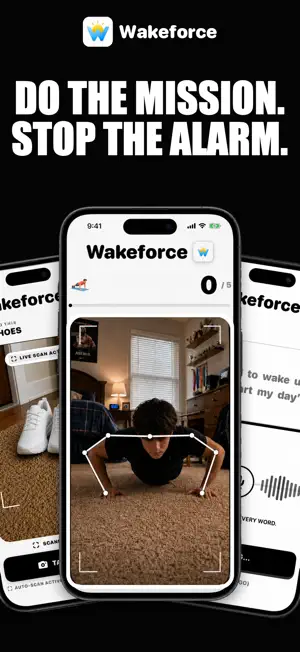
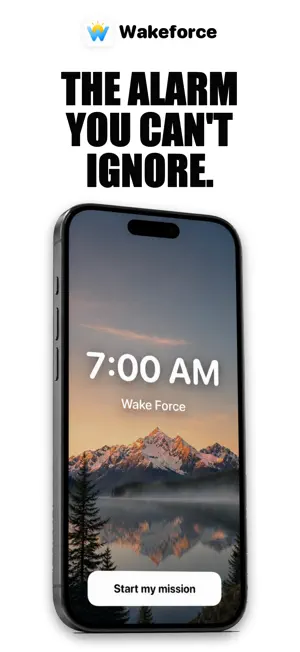
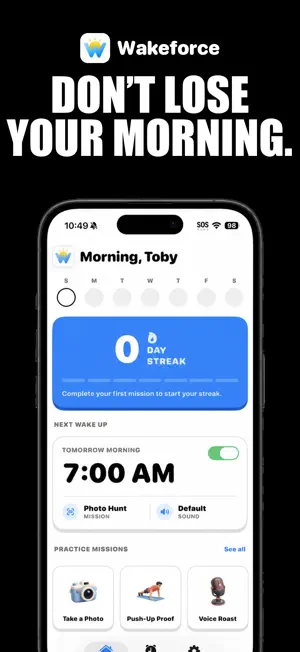
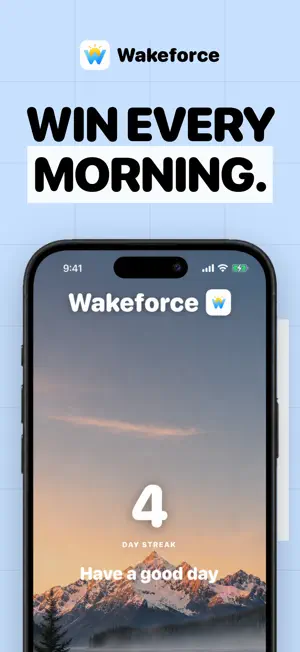
WAKEFORCE The alarm you can't sleep through. Most alarms have one fatal flaw: the snooze button. Wakeforce removes it. Your alarm will not turn off until you get up and finish a quick mission. By the time you're done, you're awake, on your feet, and out of bed for good. HOW IT WORKS 1. Set your wake-up time and the days you need to be up. 2. Pick the mission you have to complete to silence the alarm. 3. When it rings, get up and finish the mission. It goes quiet only when you do. THREE WAYS TO WAKE UP * Push-Up Proof: bang out push-ups while the camera counts every rep. No faking it. * Photo Hunt: we name an everyday object. Get up, find it, and snap a photo to prove it. * Voice Roast: read a ridiculous phrase out loud until the alarm gives up. Set a different mission for every alarm, or change it any time. BUILT TO ACTUALLY WAKE YOU * No-Escape Mode keeps the alarm coming back until the mission is done, so sleeping through it is not an option. * Rings loud through silent mode, Focus, and Do Not Disturb, even when your phone is locked or the app is closed. * Clean, escalating alarm tones designed to get you moving. * Track your streak and see every morning you won. PRIVATE BY DESIGN Wakeforce keeps your data on your phone. No account, no sign-up, no ads, no tracking. The camera and microphone are used only to run a mission, live on your device. Nothing is recorded, saved, or uploaded. Stop negotiating with your alarm. Get Wakeforce and take back your mornings. SUBSCRIPTION Wakeforce is free to download. A subscription unlocks the full app: * Yearly: $29.99 per year * Weekly: $5.99 per week Prices are in USD and may vary by region. Payment is charged to your Apple Account at confirmation of purchase. Subscriptions renew automatically unless auto-renew is turned off at least 24 hours before the end of the current period. Your account is charged for renewal within 24 hours before the period ends. Manage or cancel your subscription in your App Store account settings after purchase. Terms of Use (EULA): https://climbing-hexagon-71e.notion.site/Wakeforce-Terms-of-Use-793102c3bd7d4c7cac691070cedc2cd0 Privacy Policy: https://climbing-hexagon-71e.notion.site/Wakeforce-Privacy-Policy-2d0a5d2de3fe47fba75641e70c33ef30
Ratings & reviews
5.0
5 ratings
What’s new
Version 1.8 · Updated September 15, 2026
Upgraded the whole alarm system and added a free trial!
App privacy
The developer, Tobias Thurston, reported these privacy practices to Apple.
Data Not Linked to You
The following data, which may be collected but is not linked to your identity, may be used for the following purposes:
- Purchases: Purchase History
- Identifiers: User ID
Used for: App Functionality
Alternatives to Wakeforce: Mission alarm
Looking for apps like Wakeforce: Mission alarm? Here are 6 similar apps on the App Store. The highest rated is Donation Alarm Clock: Tethered (5.0/5), and all 6 are free to download.
-
 WAKEFORCE: Alarm Clock & Sleep
4.0
WAKEFORCE: Alarm Clock & Sleep
4.0
-
 Waker: Loud Mission Alarm
-
 Mission Alarm - Wake Up App
-
 Alarm Heavy Sleepers - Wakey
-
 Donation Alarm Clock: Tethered
5.0
Donation Alarm Clock: Tethered
5.0
-
 Wakea – Wake Up Alarm Clock
| App | Rating | Price | Last updated | Compare |
|---|---|---|---|---|
| Wakeforce: Mission alarm | 5.0 / 5 (5 ratings) | Free | September 15, 2026 | |
| WAKEFORCE: Alarm Clock & Sleep | 4.0 / 5 (2) | Free | Oct 3, 2026 | Compare |
| Waker: Loud Mission Alarm | – | Free | Aug 11, 2026 | Compare |
| Mission Alarm - Wake Up App | – | Free | Aug 4, 2026 | Compare |
| Alarm Heavy Sleepers - Wakey | – | Free | Sep 17, 2026 | Compare |
| Donation Alarm Clock: Tethered | 5.0 / 5 (14) | Free | May 7, 2026 | Compare |
| Wakea – Wake Up Alarm Clock | – | Free | Sep 28, 2026 | Compare |