

Kodo: AI Code Editor & IDE
THEODOR TIBERIUS STEFAN Developer Tools iPhoneiPadiPod touch
Kodo: AI Code Editor & IDE is a free Developer Tools app for iPhone and iPad by THEODOR TIBERIUS STEFAN. Rated 5.0/5 from 10 ratings. Requires iOS 18.0.
- Rating
- 5.0
- 10 ratings
- Price
- Free
- on the App Store
- Size
- 99 MB
- Age 17+
- Updated
- Oct 26
- 2026 · v5.1
Screenshots


About Kodo: AI Code Editor & IDE
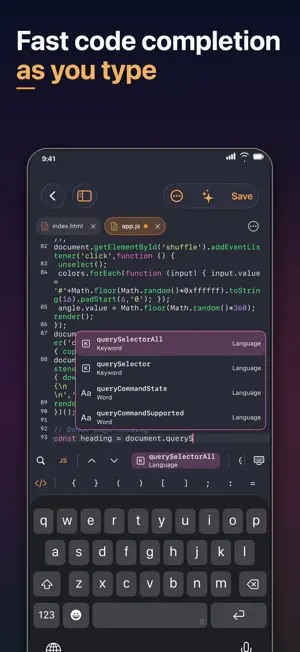
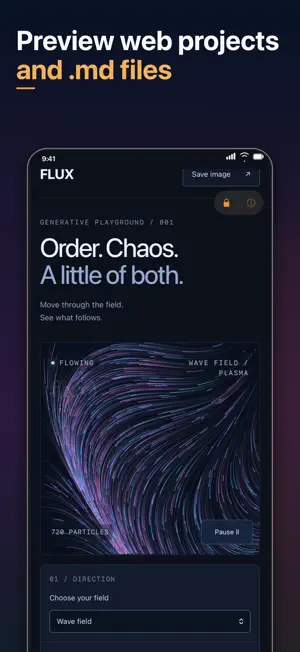
Kodo is a free code editor for iPhone and iPad. Keep your projects, on-device AI and an interactive SSH terminal in one workspace. You don't need a Kodo account. • Edit code with syntax highlighting, tabs, find and replace, snippets, formatting and Emmet. • Organize files and projects, start with six web templates, and recover drafts or saved versions. • Preview HTML and Markdown, inspect the web console, work with CSV tables and edit PDFs. • Ask local AI to explain code, suggest completions or propose changes across several files. Review the differences and choose what to apply. • Open SQLite databases and connect to PostgreSQL to explore tables and run queries. • Use SSH, transfer files with SFTP or FTP, and run npm or Python jobs on your own server. • Compile and run C/C++ offline with the included compiler. No extra download is required. Editable C and C++ example projects are included. • Download GitHub repositories, update linked copies and push files. • Customize your workspace with editor themes and your favorite shortcuts. Choose a compatible Qwen, Gemma, DeepSeek, Phi, Mistral, Granite or SmolLM model. Models download only when you request them. Availability, memory requirements and speed depend on your device. The interface offers 34 language and regional options. Local editing and downloaded AI models work offline. Model downloads, GitHub, remote databases, SSH and file transfers need a connection and any required credentials. Files you choose to transfer are sent to those services.
Ratings & reviews
5.0
10 ratings
What’s new
Version 5.1 · Updated October 26, 2026
Kodo 5.1 • PDF bug fixes. • Improved server connections. • Added Swedish, Danish, Czech, Norwegian Bokmål and Finnish. • Compile and run C/C++ offline with the included compiler. No extra download is required. Editable C and C++ example projects are included. • Compile and run C/C++ programs on your own SSH server with a configured compiler. • Updated the local AI engine. • Improved how agents use file context when proposing changes.
App privacy
The developer, THEODOR TIBERIUS STEFAN, reported these privacy practices to Apple.
Data Not Collected
The developer does not collect any data from this app.
Alternatives to Kodo: AI Code Editor & IDE
Looking for apps like Kodo: AI Code Editor & IDE? Here are 6 similar apps on the App Store. The highest rated is Codeye: Web Inspector (5.0/5), and 5 of the 6 are free to download.
-
 Codeye: Web Inspector
5.0
Codeye: Web Inspector
5.0
-
 Visual Code Editor - vCode
5.0
Visual Code Editor - vCode
5.0
-
 My Styles: Custom Website Look
-
 Text Editor : Code Editor
5.0
Text Editor : Code Editor
5.0
-
 Pad Code AI: Code Editor & IDE
4.0
Pad Code AI: Code Editor & IDE
4.0
-
 Octodoge GitHub Companion
| App | Rating | Price | Last updated | Compare |
|---|---|---|---|---|
| Kodo: AI Code Editor & IDE | 5.0 / 5 (10 ratings) | Free | October 26, 2026 | |
| Codeye: Web Inspector | 5.0 / 5 (1) | Free | Aug 30, 2026 | Compare |
| Visual Code Editor - vCode | 5.0 / 5 (11) | Free | Oct 27, 2026 | Compare |
| My Styles: Custom Website Look | – | 2.99 USD | Oct 2, 2026 | Compare |
| Text Editor : Code Editor | 5.0 / 5 (22) | Free | Jul 4, 2026 | Compare |
| Pad Code AI: Code Editor & IDE | 4.0 / 5 (2) | Free | Oct 26, 2026 | Compare |
| Octodoge GitHub Companion | – | Free | Oct 28, 2026 | Compare |