

Octodoge GitHub Companion
Ilias Karim Developer Tools iPhoneiPadiPod touch
Octodoge GitHub Companion is a free Developer Tools app for iPhone and iPad by Ilias Karim. Requires iOS 26.0. Updated October 31, 2026.
- Price
- Free
- on the App Store
- Size
- 94 MB
- Age 4+
- Updated
- Oct 31
- 2026 · v1.18
Screenshots


About Octodoge GitHub Companion
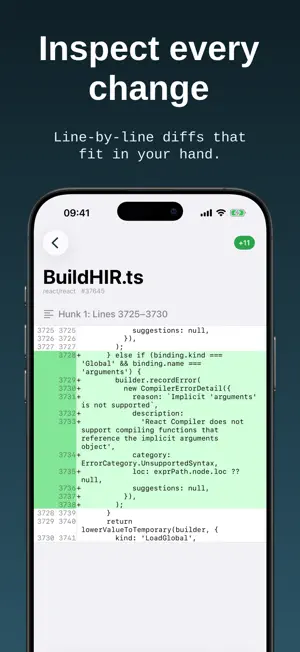
Octodoge GitHub Companion is a native iOS app for browsing GitHub on your iPhone — repos, profiles, commits, Issues, Pull Requests, Actions, and activity — without opening a browser. SEARCH & EXPLORE Find users and repositories, then browse branches, tags, forks, directories, and source files. Search for branches and tags. Create a tag on a branch, tag, or commit. Read READMEs with rendered markdown, images, and embedded video. COMMITS & CODE View commit history, inspect changes, and read syntax-highlighted diffs in a layout built for mobile. ISSUES Open a repository’s Issues to browse open and closed issues, sort the list, search, and read an issue’s summary and comments. Close or reopen issues. PULL REQUESTS Open a repository’s Pull Requests to browse open and closed PRs, search, follow the discussion, inspect commits and file diffs, and see checks. Close or reopen a pull request, and delete or restore its branch. Mark a pull request as ready or as draft, and merge when GitHub reports it clean (merge, squash, or rebase, as the repository allows). ACTIONS Open a repository’s Actions to browse workflow runs, filter by workflow and status, then drill into jobs, steps, and logs. Re-run or cancel a run, and open prior attempts. STARRED Open Starred to browse every repository you’ve starred, then jump into code, Issues, Pull Requests, and Actions. YOUR PULL REQUESTS Open Pull Requests to browse every pull request you’ve opened, then jump into the conversation, files, commits, and checks. YOUR INBOX Open your inbox to browse your GitHub notifications, then jump into Issues, Pull Requests, and commits. STAY UP TO DATE Your News Feed shows recent GitHub activity from people and repositories you follow. Filter events to focus on what matters. YOUR PROFILE Sign in with GitHub to see your public and private repositories, search them, follow or unfollow users, and star or unstar repos. Create a repository with a name, description, private or public visibility, and an optional README. PRIVATE BY DESIGN Octodoge uses GitHub OAuth. Your access token is stored in the iOS Keychain on your device. The app talks directly to the GitHub API — there is no Octodoge backend collecting your data. Octodoge is not affiliated with GitHub, Inc.
What’s new
Version 1.18 · Updated October 31, 2026
- Search for branches and tags.
App privacy
The developer, Ilias Karim, reported these privacy practices to Apple.
Data Not Collected
The developer does not collect any data from this app.
Alternatives to Octodoge GitHub Companion
Looking for apps like Octodoge GitHub Companion? Here are 6 similar apps on the App Store. The highest rated is Neuro — Local Fine-Tune (5.0/5), and all 6 are free to download.
-
 Store Metric
-
 Neuro — Local Fine-Tune
5.0
Neuro — Local Fine-Tune
5.0
-
 Prototo
-
 Copy Link to Pasteboard
1.5
Copy Link to Pasteboard
1.5
-
 NativeX — On-Device AI Lab
-
 Zeti Editor
5.0
Zeti Editor
5.0
| App | Rating | Price | Last updated | Compare |
|---|---|---|---|---|
| Octodoge GitHub Companion | – | Free | October 31, 2026 | |
| Store Metric | – | Free | Sep 30, 2026 | Compare |
| Neuro — Local Fine-Tune | 5.0 / 5 (2) | Free | Jul 8, 2026 | Compare |
| Prototo | – | Free | Oct 22, 2026 | Compare |
| Copy Link to Pasteboard | 1.5 / 5 (2) | Free | Mar 31, 2026 | Compare |
| NativeX — On-Device AI Lab | – | Free | Jul 14, 2026 | Compare |
| Zeti Editor | 5.0 / 5 (4) | Free | Oct 19, 2026 | Compare |