

Image to PDF: Scanner App
Jamshaid Saleem Business iPhoneiPadiPod touch
Image to PDF: Scanner App is a free Business app for iPhone and iPad by Jamshaid Saleem. Requires iOS 17.6. Updated October 25, 2026.
- Price
- Free
- on the App Store
- Size
- 9 MB
- Age 4+
- Updated
- Oct 25
- 2026 · v1.2
Screenshots



About Image to PDF: Scanner App
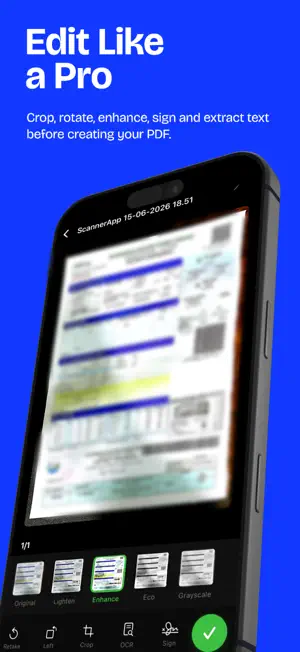
Turn paper documents and photos into PDFs you can save, print, and share. Image to PDF: Scanner App helps you capture receipts, notes, forms, and everyday paperwork in one place. SCAN PAPER OR IMPORT PHOTOS Capture documents with your camera or select pictures from your photo library. Combine several pages into one PDF for work, study, or personal records. CLEAN UP EVERY PAGE Crop, rotate, and enhance your scans. Choose original, grayscale, or enhanced image filters, then reorder pages before creating your PDF. CHOOSE YOUR PDF FORMAT Select A4, Letter, or Legal page sizes and portrait or landscape orientation. Balance file size and image quality with adjustable PDF export settings. EXTRACT TEXT AND ADD YOUR SIGNATURE Use OCR to recognize text in a scanned page, then copy or share it. Draw a handwritten signature and place it on a page before saving. Recognition results depend on the source image and supported recognition languages. KEEP DOCUMENTS EASY TO FIND Create folders, rename files, browse document categories, and search saved names or recognized text. Preview PDFs, print documents, and share files from your device. AVAILABLE IN 12 INTERFACE LANGUAGES English, Arabic, Dutch, French, German, Italian, Japanese, Korean, Portuguese, Russian, Simplified Chinese, and Spanish. PREMIUM An active paid subscription is required to use the app after onboarding. Choose a weekly or yearly plan. Prices are shown in your local currency before purchase. Subscriptions renew automatically unless canceled in your App Store account settings. No new free trial is offered. Terms of Use (EULA): https://www.apple.com/legal/internet-services/itunes/dev/stdeula/ Privacy Policy: https://docs.google.com/document/d/1WN-XBQ6W_sZgXA2bnPJ37yHb5t8ZHbVY9uYYnJJorXs/edit
What’s new
Version 1.2 · Updated October 25, 2026
Added interface translations for Arabic, Dutch, French, German, Italian, Japanese, Korean, Portuguese, Russian, Simplified Chinese, and Spanish, alongside English. Improved right-to-left navigation support for Arabic. App use after onboarding now requires an active paid subscription. No new free trial is offered.
App privacy
The developer, Jamshaid Saleem, reported these privacy practices to Apple.
Data Not Collected
The developer does not collect any data from this app.
Alternatives to Image to PDF: Scanner App
Looking for apps like Image to PDF: Scanner App? Here are 6 similar apps on the App Store.


| App | Rating | Price | Last updated | Compare |
|---|---|---|---|---|
| Image to PDF: Scanner App | – | Free | October 25, 2026 | |
| smbCloud MailX | – | 9.99 USD | Oct 18, 2026 | Compare |
| Zarfio Mail | – | Free | Oct 28, 2026 | Compare |
| AtPigeon | – | Free | May 19, 2026 | Compare |
| Aegis Mail: Secure Email | – | Free | Oct 28, 2026 | Compare |
| Image to PDF read & convert | – | Free | Jun 26, 2026 | Compare |
| Meo Mail | – | Free | Jun 26, 2026 | Compare |