

Flux VPN: Smart Route
Samsonov Ivan Nikolaevich, IP Utilities iPhoneiPadiPod touchMac
Flux VPN: Smart Route is a free Utilities app for iPhone and iPad by Samsonov Ivan Nikolaevich, IP. Requires iOS 17.0. Updated October 14, 2026.
- Price
- Free
- on the App Store
- Size
- 114 MB
- Age 4+
- Updated
- Oct 14
- 2026 · v2.0.4
Screenshots


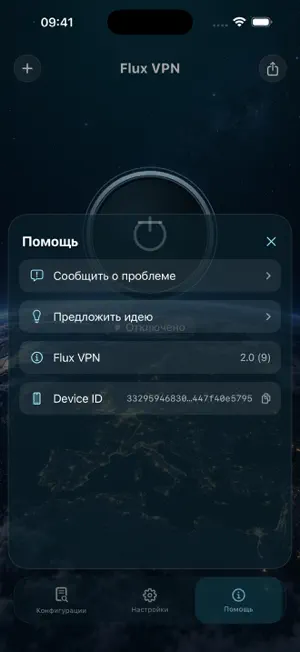

About Flux VPN: Smart Route
Flux VPN is a VPN client for iPhone and iPad that supports your own configurations and server lists. Import configurations from your provider or use free Flux configurations, which are updated every three days. No account is required to use the client. Add servers, choose locations, and manage your connection in one app. Features: • Import configurations from text, files, and QR codes. • Add and refresh server lists using an HTTPS link. • Support for WireGuard, AmneziaWG, VLESS Reality, Hysteria2, TUIC, Shadowsocks, and OpenVPN. • Choose a server and search by name or protocol. • Connect and disconnect with one tap. • Split routing: choose which websites and services use the VPN and which connect directly. • View connection status and data usage. • Light and dark themes and a choice of interface languages. • Contact client support within the app. Free Flux configurations On first launch, the client automatically adds available free Flux configurations. They are updated every three days. You can also import compatible configurations from other providers. Getting started: 1. Open the app and wait for the free Flux configurations to load, or add your own configuration or an HTTPS link to a server list. 2. Choose a server and tap Connect. 3. Allow iOS to add the VPN configuration when prompted. Server availability, speed, and validity periods depend on the provider and your network. Choose configuration sources you trust. Protocol compatibility depends on the configuration settings. VLESS XHTTP is not supported. Server lists can only be imported over HTTPS. Website rules use domain names; connections made directly to an IP address follow the general routing rule.
What’s new
Version 2.0.4 · Updated October 14, 2026
• Configs tab: "Add Flux configuration" now comes first; add your own servers with "Add your own key". • Locations instead of lists: each location appears once, even with several Flux keys on the phone. • Auto for Flux locations: the app picks the location that works best on your network. • Connections are now checked through the server itself, also in Sites mode. If a server passes no traffic, the app tries another option. • Flux server lists load from a backup address when the main one is unreachable and refresh right after you return from the Flux page. • Support replies and notifications no longer stop a day after installation. • Refreshed connection screen. Bug fixes and stability improvements.
App privacy
The developer, Samsonov Ivan Nikolaevich, IP, reported these privacy practices to Apple.
Data Linked to You
The following data, which may be collected and linked to your identity, may be used for the following purposes:
- Contact Info: Email Address
- Identifiers: Device ID, User ID
- Location: Coarse Location
- Diagnostics: Performance Data, Other Diagnostic Data
- User Content: Customer Support
- Usage Data: Other Usage Data
Used for: Developer’s Advertising or Marketing, Analytics, App Functionality
Alternatives to Flux VPN: Smart Route
Looking for apps like Flux VPN: Smart Route? Here are 6 similar apps on the App Store. The highest rated is VPN - Sword VPN Secure (5.0/5), and all 6 are free to download.
-
 VPN - Sword VPN Secure
5.0
VPN - Sword VPN Secure
5.0
-
 SkyGuard VPN
3.0
SkyGuard VPN
3.0
-
 VPN TheTochka: VPN Marketplace
-
 VPN - Fast VPN Super wind
1.0
VPN - Fast VPN Super wind
1.0
-
 nuVPN — Private & Secure
-
 F3 VPN - wire open
| App | Rating | Price | Last updated | Compare |
|---|---|---|---|---|
| Flux VPN: Smart Route | – | Free | October 14, 2026 | |
| VPN - Sword VPN Secure | 5.0 / 5 (5) | Free | Oct 12, 2026 | Compare |
| SkyGuard VPN | 3.0 / 5 (2) | Free | Sep 14, 2026 | Compare |
| VPN TheTochka: VPN Marketplace | – | Free | Sep 28, 2026 | Compare |
| VPN - Fast VPN Super wind | 1.0 / 5 (1) | Free | Sep 28, 2026 | Compare |
| nuVPN — Private & Secure | – | Free | Oct 14, 2026 | Compare |
| F3 VPN - wire open | – | Free | Sep 17, 2026 | Compare |