

Viewport 3D
Amar Shinde Graphics & Design iPhoneiPadiPod touch
Viewport 3D is a free Graphics & Design app for iPhone and iPad by Amar Shinde. Rated 4.0/5 from 2 ratings. Requires iOS 17.0. Updated July 17, 2026.
- Rating
- 4.0
- 2 ratings
- Price
- Free
- on the App Store
- Size
- 47 MB
- Age 4+
- Updated
- Jul 17
- 2026 · v1.0.2
Screenshots
About Viewport 3D
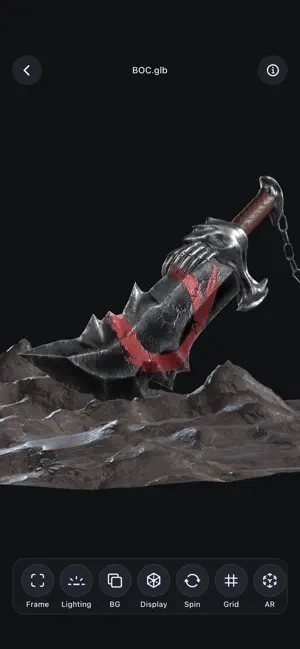
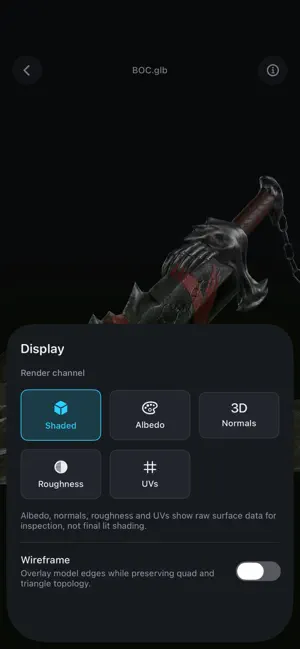
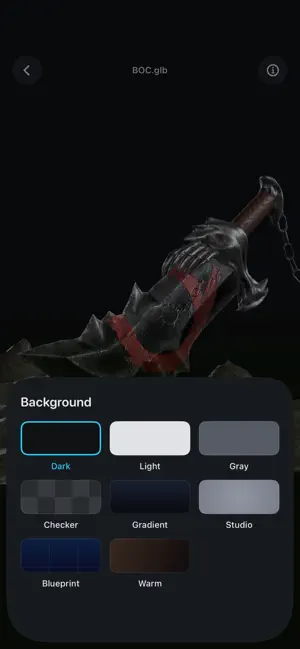
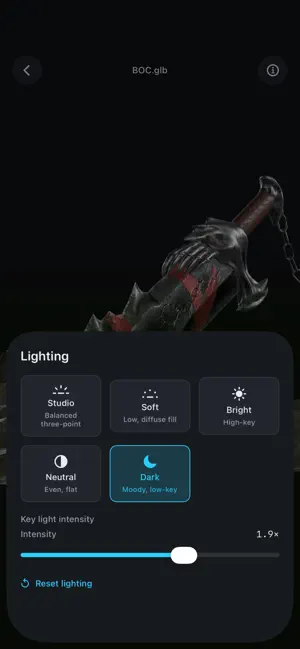
Viewport is a fast, focused 3D viewer built for artists. Open models straight from the Files app on iPhone or iPad — iCloud Drive, Google Drive, Dropbox, OneDrive, Downloads or AirDrop — and inspect them in a clean, professional viewport. No account. No cloud. No clutter. OPEN ALMOST ANYTHING • USD family + Reality load natively: USDZ, USD, USDA, USDC, .reality • OBJ, STL and PLY • FBX, glTF, GLB, DAE and 20+ more formats via an in-app importer • Pick a model and its texture files together to keep materials INSPECT LIKE A PRO • Smooth orbit, pan, pinch-zoom and double-tap to frame • Studio lighting presets + intensity, multiple backgrounds (studio, blueprint, gradient, checker…) • Render channels: shaded, albedo, normals, roughness and UVs • Turntable auto-spin and a reference ground grid • Scene info: bounding box, dimensions, vertex/triangle/material/texture counts — real values, never faked ANIMATION • Plays node/transform animation and skeletal (bone) skinning on supported models • Simple play / pause / loop transport AR • Place supported static models on real surfaces • Real World and Studio lighting modes • Stable placement, flexible scaling and grounding shadows MORE • Capture a screenshot and share it • Recent files with search, sorting, date grouping and thumbnails • Adaptive layouts and multitasking support on iPad PRIVACY FIRST All 3D processing happens on your device. Viewport has no accounts, no tracking, no ads, and never uploads your files. Made by Reimagine Fx. More formats and tools coming.
What’s new
Version 1.0.2 · Updated July 17, 2026
AR, large-file, iPad, and rendering improvements: • Fixed textures appearing distorted or stretched on some glTF/GLB models. • Sharper surface detail — normal maps now stay locked to the model as you orbit. • Improved stability and memory use for very large GLB files. • Rebuilt AR placement with a clearer target, steadier surface placement, realistic shadows, and improved model sizing. • Added Real World and Studio lighting options in AR. • Added full iPad support with adaptive layouts and multitasking. • Fixed the final Recent Files row being cut off. • Clearer message when a file has no displayable surfaces. • Improved initial model framing so objects open fully visible. • Improved stability when switching or closing models while background preparation is running. Thanks for using Viewport!
App privacy
The developer, Amar Shinde, reported these privacy practices to Apple.
Data Not Collected
The developer does not collect any data from this app.
Alternatives to Viewport 3D
Looking for apps like Viewport 3D? Here are 6 similar apps on the App Store. The highest rated is Forma3D - 3D Modeling & Print (5.0/5), and all 6 are free to download.
-
 Open3D: STL & 3D Model Viewer
4.8
Open3D: STL & 3D Model Viewer
4.8
-
 Khronos glTF Viewer
3.2
Khronos glTF Viewer
3.2
-
 Forma3D - 3D Modeling & Print
5.0
Forma3D - 3D Modeling & Print
5.0
-
 ModelPlay-3D Model Viewer
3.0
ModelPlay-3D Model Viewer
3.0
-
 Blender 3D: Image to 3D
1.6
Blender 3D: Image to 3D
1.6
-
 3D Modeling: Design & Sculpt
4.4
3D Modeling: Design & Sculpt
4.4
| App | Rating | Price | Last updated | Compare |
|---|---|---|---|---|
| Viewport 3D | 4.0 / 5 (2 ratings) | Free | July 17, 2026 | |
| Open3D: STL & 3D Model Viewer | 4.8 / 5 (22) | Free | Oct 15, 2026 | Compare |
| Khronos glTF Viewer | 3.2 / 5 (6) | Free | Dec 6, 2023 | Compare |
| Forma3D - 3D Modeling & Print | 5.0 / 5 (6) | Free | Oct 10, 2026 | Compare |
| ModelPlay-3D Model Viewer | 3.0 / 5 (8) | Free | Oct 2, 2026 | Compare |
| Blender 3D: Image to 3D | 1.6 / 5 (16) | Free | Jun 9, 2026 | Compare |
| 3D Modeling: Design & Sculpt | 4.4 / 5 (64) | Free | Sep 29, 2026 | Compare |
Compare Viewport 3D with the top alternatives: ratings, updates, ASO score and keyword gaps →