

Crux: Screen time control
Idan Rachmani Productivity iPhoneiPadiPod touch
Crux: Screen time control is a free Productivity app for iPhone and iPad by Idan Rachmani. Requires iOS 16.0. Updated September 11, 2026.
- Price
- Free
- on the App Store
- Size
- 16 MB
- Age 4+
- Updated
- Sep 11
- 2026 · v1.2.0
Screenshots



About Crux: Screen time control
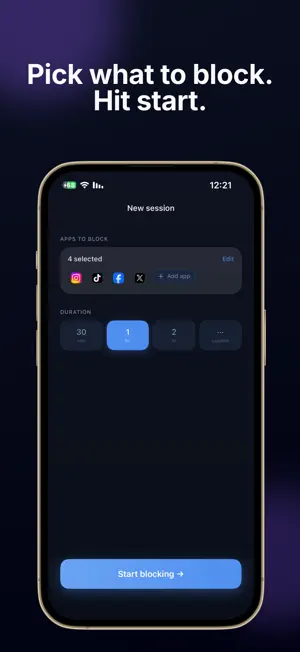
Crux blocks the apps that steal your time — so you can actually focus. Set a session, pick the apps to block, and put your phone down. Crux uses Apple's Screen Time technology to enforce the block system-wide, even if you close the app. FOCUS SESSIONS Block any app for as long as you need. Crux holds the block until the session ends — no cheating. SCHEDULED SESSIONS Set recurring blocks in advance. Your protection runs automatically, even if you never open the app. NIGHT MODE Block apps during your sleep window. Wake up to how many times you reached for your phone, how long you were on it, and which apps kept you up. INSIGHTS See where your day actually went — hour by hour, and which apps took it. Crux marks the hours it protected for you, and tells you how today compares with your usual pace. HOME SCREEN WIDGET See what's coming without opening the app — your next session, tonight's sleep window, and a live countdown while a block is running. STREAKS & STATS See your focus streak and total time saved grow over time. YOUR DATA STAYS ON YOUR PHONE Crux reads your Screen Time data inside Apple's sandbox, and it never leaves your device. We never see which apps you use, or which ones you block. No gimmicks. No fake willpower tricks. Just a hard block on the apps that shouldn't have your attention. Privacy Policy: https://idanrach.github.io/crux-legal/privacy.html Terms of Use: https://idanrach.github.io/crux-legal/terms.html EULA: https://www.apple.com/legal/internet-services/itunes/dev/stdeula/
What’s new
Version 1.2.0 · Updated September 11, 2026
Home screen widget Crux is now on your home screen. It shows the time you've focused today and what's coming up next — your next scheduled session, or tonight's Night Mode window. While a session is running it becomes a live countdown, so you can see how long is left without opening the app. Through the night it goes quiet and just tells you when Night Mode ends. Two sizes, small and medium. Add it by long-pressing your home screen.
App privacy
The developer, Idan Rachmani, reported these privacy practices to Apple.
Data Not Linked to You
The following data, which may be collected but is not linked to your identity, may be used for the following purposes:
- Purchases: Purchase History
- Identifiers: User ID
- Usage Data: Product Interaction
Used for: Analytics, App Functionality
Alternatives to Crux: Screen time control
Looking for apps like Crux: Screen time control? Here are 6 similar apps on the App Store.
-
 Focus Gate: App Blocker
-
 Cala: App Blocker, Screen Time
-
 Just One Thing: App Blocker
-
 BetterScreens: Screen Time
-
 FocusLock: App Blocker
-
 BlossomWay
| App | Rating | Price | Last updated | Compare |
|---|---|---|---|---|
| Crux: Screen time control | – | Free | September 11, 2026 | |
| Focus Gate: App Blocker | – | Free | Oct 16, 2026 | Compare |
| Cala: App Blocker, Screen Time | – | Free | Sep 17, 2026 | Compare |
| Just One Thing: App Blocker | – | Free | Jun 7, 2026 | Compare |
| BetterScreens: Screen Time | – | Free | Sep 17, 2026 | Compare |
| FocusLock: App Blocker | – | Free | Aug 29, 2026 | Compare |
| BlossomWay | – | Free | Jun 24, 2025 | Compare |