

ArkWarden Hidden Photo Vault
Gikaizen Photo & Video iPhoneiPadiPod touch
ArkWarden Hidden Photo Vault is a free Photo & Video app for iPhone and iPad by Gikaizen. Rated 5.0/5 from 5 ratings. Requires iOS 18.0.
- Rating
- 5.0
- 5 ratings
- Price
- Free
- on the App Store
- Size
- 25 MB
- Age 4+
- Updated
- Oct 16
- 2026 · v1.18
Screenshots
About ArkWarden Hidden Photo Vault
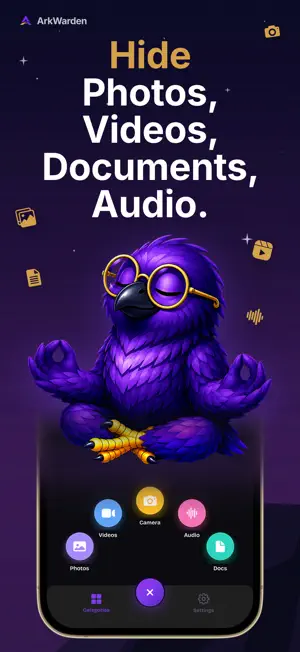
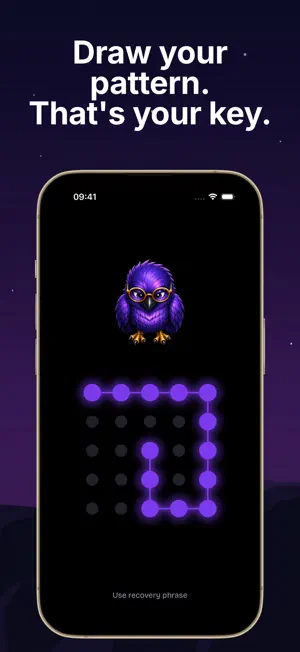
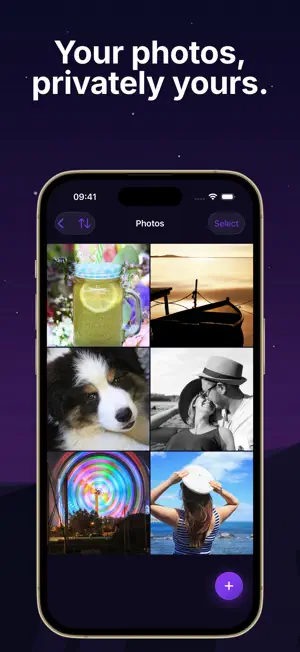
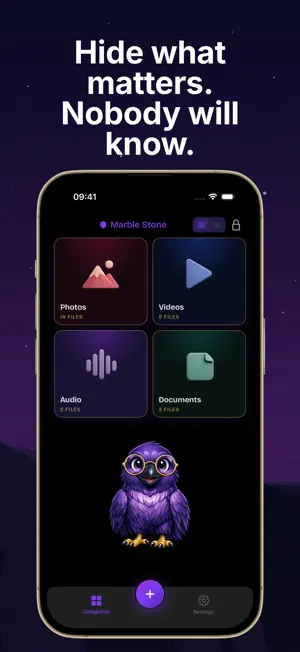
An encrypted vault for your photos, videos, documents and audio. Draw your pattern to open it. ArkWarden keeps your private files in a vault on your iPhone. Every file is encrypted on your iPhone, and ArkWarden never receives it. You do not need an account. Encryption ArkWarden encrypts every file with AES-256 using Apple's CryptoKit. Your pattern, combined with a key held in your iPhone's Secure Enclave, unlocks your vault. Your pattern is never stored. Open Source Encryption The encryption code that protects your files is open source on GitHub. Anyone can read it and check how it works. Pattern Lock Draw your pattern on a 5x5 grid. A new pattern must use at least 6 dots and change direction at least twice. The vault is separate from your iPhone passcode, so unlocking your iPhone does not open it. Two-Factor Authentication After your pattern, you can add a second factor: Face ID, Touch ID, a 6-digit PIN that is separate from your iPhone passcode, or a YubiKey over NFC. ArkWarden passed Yubico's technical review and is listed in the Works with YubiKey catalog. You can register two YubiKeys, so a spare key works if you lose one. Photos, Videos, Documents and Audio Import files from your photo library or the Files app. Create as many folders as you need in each category. View photos and videos full screen, and swipe to see the next one. Camera Take photos and record videos inside ArkWarden. They are saved directly to your encrypted vault and never appear in your camera roll. Second Vault Set a second pattern to open Wing, a separate vault with its own files, folders and appearance. Use it when someone else is looking through your phone. Your main vault does not appear in Wing. Stealth Pattern Hide your pattern while you draw it. Only the dot under your finger is shown, and no lines are drawn, so others cannot see the shape. You unlock the same way as always. Turn it on in Settings. Intruder Detection Turn on Intruder Detection, and ArkWarden takes an encrypted photo with the front camera after 3, 5 or 10 wrong attempts. You can see who tried to open your vault. Trash Trash is off by default. When you turn it on, deleted files stay encrypted for 7 days, so you can restore them. Files in Trash are not included in backups. Recovery Phrase When you set up ArkWarden, you get a 12 or 24 word recovery phrase. It is shown once, and only you keep it. If you forget your pattern, the recovery phrase restores access. Together with a backup, it also moves your vault to a new iPhone. Backup and Restore Backup is optional and off until you turn it on. Your vault is always encrypted on your iPhone before it is saved. You can back up automatically to your own iCloud, or export an encrypted backup file and store it where you want. To restore from iCloud, you need the same Apple ID and your recovery phrase. An exported backup file can be restored on any iPhone with only your recovery phrase. Apple and the ArkWarden team cannot restore your vault for you. Privacy ArkWarden never receives your files, your pattern or your keys. There is no account and no ArkWarden server. There are no ads. Privacy Policy - https://www.arkwarden.app/privacy Terms of Use - https://www.apple.com/legal/internet-services/itunes/dev/stdeula
Ratings & reviews
5.0
5 ratings
What’s new
Version 1.18 · Updated October 16, 2026
This update includes several security improvements.
App privacy
The developer, Gikaizen, reported these privacy practices to Apple.
Data Not Linked to You
The following data, which may be collected but is not linked to your identity, may be used for the following purposes:
- Usage Data: Product Interaction
- Purchases: Purchase History
Used for: Analytics, App Functionality
Alternatives to ArkWarden Hidden Photo Vault
Looking for apps like ArkWarden Hidden Photo Vault? Here are 6 similar apps on the App Store. The highest rated is Photo Vault - Hide Photo (5.0/5), and 5 of the 6 are free to download.
-
 Photo Vault - Hide Photo
5.0
Photo Vault - Hide Photo
5.0
-
 VaultSnap: Photo Vault
-
 SoloGallery: Private Photos
-
 LockMyPic Private Photo Vault
-
 Photo Vault - Hide Pics
-
 Ultimate Clarity
| App | Rating | Price | Last updated | Compare |
|---|---|---|---|---|
| ArkWarden Hidden Photo Vault | 5.0 / 5 (5 ratings) | Free | October 16, 2026 | |
| Photo Vault - Hide Photo | 5.0 / 5 (1) | Free | Jul 4, 2025 | Compare |
| VaultSnap: Photo Vault | – | Free | Aug 13, 2026 | Compare |
| SoloGallery: Private Photos | – | Free | Sep 7, 2026 | Compare |
| LockMyPic Private Photo Vault | – | 1.99 USD | Oct 16, 2026 | Compare |
| Photo Vault - Hide Pics | – | Free | May 23, 2026 | Compare |
| Ultimate Clarity | – | Free | Sep 8, 2026 | Compare |