

LockMyPic Private Photo Vault
Viktor Varadi Photo & Video iPhoneiPadiPod touch
LockMyPic Private Photo Vault is a paid Photo & Video app for iPhone and iPad by Viktor Varadi. Requires iOS 17.0. Updated October 16, 2026.
- Price
- 1.99 USD
- on the App Store
- Size
- 6 MB
- Age 4+
- Updated
- Oct 16
- 2026 · v1.3
Screenshots

About LockMyPic Private Photo Vault
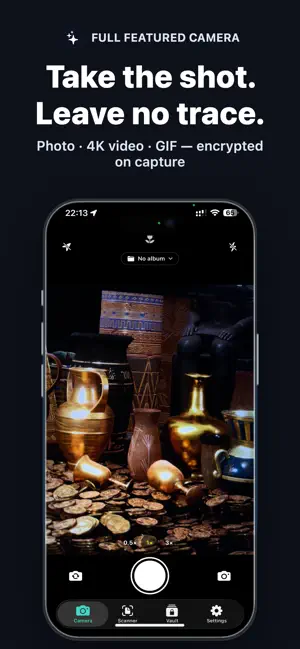
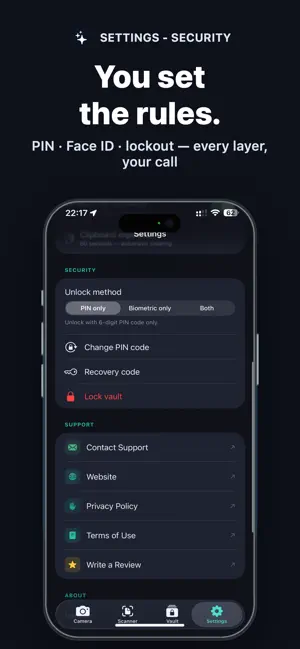
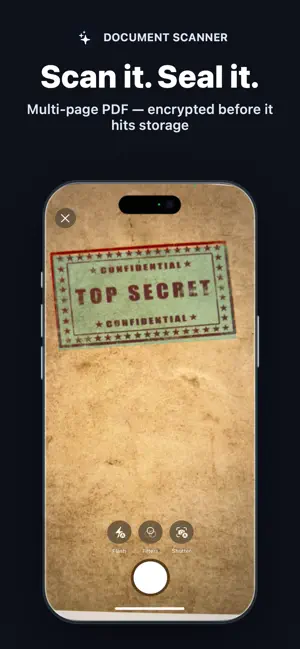
Your photos deserve real protection — not just a hidden folder. LockMyPic is an end-to-end encrypted photo and video vault. Every photo, video and album is protected with AES-256-GCM encryption, backed by the Apple Secure Enclave and decryptable only on your device. Other vault apps hide your files; LockMyPic encrypts them. Even with physical access to your iPhone, no one can read your media without your PIN or Face ID. HOW IT WORKS 1. Create a 6-digit PIN — a short guide then sets up Face ID, your recovery code and optional backup 2. Take photos and videos inside the app, or import them from Photos 3. Everything is encrypted instantly and kept in your private vault — never in the Photos gallery TRUE ENCRYPTION. NOT JUST HIDDEN FILES. • AES-256-GCM authenticated encryption with a unique key per file • Secure Enclave hardware protection for biometric vault keys • PBKDF2-HMAC-SHA256 (210,000 iterations) for PIN-based protection • Zero-knowledge design — we can never access your data CAPTURE. PROTECT. ORGANIZE. • Private camera: photos, 4K 60fps video and animated GIFs, with ultra-wide, wide and telephoto lenses, night, macro and portrait modes, tap-to-focus, exposure control and torch • Document scanner — multi-page scans saved as an encrypted PDF • Import photos, GIFs and videos from Photos — no library permission needed • Encrypted albums; lock individual albums with your PIN or Face ID • Favourites, date groups and filters for photos, videos, documents and GIFs • Multi-select: share, favourite, copy, move or delete several items at once • Share straight from the vault to Messages, Mail, AirDrop and more • Choose an album once, and new photos, GIFs and scans land straight in it • Full-screen viewer with swipe navigation, pinch-to-zoom and video playback • Photo editor — crop, rotate, flip and adjust brightness, contrast and saturation inside the vault • GPS and EXIF metadata stripped before saving • Secure clipboard — copies clear themselves after 30 seconds to 5 minutes and never travel to your other devices • Privacy shield hides the app's content in the app switcher • Light and dark appearance CHOOSE YOUR SECURITY LEVEL • PIN only, Face ID / Touch ID only, or both for two-step unlock • 5 wrong PINs lock entry for 15 minutes — for the vault and every locked album • Forgot your PIN? Reset it securely with Face ID or Touch ID • The vault locks the moment you leave the app — or after a grace period you choose (up to 30 seconds, 60 with Face ID / Touch ID only) ENCRYPTED iCLOUD BACKUP • Files are uploaded as encrypted blobs — Apple cannot see your content • Only new and changed items are uploaded • Deletions, favourites and albums stay in sync, with a confirmation before anything large is removed • Wi-Fi only mode saves your data plan • A 44-character recovery code restores your vault on a new device • On a new iPhone, tap "I have a recovery code" on the first screen to unlock your encrypted iCloud backup PRIVACY BY DESIGN • No accounts. No registration. No tracking. • Core features work without an internet connection • Photos never touch the native gallery • Vault storage is invisible in the Files app • The vault key is erased from memory when the vault locks • Custom PIN pad — no system keyboard, no autocomplete, no clipboard leaks Available in 11 languages: English, German, Spanish, French, Hungarian, Italian, Polish, Portuguese, Romanian, Russian and Ukrainian. Take back control of your privacy with LockMyPic.
What’s new
Version 1.3 · Updated October 16, 2026
LockMyPic 1.3 is a complete refresh — clearer, faster, and with more control: NEW • A new look, in light and dark — every screen rebuilt to be easier to read and use • Guided first-time setup — create your PIN, turn on Face ID, save your recovery code and switch on backup, one step at a time • Favourites, date groups and a filter for photos, videos, documents and GIFs • Import videos and GIFs from Photos, not just pictures • Copy several items at once — and choose how long copies stay on the clipboard (30 seconds to 5 minutes) • Unlock grace period now also works with PIN — skip re-entering it after a quick app switch (off by default) • Locked albums lock themselves again shortly after you leave them • Camera: Photo, Video and GIF are now a labelled switch, and your last shot is one tap away • Scanner: your recent scans are listed right on the Scanner tab • Photo editor: labelled sliders with values, crop presets (square, 4:3, 16:9) and a movable crop frame • Settings: Appearance and Storage sections IMPROVED • Much faster unlock and smoother scrolling, especially in large vaults • Sharper thumbnails • iCloud sync now carries deletions, favourites and album changes between your devices • PIN errors are shown clearly, including how many attempts remain • Every delete asks for confirmation • Better VoiceOver and Dynamic Type support throughout FIXED • An item deleted on one device could come back from the backup • The recovery code could show a stray hyphen where it wrapped onto a second line • After flipping a photo in the editor, "Rotate right" turned it left • Various security hardening for the vault key, album locks and temporary files Thank you for trusting LockMyPic with your privacy!
App privacy
The developer, Viktor Varadi, reported these privacy practices to Apple.
Data Not Collected
The developer does not collect any data from this app.
Alternatives to LockMyPic Private Photo Vault
Looking for apps like LockMyPic Private Photo Vault? Here are 6 similar apps on the App Store. The highest rated is SocialToken - NFT Marketplace (5.0/5), and all 6 are free to download.
-
 VaultCamera
-
 SocialToken - NFT Marketplace
5.0
SocialToken - NFT Marketplace
5.0
-
 Instant HDR
-
 ArkWarden Hidden Photo Vault
5.0
ArkWarden Hidden Photo Vault
5.0
-
 Photo Vault: Secure Folder
5.0
Photo Vault: Secure Folder
5.0
-
 OutVault: Private Camera
| App | Rating | Price | Last updated | Compare |
|---|---|---|---|---|
| LockMyPic Private Photo Vault | – | 1.99 USD | October 16, 2026 | |
| VaultCamera | – | Free | Jan 10, 2026 | Compare |
| SocialToken - NFT Marketplace | 5.0 / 5 (6) | Free | Feb 3, 2026 | Compare |
| Instant HDR | – | Free | Apr 16, 2026 | Compare |
| ArkWarden Hidden Photo Vault | 5.0 / 5 (6) | Free | Oct 16, 2026 | Compare |
| Photo Vault: Secure Folder | 5.0 / 5 (3) | Free | Aug 6, 2026 | Compare |
| OutVault: Private Camera | – | Free | Oct 24, 2026 | Compare |