

Remote Control: Mouse & Media
Anton Bindovskyi Productivity iPhoneiPadiPod touch
Remote Control: Mouse & Media is a free Productivity app for iPhone and iPad by Anton Bindovskyi. Requires iOS 18. Updated September 27, 2026.
- Price
- Free
- on the App Store
- Size
- 3 MB
- Age 4+
- Updated
- Sep 27
- 2026 · v1.1.2
Screenshots

About Remote Control: Mouse & Media
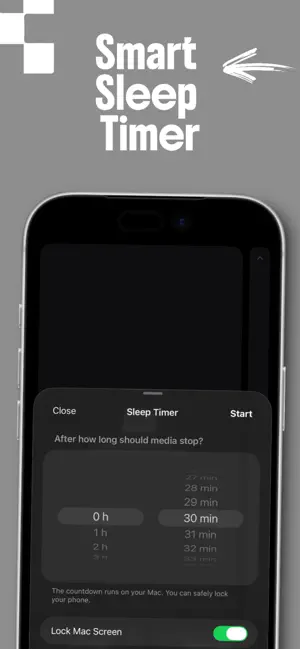
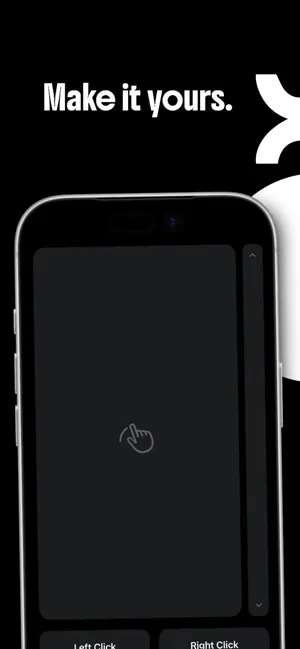
Turn your iPhone into the ultimate wireless remote control for your computer! Whether you are watching movies from the couch, giving a presentation, or listening to music across the room, RemoteControl makes managing your computer completely effortless. Say goodbye to getting out of bed just to pause a video or turn down the volume. FREE FEATURES * Wireless Trackpad: Smooth cursor movement, scrolling, and clicking. Acts just like a native computer trackpad. * Media Controls: Instantly play, pause, and skip tracks. * Hardware Volume Control: Adjust your computer’s volume using the physical volume buttons on your iPhone! * Secure Connection: PIN-code authorization ensures that only you have access to your computer. PRO FEATURES (Unlock with Subscription) Take your remote experience to the next level: * Smart Sleep Timer: Fall asleep to your favorite movies. Set a timer, and the app will automatically pause the media and lock your computer's screen when the time is up. * Customizable Interface: Enable Minimalist Mode to hide media buttons, or hide mouse clicks for a pure trackpad experience. * Adjustable Speed: Fine-tune the cursor and scrolling speed multipliers to match your workflow perfectly. IMPORTANT SETUP INSTRUCTIONS To use this app, you need to install the free helper server on your computer. 1. Visit the official Dhampiree Software website: [https://dhampiree-apps.com] 2. Download and launch the free desktop app. 3. Ensure both your iPhone and computer are connected to the same Wi-Fi network. 4. Enter the PIN code displayed on your computer to connect securely. Download now and take full control of your computer! Terms of Use: https://www.apple.com/legal/internet-services/itunes/dev/stdeula/
What’s new
Version 1.1.2 · Updated September 27, 2026
We are constantly working to make your life a little easier. In this version: - Improved connection stability. - Simplified the process of connecting to the computer.
App privacy
The developer, Anton Bindovskyi, reported these privacy practices to Apple.
Data Not Collected
The developer does not collect any data from this app.
Alternatives to Remote Control: Mouse & Media
Looking for apps like Remote Control: Mouse & Media? Here are 6 similar apps on the App Store.


| App | Rating | Price | Last updated | Compare |
|---|---|---|---|---|
| Remote Control: Mouse & Media | – | Free | September 27, 2026 | |
| Control My Mac: Remote Mouse | – | Free | Oct 1, 2026 | Compare |
| Remote Trackpad | – | Free | Jun 3, 2026 | Compare |
| Emly: EML Viewer | – | Free | Sep 30, 2026 | Compare |
| FlowType Keyboard | – | Free | Sep 9, 2026 | Compare |
| Unyx | – | Free | Sep 19, 2026 | Compare |
| wawdocteur | – | Free | Jul 27, 2026 | Compare |