

Split & Merge PDF
Infamous Endeavors LLC Productivity iPhoneiPadiPod touch
Split & Merge PDF is a free Productivity app for iPhone and iPad by Infamous Endeavors LLC. Rated 5.0/5 from 4 ratings. Requires iOS 18.0.
- Rating
- 5.0
- 4 ratings
- Price
- Free
- on the App Store
- Size
- 2 MB
- Age 4+
- Updated
- Jun 16
- 2026 · v1.1
Screenshots


About Split & Merge PDF
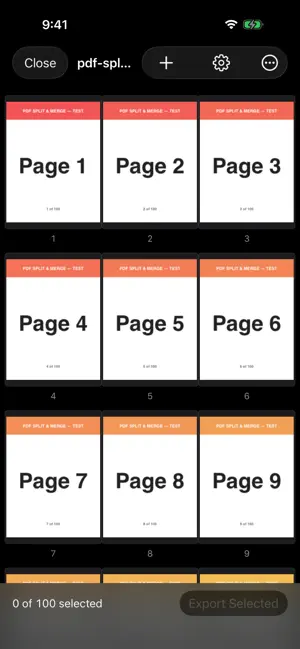
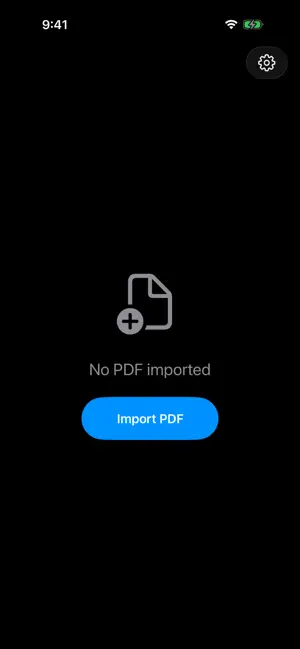
Split, merge, and reorder PDF pages right on your iPhone. No subscription and no account. Split & Merge PDF keeps things simple. Open a PDF, see every page as a thumbnail, pick the pages you want, and export. That is the whole app. What you can do: • Import any PDF from Files • View all pages in a scrollable grid • Tap to select pages, then drag to reorder them • Export the pages you picked as a new PDF through the share sheet • Merge several PDFs into one document • Long-press a page to remove it Pricing is simple. Exports of up to 5 pages are free. A single $2.99 purchase removes the limit for good, with nothing to renew. A few things this app does not do: no cloud sync, no accounts, no analytics, no ads, no OCR, and no scanning. Your PDFs stay on your device and nothing is uploaded. Made by Infamous Endeavors.
What’s new
Version 1.1 · Updated June 16, 2026
Version 1.1 brings a tidier Settings screen. You can now unlock unlimited exports, restore a previous purchase, rate the app, and visit our website, all in one place. Thanks for using Split & Merge PDF.
App privacy
The developer, Infamous Endeavors LLC, reported these privacy practices to Apple.
Data Not Collected
The developer does not collect any data from this app.
Alternatives to Split & Merge PDF
Looking for apps like Split & Merge PDF? Here are 6 similar apps on the App Store.
-
 Merge PDF - Combine PDFs
-
 PDF Editor – Merge & Split
-
 PDF Splitter - Page Extract
-
 PDF Reader - PDF PRO Editor
-
 PDF Fixer: Merge & Compress
-
 Adobe Editor AI: Edit PDF Text
| App | Rating | Price | Last updated | Compare |
|---|---|---|---|---|
| Split & Merge PDF | 5.0 / 5 (4 ratings) | Free | June 16, 2026 | |
| Merge PDF - Combine PDFs | – | Free | Sep 15, 2026 | Compare |
| PDF Editor – Merge & Split | – | Free | Aug 25, 2026 | Compare |
| PDF Splitter - Page Extract | – | Free | Sep 26, 2026 | Compare |
| PDF Reader - PDF PRO Editor | – | Free | Feb 17, 2026 | Compare |
| PDF Fixer: Merge & Compress | – | Free | Aug 10, 2026 | Compare |
| Adobe Editor AI: Edit PDF Text | – | Free | Sep 28, 2026 | Compare |
Compare Split & Merge PDF with the top alternatives: ratings, updates, ASO score and keyword gaps →