

SnapPDF: Photos to PDF
Mosaic Minds Studio LLC Utilities iPhoneiPadiPod touch
SnapPDF: Photos to PDF is a free Utilities app for iPhone and iPad by Mosaic Minds Studio LLC. Rated 5.0/5 from 1 ratings. Requires iOS 18.4.
- Rating
- 5.0
- 1 ratings
- Price
- Free
- on the App Store
- Size
- 12 MB
- Age 4+
- Updated
- Jun 16
- 2026 · v1.1
Screenshots


About SnapPDF: Photos to PDF
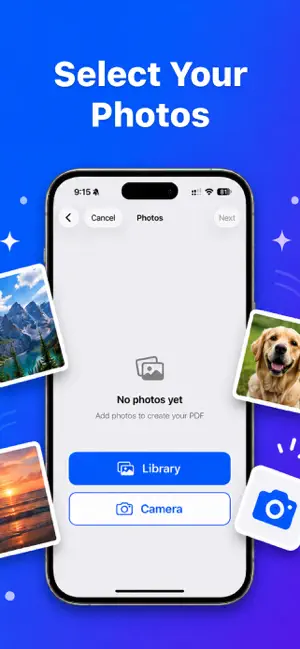
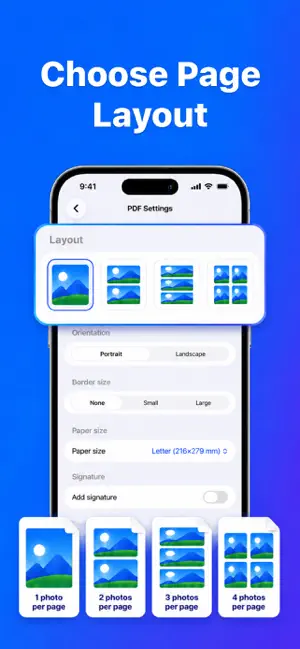
Turn your photos into professional PDFs—fast, free, and entirely on your iPhone or iPad. PhotoToPDF is the simple way to combine pictures, scans, and documents into one PDF you can preview, rename, and share anywhere. No account required. Your files stay on your device until you choose to export them. PERFECT FOR • School notes, homework, and study materials • Receipts, invoices, and business documents • Photo albums and multi-page files • Forms that need a quick signature • Anything you need to save or send as a PDF CREATE PDFs YOUR WAY • Import from your Photo Library or scan with the camera • Arrange photos in the order you want • Choose how many images appear on each page (1, 2, 3, or 4) • Set orientation, paper size (A4, Letter, Legal, and more), and border size • Optional cover page, header, and footer text • Preview your PDF before you share it • Name your file before sending SCAN & CONVERT Use the built-in scanner to capture documents and add them to your PDF. Combine camera scans with existing photos in one project. SIGN DOCUMENTS Draw your signature and place it on the last page of your PDF—ideal for forms, agreements, and quick approvals. SHARE IN ONE TAP Export your finished PDF with a custom file name. Share via Mail, Messages, Files, AirDrop, and other apps you already use. BUILT FOR PRIVACY PhotoToPDF works offline. We don’t require sign-in, and your photos and PDFs are processed and stored locally on your device—not uploaded to our servers for conversion. FREE TO USE Create and export PDFs without subscriptions or ads getting in your way. Download PhotoToPDF and turn your images into PDFs you’re ready to share. Terms of Use: https://www.apple.com/legal/internet-services/itunes/dev/stdeula/
What’s new
Version 1.1 · Updated June 16, 2026
Improvements & Bug Fixes
App privacy
The developer, Mosaic Minds Studio LLC, reported these privacy practices to Apple.
Data Not Collected
The developer does not collect any data from this app.
Alternatives to SnapPDF: Photos to PDF
Looking for apps like SnapPDF: Photos to PDF? Here are 6 similar apps on the App Store. The highest rated is PDF Photos — Image to PDF (5.0/5), and all 6 are free to download.
-
 Image to PDF: Converter Tool
-
 PDF Photos — Image to PDF
5.0
PDF Photos — Image to PDF
5.0
-
 Zapp Partner
-
 FixPDF: PDF Editor & Converter
-
 PhotoToPDF: Image to PDF
-
 MinimalLauncher
1.0
MinimalLauncher
1.0
| App | Rating | Price | Last updated | Compare |
|---|---|---|---|---|
| SnapPDF: Photos to PDF | 5.0 / 5 (1 rating) | Free | June 16, 2026 | |
| Image to PDF: Converter Tool | – | Free | Jun 25, 2026 | Compare |
| PDF Photos — Image to PDF | 5.0 / 5 (1) | Free | Apr 23, 2026 | Compare |
| Zapp Partner | – | Free | Sep 3, 2026 | Compare |
| FixPDF: PDF Editor & Converter | – | Free | Oct 15, 2026 | Compare |
| PhotoToPDF: Image to PDF | – | Free | Nov 6, 2025 | Compare |
| MinimalLauncher | 1.0 / 5 (1) | Free | Oct 1, 2026 | Compare |