

HomeVault Documents
Serghei Eschin Productivity iPhoneiPadiPod touch
HomeVault Documents is a free Productivity app for iPhone and iPad by Serghei Eschin. Requires iOS 17.0. Updated July 7, 2026.
- Price
- Free
- on the App Store
- Size
- 21 MB
- Age 4+
- Updated
- Jul 7
- 2026 · v1.1
Screenshots

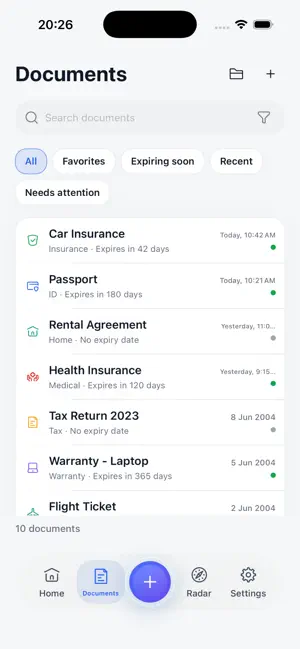

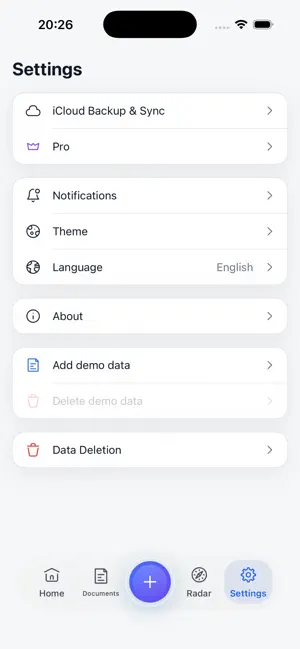
About HomeVault Documents
HomeVault is a private document vault for iPhone and iPad. Keep IDs, insurance papers, receipts, warranties, tax documents, travel documents, and other important files in one local-first archive. HomeVault helps you scan, import, organize, search, preview, and export documents without creating an account. Documents stay on your device by default. Optional encrypted Apple iCloud backup is available only when you enable it. Key features: - Scan documents with your camera. - Import PDFs and images. - Organize documents by categories. - Search document titles, notes, categories, and OCR text. - Add expiry dates and local reminders. - Preview PDFs. - Export PDFs with the native iOS share sheet. - Protect access with Face ID, Touch ID, or device passcode. - Use HomeVault on iPhone and iPad. Privacy-first by design: - No account. - No HomeVault backend. - No non-Apple cloud storage. - Documents stay local by default. - OCR runs on device. - Expiry reminders use local notifications. - Optional Apple iCloud backup is controlled by you. Free includes core document organization and search. Pro is a one-time unlock for unlimited documents, unlimited reminders, tags, backup, and PDF export without a HomeVault watermark.
What’s new
Version 1.1 · Updated July 7, 2026
The biggest HomeVault update yet — and your documents still never leave your device. WIDGETS See at a glance how many documents expire soon — on your home screen and lock screen. Widgets show only counts, never document names. SIRI & SHORTCUTS "Find a document in HomeVault", "What's expiring in HomeVault" — search, scan, and check expiry dates hands-free. Siri only hears counts; your documents stay locked behind Face ID. SMARTER SCANNING HomeVault now reads expiry dates right off your passports, IDs, and insurance papers during scanning — including "12 MAR 2027" passport format. On device, as always. MORE IN FREE Full-text OCR search is now free for everyone, and the free tier holds up to 25 documents. ALSO - Local backup and restore - Duplicate detection - Document packs: Travel, Car, Home, Tax, Medical - Tag management and bulk edit - iPad keyboard shortcuts
App privacy
The developer, Serghei Eschin, reported these privacy practices to Apple.
Data Not Collected
The developer does not collect any data from this app.
Alternatives to HomeVault Documents
Looking for apps like HomeVault Documents? Here are 6 similar apps on the App Store. The highest rated is Renewly: Document Expiry (5.0/5), and all 6 are free to download.
-
 Renewly: Document Expiry
5.0
Renewly: Document Expiry
5.0
-
 HomeVault: Home Inventory
-
 TimeBoxer Daily Planner
5.0
TimeBoxer Daily Planner
5.0
-
 Muddah: Iqama & Doc Expiry
-
 I On It: AI Voice Reminders
-
 My Documents: Secure Vault
| App | Rating | Price | Last updated | Compare |
|---|---|---|---|---|
| HomeVault Documents | – | Free | July 7, 2026 | |
| Renewly: Document Expiry | 5.0 / 5 (1) | Free | Oct 1, 2026 | Compare |
| HomeVault: Home Inventory | – | Free | Jun 9, 2026 | Compare |
| TimeBoxer Daily Planner | 5.0 / 5 (5) | Free | Oct 12, 2026 | Compare |
| Muddah: Iqama & Doc Expiry | – | Free | Oct 22, 2026 | Compare |
| I On It: AI Voice Reminders | – | Free | Aug 26, 2026 | Compare |
| My Documents: Secure Vault | – | Free | Sep 28, 2026 | Compare |