

Ember - Desktop Timer
Sasquatch Studio Inc. Productivity iPhoneiPadiPod touch
Ember - Desktop Timer is a free Productivity app for iPhone and iPad by Sasquatch Studio Inc. Requires iOS 26.1. Updated October 22, 2026.
- Price
- Free
- on the App Store
- Size
- 14 MB
- Age 4+
- Updated
- Oct 22
- 2026 · v2026.5
Screenshots



About Ember - Desktop Timer
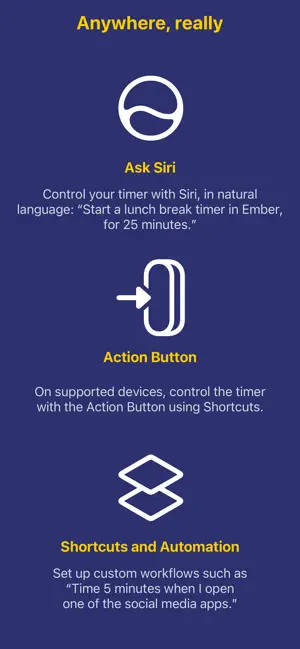
Ember is a quiet mechanical timer that sits on your desk or rides in your pocket. It doesn’t gamify your focus or grade your productivity — it simply ticks, steadily, like a small machine keeping you company while you work. ◎ A companion that makes time visible If time tends to slip past unnoticed — as it does for many of us, especially those who are neurodivergent — Ember gives it a shape you can see and hear. The dial ticks every second, quiet yet alive, like a friend working alongside you. It’s body doubling in the form of a tool: a steady presence that keeps you anchored to the task at hand. ◎ Name the time you set aside Start a timer with a task — writing, laundry, one more chapter. The task menu keeps the ones you’ve used recently, so picking a familiar one takes a single tap, and a new one is a line of text away. The task stays on screen while the timer runs, on the widget, and on the Live Activity. ◎ A machine with your finish on it Choose the theme colors and the countdown font. Ember is built to be looked at for long stretches, so it should look the way you like. ◎ When time is up, you’ll know The alarm rings when the timer expires, and a snooze buys you a few more minutes when you need them. Prefer something gentler? Choose a notification instead. Alarms are available on iOS 26.1 and later. ◎ Works without being touched Start, pause, resume, or reset the timer from Shortcuts — ask Siri or press the Action Button, no unlocking required. On iOS 27, Siri understands Ember’s timer directly: “set a 25-minute timer in Ember”, “pause my timer”, no shortcut needed. You can also read the timer’s status from Shortcuts in plain, full sentences, and build automations around it. ◎ In view, wherever you are Keep the timer on your Home Screen with widgets, or set your iPhone down and watch it in large print in StandBy. Desk or pocket, Ember stays where you can see it.
What’s new
Version 2026.5 · Updated October 22, 2026
Hi there! This updates brings some major improvements to Ember as a desktop timer and as a companion for better time awareness. Name your time: • Use a few words to optionally describe the time you set aside. This can be anything from work to play to daily routines. • Recent entries are remembered so you can repeat what you do with just two taps. Better with Siri AI: • Siri can start a timer for you in Ember, or control the timer such as pausing it or reporting the duration left on the run. • You can use natural language to start a task timer, for example with “Start a breakfast timer in Ember for 25 minutes” Improved UI: • We improved the layout of Ember so the interface stays familiar. The app rotates to landscape smoothly, to fit wherever you place it. iPhone Duo support: • We specially optimized the app for iPhone Duo to support its many positions and orientations. Folded, open flat, partially open or tended — we covered them all. Silent alarms: • You can mute the alarm for the timer and there shall be only vibration. Might have been the most wanted feature in a library! • If you have a connected Watch, you still get tapped on your wrist. Improvements and fixes: • Certain labels and elements were broken with VoiceOver. Fixed. • Theme and font changes did not reach the Home Screen widget or the Live Activity until the next timer. Fixed: now they update as you make changes. • The Live Activity showed a 5:00 placeholder while the alarm was ringing. Fixed: it shows the finished countdown. • An expired timer could be paused from Shortcuts, and resuming it brought it back to life. Fixed. • The alarm permission prompt was not localized properly. Fixed — the prompt is available in the language that you speak. • The alarm permission prompt only appeared after the first timer had started. Fixed: Ember asks first, then starts the timer. • Some terms and labels were inconsistent across locales. Fixed. To simplify app maintenance, we are increasing the minimum supported OS version to 26.1, and we are dropping notifications as a means of timer alerts. Thank you for your understanding, and we hope you’ll enjoy this update!
App privacy
The developer, Sasquatch Studio Inc., reported these privacy practices to Apple.
Data Not Collected
The developer does not collect any data from this app.
Alternatives to Ember - Desktop Timer
Looking for apps like Ember - Desktop Timer? Here are 6 similar apps on the App Store. The highest rated is EasEvent: Calendar Assistant (5.0/5), and all 6 are free to download.
-
 Pomodoro Timer : Focus Buddy
-
 EasEvent: Calendar Assistant
5.0
EasEvent: Calendar Assistant
5.0
-
 FocusMinny: Productivity Coach
5.0
FocusMinny: Productivity Coach
5.0
-
 Phone AI: Your AI Receptionist
4.7
Phone AI: Your AI Receptionist
4.7
-
 Pomodoro: Focus & Deep Work
4.7
Pomodoro: Focus & Deep Work
4.7
-
 SkillHub: AI Agent Skills
| App | Rating | Price | Last updated | Compare |
|---|---|---|---|---|
| Ember - Desktop Timer | – | Free | October 22, 2026 | |
| Pomodoro Timer : Focus Buddy | – | Free | May 19, 2025 | Compare |
| EasEvent: Calendar Assistant | 5.0 / 5 (11) | Free | Jun 24, 2026 | Compare |
| FocusMinny: Productivity Coach | 5.0 / 5 (5) | Free | Oct 19, 2026 | Compare |
| Phone AI: Your AI Receptionist | 4.7 / 5 (24) | Free | Sep 24, 2026 | Compare |
| Pomodoro: Focus & Deep Work | 4.7 / 5 (6) | Free | Oct 17, 2026 | Compare |
| SkillHub: AI Agent Skills | – | Free | Oct 23, 2026 | Compare |