

Mileager Tracker
David Degner Business iPhoneiPadiPod touch
Mileager Tracker is a free Business app for iPhone and iPad by David Degner. Rated 5.0/5 from 2 ratings. Requires iOS 26.0. Updated October 5, 2026.
- Rating
- 5.0
- 2 ratings
- Price
- Free
- on the App Store
- Size
- 21 MB
- Age 4+
- Updated
- Oct 5
- 2026 · v2.8.3
Screenshots


About Mileager Tracker
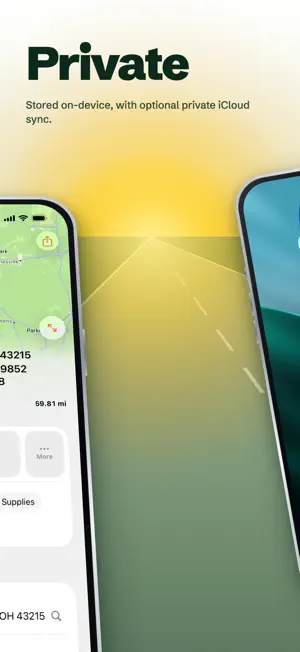
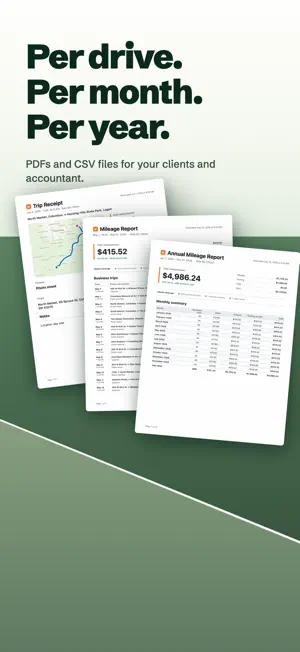
Mileager is a mileage log for freelancers, contractors, and self-employed people who drive for work and want clean records without the busywork. On iPhone and iPad, it captures your drives automatically, so you are not stopping to start and stop a timer. At tax time, or whenever you invoice a client, you export a clean report and you are done. Mileager began as something I needed for my own work as a freelance photographer. I built it to keep my records straight, then shared it with everyone else who drives for a living. There are no ads and no account to create. Your data stays yours. Trips are stored on your device, with optional private iCloud sync through your own Apple account. No cross-app tracking, no analytics, no company server holding your location history. On supported devices, Apple Intelligence creates trip suggestions on your device by default. In iOS 27, iPadOS 27, and macOS 27, you can opt in to Apple’s Private Cloud Compute for suggestions. Apple does not store the request data, and Mileager falls back to the on-device model if the service is unavailable. What you get: - Automatic drive capture that runs in the background on iPhone and iPad - On Mac, review, report, and export the trips your iPhone and iPad record - Multiple vehicles, with trips attributed automatically to the car you drove - Manual entry with route lookup for the trips you missed - Purposes, notes, tolls, parking, your own mileage rate, and odometer checkpoints - Monthly and annual reports as PDF or CSV, plus single-trip PDFs - App Lock with Face ID, Touch ID, or your passcode - Optional private iCloud sync across your devices - Miles or kilometers, and your own currency Review your trips before you file or invoice. Mileager keeps your records and does the math, but it is not tax advice and cannot guarantee tax, audit, or reimbursement outcomes. Built for freelance and solo small-business recordkeeping.
What’s new
Version 2.8.3 · Updated October 5, 2026
- Check and apply official IRS business mileage rates directly on iOS 26 and later, with clearer custom-rate, currency, unit, and history settings. - Export monthly and annual business mileage as a QuickBooks-compatible CSV. - Improve Siri startup, trip search, and saving changes to the active drive. - Let timed work calendar events support advisory Business suggestions even without a location. - Restore clearer trip selection and sidebar accents on Mac.
App privacy
The developer, David Degner, reported these privacy practices to Apple.
Data Not Collected
The developer does not collect any data from this app.
Alternatives to Mileager Tracker
Looking for apps like Mileager Tracker? Here are 6 similar apps on the App Store. The highest rated is Kiro Mileage & Tax Log (5.0/5), and all 6 are free to download.
-
 ServiAsaja
-
 MileCue: Mileage Tracker
-
 Richdown
-
 Kiro Mileage & Tax Log
5.0
Kiro Mileage & Tax Log
5.0
-
 Splitr Scan
-
 Mileage Log & Expense Tracker
| App | Rating | Price | Last updated | Compare |
|---|---|---|---|---|
| Mileager Tracker | 5.0 / 5 (2 ratings) | Free | October 5, 2026 | |
| ServiAsaja | – | Free | Feb 10, 2026 | Compare |
| MileCue: Mileage Tracker | – | Free | Jun 24, 2026 | Compare |
| Richdown | – | Free | Oct 21, 2026 | Compare |
| Kiro Mileage & Tax Log | 5.0 / 5 (1) | Free | Oct 10, 2026 | Compare |
| Splitr Scan | – | Free | May 15, 2026 | Compare |
| Mileage Log & Expense Tracker | – | Free | Oct 22, 2026 | Compare |
Compare Mileager Tracker with the top alternatives: ratings, updates, ASO score and keyword gaps →