

333: Carousel & Collage Maker
SanSanSan Inc. Photo & Video iPhoneiPadiPod touch
333: Carousel & Collage Maker is a free Photo & Video app for iPhone and iPad by SanSanSan Inc. Rated 5.0/5 from 4 ratings. Requires iOS 16.0.
- Rating
- 5.0
- 4 ratings
- Price
- Free
- on the App Store
- Size
- 308 MB
- Age 4+
- Updated
- Sep 29
- 2026 · v1.3.6
Screenshots



About 333: Carousel & Collage Maker
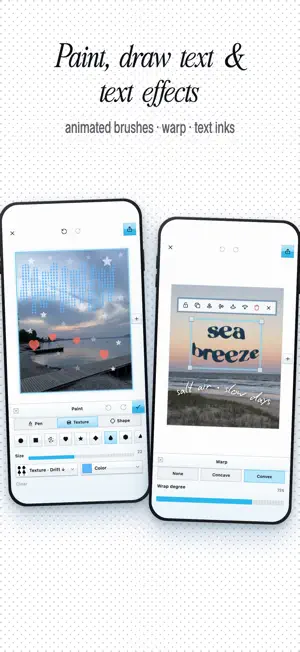
Create aesthetic carousels, collages, Reels, photo dumps, and mini vlogs from your camera roll in seconds with 333. Pick a template, drop in photos or video clips, and make every page yours—no complicated timeline. Build seamless carousels that flow from one slide to the next, or scrapbook-style collages that feel handmade. CREATE FASTER • Start from a template the moment you open the app • Templates and layouts for carousels, stories, photo dumps, moodboards, and mini vlogs • Calm editorial templates for travel, food, and everyday moments • Quickly fill multi-page designs with photos and clips • Portrait, square, landscape, and social-ready canvas sizes MAKE IT YOURS • Add text, stickers, stamps, widgets, frames, and vintage textures • Draw freely with pens, spray, and shapes • Turn your handwriting into animated doodle text • Give text an inked, hand-printed finish • Apply film-inspired filters and playful effects • Resize, arrange, layer, and remix every element WIDGETS & MOTION • Playful widgets like map place cards, word clocks, and message bubbles • Smooth transitions between carousel slides for Reels • Animate stickers, text, and photos without a timeline EDIT PHOTOS AND VIDEO • Remove backgrounds and create cutouts with one tap • Mix photos and video clips in the same project • Export animated edits as video or pages as swipeable images No account is required to start. Create, export, and share directly from your iPhone. Some features require a 333 Power subscription. Terms of Use: https://www.apple.com/legal/internet-services/itunes/dev/stdeula/ Privacy Policy: https://333editor.app/privacy
What’s new
Version 1.3.6 · Updated September 29, 2026
A fresh new look and more ways to make your carousels feel handmade. • New look: a refreshed, playful interface across the app • Free drawing: paint with pens, spray, and shapes right on your pages • Text ink: give your text an inked, hand-printed finish (Power) • Carousel transitions: smooth effects between slides in your Reels • New widgets, including a Maps place card, plus a redesigned widget sheet • 19 new calm editorial templates • Start faster: pick a template as soon as you open the app • Performance improvements and bug fixes
App privacy
The developer, SanSanSan Inc., reported these privacy practices to Apple.
Data Not Collected
The developer does not collect any data from this app.
Alternatives to 333: Carousel & Collage Maker
Looking for apps like 333: Carousel & Collage Maker? Here are 6 similar apps on the App Store. The highest rated is Mosaic: Carousel & Collage (5.0/5), and all 6 are free to download.
-
 Moments - Day in the life vlog
-
 Kiwi Cover: Photo Design
-
 DUMP: Carousel & Collage
-
 Colette: Carousel Post Maker
-
 Mosaic: Carousel & Collage
5.0
Mosaic: Carousel & Collage
5.0
-
 DaySet: Daily Vlog Maker
| App | Rating | Price | Last updated | Compare |
|---|---|---|---|---|
| 333: Carousel & Collage Maker | 5.0 / 5 (4 ratings) | Free | September 29, 2026 | |
| Moments - Day in the life vlog | – | Free | Apr 29, 2026 | Compare |
| Kiwi Cover: Photo Design | – | Free | Jan 27, 2025 | Compare |
| DUMP: Carousel & Collage | – | Free | Oct 19, 2026 | Compare |
| Colette: Carousel Post Maker | – | Free | Oct 15, 2026 | Compare |
| Mosaic: Carousel & Collage | 5.0 / 5 (4) | Free | Oct 12, 2026 | Compare |
| DaySet: Daily Vlog Maker | – | Free | Sep 26, 2026 | Compare |