

ScreenClips: Screenshot Saver
Piotr Lacinski Productivity iPhoneiPadiPod touch
ScreenClips: Screenshot Saver is a free Productivity app for iPhone and iPad by Piotr Lacinski. Requires iOS 17.0. Updated July 12, 2026.
- Price
- Free
- on the App Store
- Size
- 148 MB
- Age 4+
- Updated
- Jul 12
- 2026 · v3.0
Screenshots

About ScreenClips: Screenshot Saver
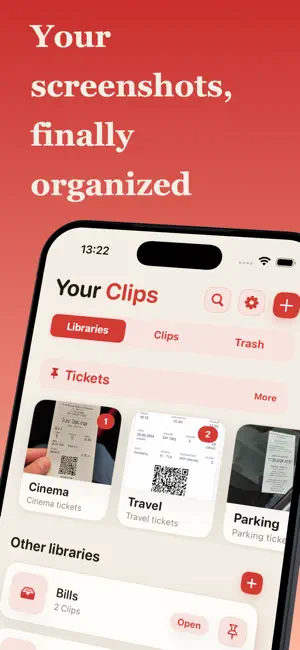
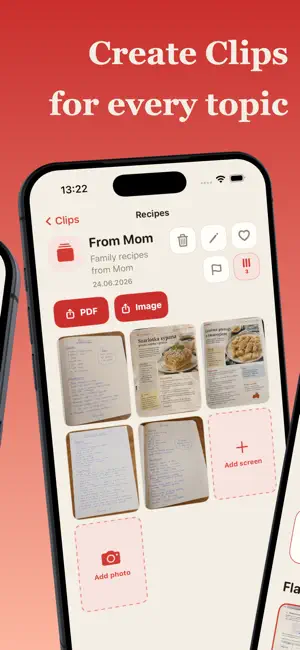
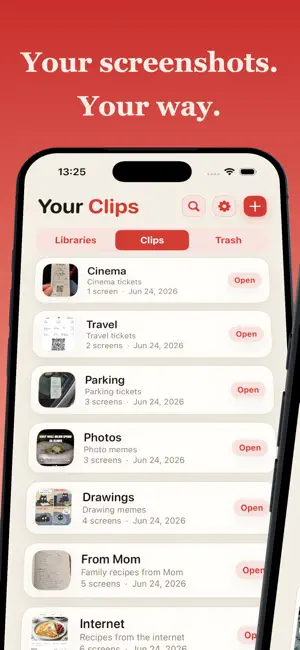
Your screenshots finally have a place to go. ScreenClips helps you save, organize, and find important screenshots without digging through your entire photo library. Receipts, booking details, travel plans, addresses, recipes, design ideas, documents, shopping references, conversations, codes, reminders — we all take screenshots of things we “might need later.” Then later comes, and the screenshot is buried somewhere between 400 vacation photos, memes, random duplicates, and that one blurry picture of the floor. ScreenClips is built to fix that. Create clean collections, save screenshots into the right place, and keep your most useful visual information easy to find when you actually need it. With iCloud sync, your ScreenClips data stays up to date automatically across your devices and is restored when you start using the app on a new device. You can still create file backups whenever you want an extra copy. Why ScreenClips? • Organize screenshots into simple collections • Keep important screenshots separate from your camera roll chaos • Save useful information for later • Find travel details, receipts, ideas, notes, and references faster • Build your own screenshot library around the way you think • Keep your visual notes clean, focused, and easy to browse Perfect for: • Travel plans and booking confirmations • Shopping ideas and product comparisons • Receipts and order details • Work notes and visual references • Recipes, addresses, instructions, and reminders • Design inspiration and creative ideas • Anything you usually lose in your photo library five minutes after saving it Your screenshots are not just pictures. They are tiny pieces of information. ScreenClips gives them structure. Download ScreenClips and turn your screenshots into something useful. Terms of Use (EULA): https://www.apple.com/legal/internet-services/itunes/dev/stdeula/
What’s new
Version 3.0 · Updated July 12, 2026
New in ScreenClips: iCloud sync. Your data now stays up to date automatically across your devices and is restored when you set up ScreenClips on a new device. File backups are still available whenever you want an extra copy. This update also adds support for new languages.
App privacy
The developer, Piotr Lacinski, reported these privacy practices to Apple.
Data Not Collected
The developer does not collect any data from this app.
Alternatives to ScreenClips: Screenshot Saver
Looking for apps like ScreenClips: Screenshot Saver? Here are 6 similar apps on the App Store.
-
 Keeplet - Screenshot Organizer
-
 ScreenMind: Screenshot Search
-
 ScreenClip AI Notes
-
 Notelux: Notes & Notepad
-
 Screenshot Organizer: ShotBox
-
 Pinotes - Video Note Taker
| App | Rating | Price | Last updated | Compare |
|---|---|---|---|---|
| ScreenClips: Screenshot Saver | – | Free | July 12, 2026 | |
| Keeplet - Screenshot Organizer | – | Free | Oct 26, 2026 | Compare |
| ScreenMind: Screenshot Search | – | Free | Jul 27, 2026 | Compare |
| ScreenClip AI Notes | – | Free | Jun 3, 2026 | Compare |
| Notelux: Notes & Notepad | – | Free | Oct 13, 2026 | Compare |
| Screenshot Organizer: ShotBox | – | Free | Aug 26, 2026 | Compare |
| Pinotes - Video Note Taker | – | Free | Jan 8, 2026 | Compare |