

Krites: Focus Mode
KENTA OSAWA Productivity iPhoneiPadiPod touch
Krites: Focus Mode is a free Productivity app for iPhone and iPad by KENTA OSAWA. Requires iOS 16.0. Updated November 26, 2026.
- Price
- Free
- on the App Store
- Size
- 70 MB
- Age 4+
- Updated
- Nov 26
- 2026 · v1.0.5
Screenshots
Save to Pinterest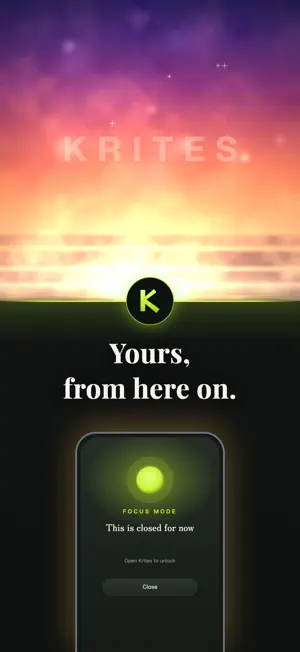


About Krites: Focus Mode
You open a feed "just for a second." Thirty minutes later, you're still there. Even on the Mac you opened for work, a tab quietly turns into a video. Krites is a self-management focus app. You choose what to pause and when, and Krites helps turn that choice into a visible focus state. How it works: 1. Pick the apps and sites you want to pause 2. Set a schedule or start focus now 3. During focus mode, selected targets switch to the Krites focus screen The shield is a static wall. Unlocking happens inside the Krites app. Normal unlock for a scheduled block requires a 30-second wait and gives 15 minutes of temporary access. Instant focus ends after a confirmation. Hard emergency escape requires a 60-second wait, a written reason, once per day, and gives 5 minutes. With Pro, your rules can sync to the Krites Chrome extension on Mac. The extension works when Chrome is running, the extension is enabled, and sync has completed. Sync may take about 5 minutes. Other browsers, disabled extensions, and Incognito windows unless explicitly enabled are outside the supported scope. On Mac, only websites/URLs inside Chrome can be targeted; blocking Mac applications is not supported. Privacy: Krites does not collect a complete browsing history, visited URL list, passwords, message content, location, contacts, photos, microphone, or camera data. The Chrome extension checks matches locally. When a configured target is blocked, it stores only that target label/type, the time, and device type for your own record. No ads, no third-party ad tracking, no data sale. Pricing: iPhone normal focus is free. Pro unlocks hard mode, Mac Chrome sync, higher limits, and Mac URL-level control. Pro is available as monthly, annual, or a one-time purchase. The annual plan includes a 7-day free trial when Apple confirms eligibility. Prices shown on the App Store purchase screen are final. Terms of Use (EULA): https://www.apple.com/legal/internet-services/itunes/dev/stdeula/ Privacy Policy: https://keyroid.github.io/krites-legal/privacy.html
What’s new
Version 1.0.5 · Updated November 26, 2026
Saving plans and starting or ending Focus Now no longer get stuck when you have no signal. Also updated for the latest iOS.
App privacy
The developer, KENTA OSAWA, reported these privacy practices to Apple.
Data Linked to You
The following data, which may be collected and linked to your identity, may be used for the following purposes:
- Purchases: Purchase History
- User Content: Other User Content
- Identifiers: User ID
- Usage Data: Other Usage Data
Used for: App Functionality
Alternatives to Krites: Focus Mode
Looking for apps like Krites: Focus Mode? Here are 6 similar apps on the App Store. The highest rated is Screen Time Control -NoMore (4.7/5), and all 6 are free to download.
-
 Tempo: Smart Day
-
 Applimits - Screen Time Limit
-
 Screen Time Control -NoMore
4.7
-
 Zentime: Screen Time Control
-
 Webroot Mobile Security
2.9
-
 DetoxLock: Extreme App Blocker
4.7
| App | Rating | Price | Last updated | Compare |
|---|---|---|---|---|
| Krites: Focus Mode | – | Free | November 26, 2026 | |
| Tempo: Smart Day | – | Free | Apr 1, 2026 | Compare |
| Applimits - Screen Time Limit | – | Free | Nov 24, 2026 | Compare |
| Screen Time Control -NoMore | 4.7 / 5 (15) | Free | Jul 21, 2026 | Compare |
| Zentime: Screen Time Control | – | Free | Nov 24, 2026 | Compare |
| Webroot Mobile Security | 2.9 / 5 (256) | Free | Nov 10, 2026 | Compare |
| DetoxLock: Extreme App Blocker | 4.7 / 5 (517) | Free | Nov 23, 2026 | Compare |
Compare Krites: Focus Mode with the top alternatives: ratings, updates, ASO score and keyword gaps →