

TapLock - Block Apps
Sze Yuen HO Productivity iPhoneiPadiPod touch
TapLock - Block Apps is a free Productivity app for iPhone and iPad by Sze Yuen HO. Requires iOS 17.0. Updated September 22, 2026.
- Price
- Free
- on the App Store
- Size
- 13 MB
- Age 4+
- Updated
- Sep 22
- 2026 · v1.0.6
Screenshots

About TapLock - Block Apps
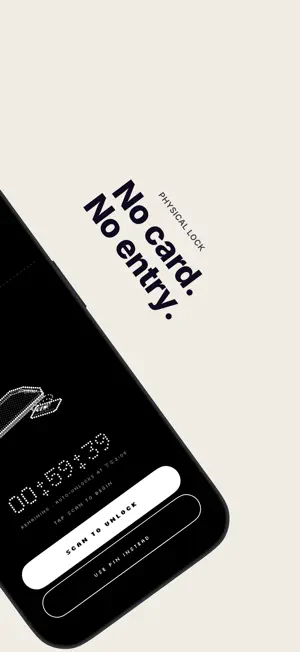
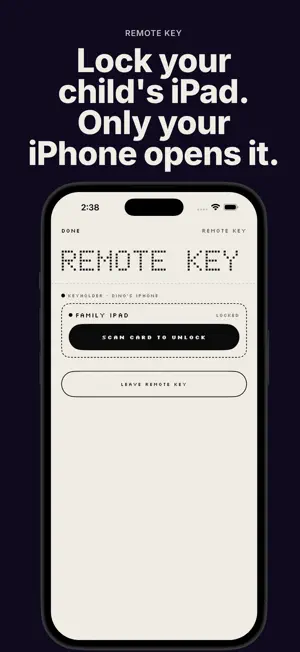
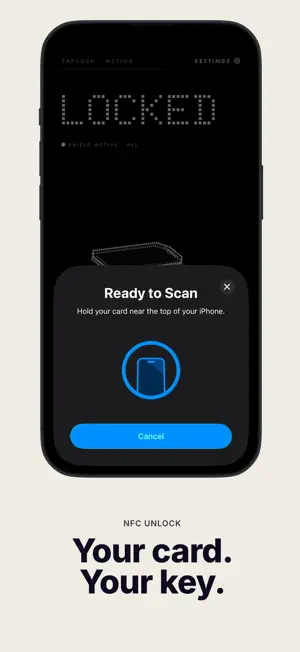
TapLock turns a physical NFC card into the only key that unlocks your apps. Tap your card to lock your iPhone's distracting apps behind a Screen Time shield. To get them back, you have to physically tap the card again. The card has to be in your hand. There are no shortcuts. HOW IT WORKS Choose which apps to block, then tap "Lock Now" Apps stay blocked until you tap your registered NFC card to the top of your phone Need a break? Pause the session and it picks up right where you left off Set a timer to auto-unlock after a focus session ends WHAT CARDS WORK Any NFC card you already carry: transit cards, hotel keys, student IDs, office keycards, or cheap NFC stickers. If your iPhone can read it, TapLock can use it. FEATURES NFC card unlock, tap to lock, tap to unlock Timed locks with auto-unlock countdown Pause and resume a session without losing your remaining time Custom blocking profiles, block specific apps and websites or allow only a selected few Lock Now widget and Control Center button, lock in one tap without opening the app Siri and Shortcuts, start a lock by voice or build automations by time, place or Focus Multiple cards supported, each with its own name Block app deletion while locked so you can't cheat by uninstalling Session stats, see your total focus time and how long your last session ran Live Activity and Dynamic Island timer visible from your lock screen Your cards and settings sync across your devices via iCloud Remote Key, unlock a family iPad or second iPhone by tapping your card on your own iPhone Native iPad app with a landscape layout REMOTE KEY AND IPAD Lock a family iPad or a second iPhone, then open it by tapping your card on your own iPhone. Both devices just need the same Apple ID. iPads have no NFC reader, so they pair as a kept device and are always opened from your iPhone. EMERGENCY ACCESS A 6-digit PIN is available if you lose your card. It works, but it is deliberately slow, so you will want to keep your card nearby. TapLock does not replace your iPhone's lock screen. It uses Apple's Screen Time framework to shield apps while your phone stays accessible for calls and emergencies. Free 7-day trial. One-time purchase. No subscription, ever. Terms of Use: https://www.aimakecoolstuff.com/legal/taplock/terms Privacy Policy: https://www.aimakecoolstuff.com/legal/taplock/privacy
What’s new
Version 1.0.6 · Updated September 22, 2026
Lock in one tap Add the Lock Now widget to your Home Screen, or the Lock Now button to Control Center (iOS 18 and later). One tap locks with your last used profile, without opening the app. Siri and Shortcuts Say "Lock with TapLock", or use the Lock Now action in Shortcuts to build your own automations: lock at bedtime, when you arrive at work, or when a Focus turns on. Shortcuts can only start a lock. Unlocking still takes your card. Block websites Blocking profiles can now include individual websites, alongside apps and categories. A shield that leads back to your card Blocked apps now show a TapLock screen. On iOS 26.5 and later, its button opens TapLock right at the card scan.
App privacy
The developer, Sze Yuen HO, reported these privacy practices to Apple.
Data Not Collected
The developer does not collect any data from this app.
Alternatives to TapLock - Block Apps
Looking for apps like TapLock - Block Apps? Here are 6 similar apps on the App Store. The highest rated is Tinted App Lock (4.0/5), and all 6 are free to download.
-
 VantaFocus: NFC App Blocker
1.0
VantaFocus: NFC App Blocker
1.0
-
 apptoken
-
 TapLock card
-
 Tinted App Lock
4.0
Tinted App Lock
4.0
-
 Merit.
-
 Clank: Screen Time Blocker
| App | Rating | Price | Last updated | Compare |
|---|---|---|---|---|
| TapLock - Block Apps | – | Free | September 22, 2026 | |
| VantaFocus: NFC App Blocker | 1.0 / 5 (1) | Free | Oct 19, 2026 | Compare |
| apptoken | – | Free | May 12, 2026 | Compare |
| TapLock card | – | Free | Jul 3, 2026 | Compare |
| Tinted App Lock | 4.0 / 5 (1) | Free | Aug 14, 2026 | Compare |
| Merit. | – | Free | Apr 7, 2026 | Compare |
| Clank: Screen Time Blocker | – | Free | Sep 25, 2026 | Compare |