

apptoken
Fokusbloks Oy Productivity iPhoneiPadiPod touch
apptoken is a free Productivity app for iPhone and iPad by Fokusbloks Oy. Requires iOS 17.6. Updated May 12, 2026.
- Price
- Free
- on the App Store
- Size
- 9 MB
- Age 4+
- Updated
- May 12
- 2026 · v3.1
Screenshots

About apptoken
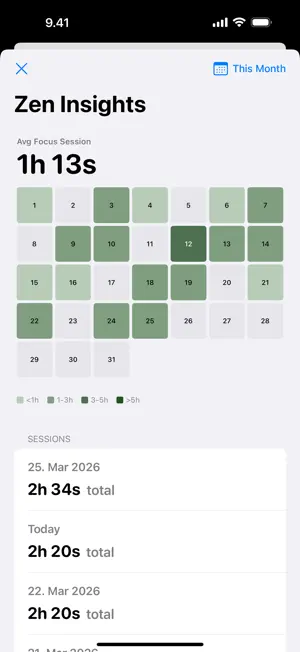
Apptoken helps you create real friction before opening distracting apps. Instead of relying on willpower, Apptoken lets you create blocking profiles, choose the apps and websites you want to restrict, and start focused sessions using Apple's Screen Time controls. When you need access again, unlock using the method that fits your setup: NFC token, QR code, timer, schedule, widget, or manual control. Apptoken is free. There are no subscriptions, no in-app purchases, no paywall, and no account required. HOW IT WORKS 1. Create a blocking profile 2. Select distracting apps and websites 3. Grant Screen Time permission 4. Start a blocking session 5. Unlock only when you choose to BUILT FOR PRACTICAL FOCUS Apptoken is designed for people who want a stronger boundary than a reminder, but still need controlled access when life happens. Use it to: - Reduce mindless scrolling - Protect work and study blocks - Build better phone habits - Keep social apps out of easy reach - Add physical friction with an NFC token - Use a QR code as a simple unlock method - Schedule recurring focus time - Control active sessions from widgets UNLOCK OPTIONS NFC unlock Pair blocking with a physical NFC tag or token so access requires a deliberate tap. QR unlock Use a QR code as a lightweight unlock method when you want separation without extra setup. Timers Start timed sessions and return to your selected restrictions when the session ends. Schedules Create recurring blocks for work, school, mornings, evenings, or any routine you want to protect. Widgets and Live Activities Control active sessions and keep track of focus time from the places you already use on iPhone. PRIVACY-FIRST BY DEFAULT Apptoken does not require an account. Your profiles, selected restrictions, NFC and QR identifiers, schedules, timers, and session history are stored locally on your device or in the app group container used by the app and its extensions. The app does not use third-party app analytics, advertising SDKs, behavioral tracking, subscriptions, or in-app purchases. REQUIREMENTS Apptoken uses Apple's Screen Time, Family Controls, Managed Settings, Device Activity, NFC, Camera, WidgetKit, Live Activities, and Background Tasks frameworks to provide blocking and unlock features. You can revoke app permissions at any time in iOS Settings. Apptoken is developed by Fokusbloks Oy. Support: [email protected] Website: apptoken.co
What’s new
Version 3.1 · Updated May 12, 2026
Apptoken is now free. This update removes subscriptions, in-app purchases, paywalls, and account sign-in. Every blocking strategy is available to every user. What changed: - No subscription required - No in-app purchase required - No account or Sign in with Apple step - Simpler onboarding with Welcome and Screen Time permission - Cleaner first onboarding screen with the Apptoken logo centered correctly - NFC, QR, timer, schedule, widget, and manual controls are all included - Updated privacy handling for local, on-device app data
App privacy
The developer, Fokusbloks Oy, reported these privacy practices to Apple.
Data Not Collected
The developer does not collect any data from this app.
Alternatives to apptoken
Looking for apps like apptoken? Here are 6 similar apps on the App Store. The highest rated is Normal: Screen Time Control (4.9/5), and all 6 are free to download.
-
 TezBlock - Screen Time Control
4.8
-
 Normal: Screen Time Control
4.9
-
 SmartDocs Library
-
 Clank: Screen Time Blocker
-
 Noff
-
 TapLock - Block Apps
| App | Rating | Price | Last updated | Compare |
|---|---|---|---|---|
| apptoken | – | Free | May 12, 2026 | |
| TezBlock - Screen Time Control | 4.8 / 5 (16) | Free | Oct 5, 2026 | Compare |
| Normal: Screen Time Control | 4.9 / 5 (41) | Free | Oct 7, 2026 | Compare |
| SmartDocs Library | – | Free | Jun 18, 2026 | Compare |
| Clank: Screen Time Blocker | – | Free | Sep 25, 2026 | Compare |
| Noff | – | Free | Oct 21, 2026 | Compare |
| TapLock - Block Apps | – | Free | Sep 22, 2026 | Compare |
Compare apptoken with the top alternatives: ratings, updates, ASO score and keyword gaps →