

StitchKit: Embroidery Studio
Mehmet Tagil Graphics & Design iPhoneiPadiPod touchMac
StitchKit: Embroidery Studio is a free Graphics & Design app for iPhone and iPad by Mehmet Tagil. Rated 1.0/5 from 1 ratings. Requires iOS 15.0.
- Rating
- 1.0
- 1 ratings
- Price
- Free
- on the App Store
- Size
- 248 MB
- Age 4+
- Updated
- Oct 29
- 2026 · v1.0.16
Screenshots
About StitchKit: Embroidery Studio
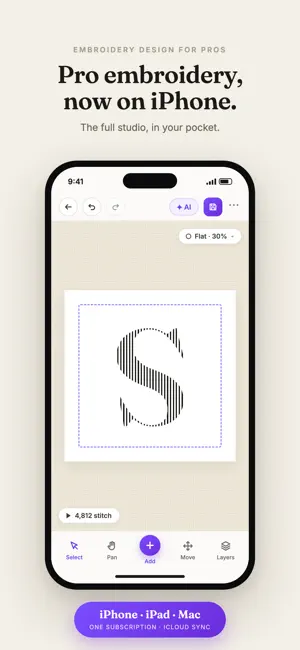
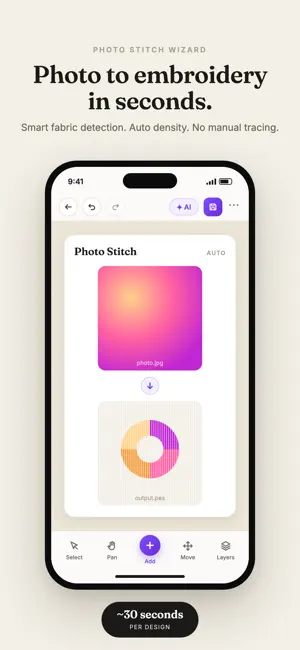
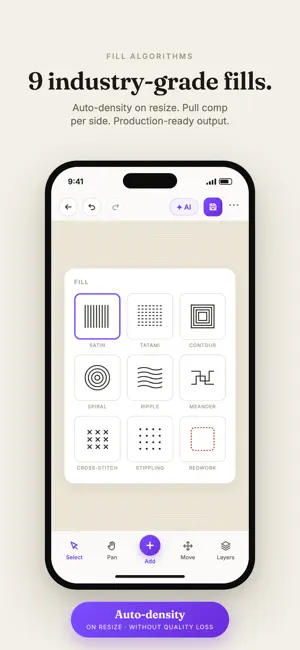
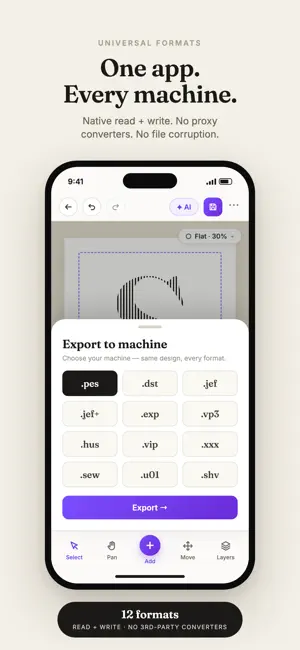
StitchKit is the complete embroidery design studio for iPad, iPhone and Mac. Open any machine embroidery file, edit it stitch-by-stitch, add lettering and monograms, turn photos and SVGs into beautiful stitches, then save back to your machine's format. Built for hobbyists, small-shop digitizers and pros. — OPEN ANY FORMAT — Read and write the formats your machine actually uses: PES, DST, JEF, JEF+, VP3, EXP, HUS, XXX, PCS, SEW, VIP. Drag and drop to open. Merge multiple designs into one hoop. On Mac, get instant Finder previews via Quick Look. — LETTERING & MONOGRAMS — Type any word, pick a font, get clean machine-ready stitches. Choose satin, tatami fill or outline. Bold and italic. BX fonts and AlphaTricks alphabet libraries supported — drop your alphabet files and StitchKit assembles full words automatically. Three monogram styles: Diamond, Stacked, Single. — PHOTO & VECTOR TO STITCH — Turn any photo into a stitch design. Pick how many colors, smooth gradients with dithering, set the target size. Import SVG and apply per-path fill modes (tatami, satin, outline). Combine paths with Union, Intersect, Difference and Flatten. Magic Wand converts any PNG or JPG into clean color regions you can stitch. — PRO DIGITIZING TOOLS — Bezier path digitizing with running outline, tatami, satin and motif modes. Custom motifs library — define your own repeating patterns. Density repair to thin out heavy designs. Automatic underlay (zigzag, mesh or edge). Pull compensation for clean satin. Color sort to minimize trims. Cleanup zero-length stitches and short jumps in one tap. — APPLIQUE & SPECIAL EFFECTS — Build full 3-layer applique (placement / tackdown / cover) in one dialog. Add eyelets, fringe and 3D foam outlines. Layout designs in grids, carousels or scattered patterns. — PER-STITCH EDITING — Select stitches by block, bounding box, color, rectangle, lasso or paintbrush. Move, duplicate, extract or delete the selection. Move individual needle points. Unlimited undo and redo. — THREAD & COLOR MANAGEMENT — Built-in thread catalogs for Madeira, Isacord, Robison-Anton and Mettler. Match a whole palette to a brand in one click. Per-block color swap. Flag blocks as applique with a tap. — HOOP MANAGEMENT — Built-in hoop sizes plus unlimited custom hoops. Align designs to the hoop with one tap. Hoop Split automatically generates a multi-hooping plan for designs bigger than your hoop, with one saveable file per section. — PRINT, CUT & EXPORT — Print PNG or PDF templates with alignment marks, ruler and thread legend for hand-trace work. Export applique cut files as SVG or PLT for your Cricut, Silhouette or vinyl plotter, with optional kerf compensation. — BUILT FOR THE WAY YOU WORK — Native app on iPad, iPhone and Mac. Apple Silicon ready. Skia renderer with realistic 3D thread preview. Recent files, custom hoops and motifs persist across sessions. Works with designs for Brother, Janome, Husqvarna Viking, Pfaff, Bernina, Singer and Melco machines. Designed for embroiderers, by embroiderers. Terms of Use: https://www.apple.com/legal/internet-services/itunes/dev/stdeula/
What’s new
Version 1.0.16 · Updated October 29, 2026
• Tapping or clicking a design now simply selects it. • Picture to objects: a photo can be cleaned up with AI first, and each color is sewn in its own thread. • You can send MavenWright AI a picture without typing anything. • Files you open now appear in your recent files. • Google and Apple sign-in no longer waits endlessly, and error messages appear in your language. • Many smaller fixes and improvements.
App privacy
The developer, Mehmet Tagil, reported these privacy practices to Apple.
Data Used to Track You
The following data may be used to track you across apps and websites owned by other companies:
- Purchases: Purchase History
- Contact Info: Email Address
- Identifiers: Device ID
- Usage Data: Advertising Data, Other Usage Data
- Diagnostics: Crash Data, Performance Data
Data Linked to You
The following data, which may be collected and linked to your identity, may be used for the following purposes:
- Usage Data: Other Usage Data, Advertising Data
- Purchases: Purchase History
- Contact Info: Email Address
- Identifiers: Device ID
- Diagnostics: Crash Data, Performance Data
Used for: Third-Party Advertising, Analytics, App Functionality
Alternatives to StitchKit: Embroidery Studio
Looking for apps like StitchKit: Embroidery Studio? Here are 6 similar apps on the App Store. The highest rated is Embroidery Digitizing & Viewer (4.4/5), and all 6 are free to download.
-
 Embroidery Digitizing & Viewer
4.4
Embroidery Digitizing & Viewer
4.4
-
 Institch-Digitizing & Patterns
4.3
Institch-Digitizing & Patterns
4.3
-
 PicStitch: Photo to DST PES
-
 Embroidly: Image to Embroidery
-
 ThreadsES
-
 PNG to DST: Embroidery
| App | Rating | Price | Last updated | Compare |
|---|---|---|---|---|
| StitchKit: Embroidery Studio | 1.0 / 5 (1 rating) | Free | October 29, 2026 | |
| Embroidery Digitizing & Viewer | 4.4 / 5 (28) | Free | Oct 23, 2026 | Compare |
| Institch-Digitizing & Patterns | 4.3 / 5 (3) | Free | Oct 27, 2026 | Compare |
| PicStitch: Photo to DST PES | – | Free | Oct 29, 2026 | Compare |
| Embroidly: Image to Embroidery | – | Free | Oct 22, 2026 | Compare |
| ThreadsES | – | Free | Apr 6, 2026 | Compare |
| PNG to DST: Embroidery | – | Free | Oct 29, 2026 | Compare |