

Daylog - All-in-One Calendar
TAESEONG KIM Productivity iPhoneiPadiPod touchMac
Daylog - All-in-One Calendar is a free Productivity app for iPhone and iPad by TAESEONG KIM. Requires iOS 26.0. Updated October 22, 2026.
- Price
- Free
- on the App Store
- Size
- 10 MB
- Age 4+
- Updated
- Oct 22
- 2026 · v1.11.0
Screenshots


About Daylog - All-in-One Calendar
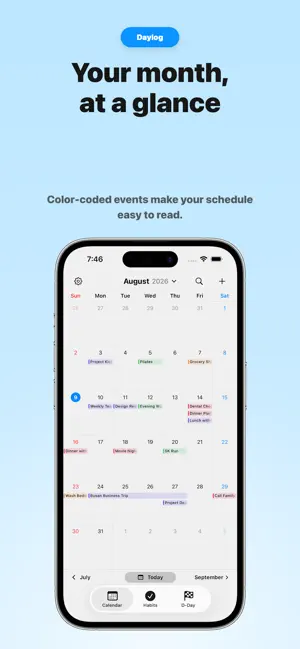
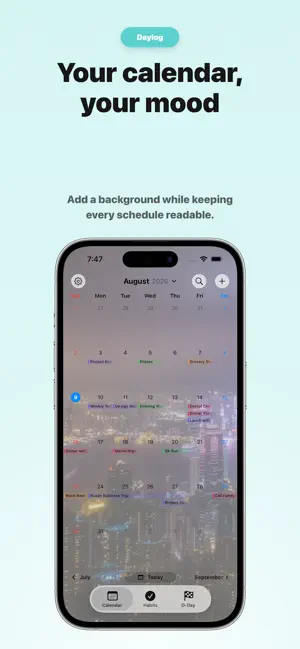
Daylog is an all-in-one calendar for managing your schedule, to-dos, habits, and important countdowns in one place. Organize today’s events and tasks, habits you want to build, and the important dates you’re looking forward to—all in one app. See everything from today through the days ahead at a glance, without switching between multiple apps. [Key Features] • Apple Calendar integration • View events and countdowns on your calendar • Lunar calendar date display • To-do management • View and manage your to-dos with Apple Reminders integration • Build daily habits and track your progress • Manage anniversaries and important dates with countdown cards • Add photos and emojis as stickers to calendar dates • Customize calendar and countdown card backgrounds • Calendar, weekly schedule, and countdown widgets for your Home Screen and Lock Screen • Sync Daylog data across devices with iCloud • Available on iPhone, iPad, and Mac Some features—including Apple Reminders integration, unlimited to-do lists, habits and countdowns, event editing, calendar customization, additional widgets, and iCloud sync—require Daylog Pro. Daylog does not use advertising trackers or usage analytics, and does not share your personal data with external advertising networks. From schedules and to-dos to habits and important dates, organize your day and plan ahead with Daylog.
What’s new
Version 1.11.0 · Updated October 22, 2026
[v 1.11.0] - Subscribe to external calendars using an iCal sharing URL. Subscribed events appear in the calendar and widgets as read-only. - Added automatic and manual refresh, plus display settings for subscribed calendars. - Improved how menus and to-do lists fit when a macOS window is narrowed. - Made the macOS sidebar smoother to collapse and fixed an issue where the To-Do tab’s title and buttons could be obscured. - Improved selected-list highlighting and list switching on macOS, along with calendar subscription reliability.
App privacy
The developer, TAESEONG KIM, reported these privacy practices to Apple.
Data Not Collected
The developer does not collect any data from this app.
Alternatives to Daylog - All-in-One Calendar
Looking for apps like Daylog - All-in-One Calendar? Here are 6 similar apps on the App Store.
-
 SayDay: All-in-One Planner
-
 Mosco - Calendar & To-Do
-
 Polenest: Schedule Calendar
-
 Yooti 유티 - 캘린더 할일 루틴 기념일
-
 몽당 - 캘린더와 메모를 몽땅 모은 핫템
-
 왓어데이 - 심플 캘린더, 위젯, 디데이, PC, 일정
| App | Rating | Price | Last updated | Compare |
|---|---|---|---|---|
| Daylog - All-in-One Calendar | – | Free | October 22, 2026 | |
| SayDay: All-in-One Planner | – | Free | Oct 18, 2026 | Compare |
| Mosco - Calendar & To-Do | – | Free | Oct 14, 2026 | Compare |
| Polenest: Schedule Calendar | – | Free | Sep 14, 2026 | Compare |
| Yooti 유티 - 캘린더 할일 루틴 기념일 | – | Free | Sep 27, 2026 | Compare |
| 몽당 - 캘린더와 메모를 몽땅 모은 핫템 | – | Free | Aug 12, 2025 | Compare |
| 왓어데이 - 심플 캘린더, 위젯, 디데이, PC, 일정 | – | Free | Sep 28, 2026 | Compare |