

PDF Maker : Photo to PDF
Yatin Chugh Productivity iPhoneiPadiPod touch
PDF Maker : Photo to PDF is a free Productivity app for iPhone and iPad by Yatin Chugh. Rated 5.0/5 from 2 ratings. Requires iOS 18.4.
- Rating
- 5.0
- 2 ratings
- Price
- Free
- on the App Store
- Size
- 9 MB
- Age 4+
- Updated
- Oct 14
- 2026 · v1.0.3
Screenshots


About PDF Maker : Photo to PDF
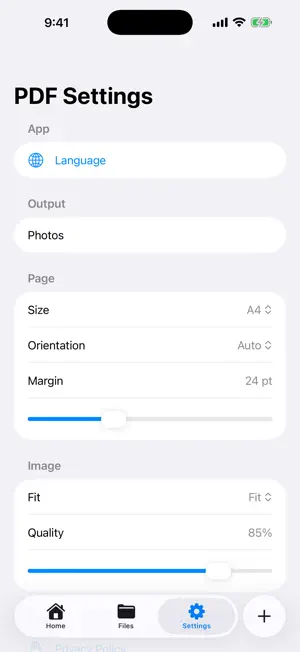
Quick Photos to PDF helps you turn images into clean PDF documents on iPhone. Import photos from your library, capture new pages with the camera, or choose images from Files. Arrange pages, preview your PDF, and share or save the final document when you are done. Features: - Create PDFs from photos, camera captures, and image files - Add multiple images at once - Reorder pages before exporting - Preview the PDF before sharing - Save and manage created PDF files - Simple tab-based layout for home, files, and settings Useful for receipts, notes, forms, assignments, IDs, documents, and quick image-to-PDF tasks.
What’s new
Version 1.0.3 · Updated October 14, 2026
New app interface Bug fixes and performance improvements
App privacy
The developer, Yatin Chugh, reported these privacy practices to Apple.
Data Linked to You
The following data, which may be collected and linked to your identity, may be used for the following purposes:
- Identifiers: Device ID
- Usage Data: Product Interaction, Advertising Data
- Diagnostics: Crash Data, Performance Data
Used for: Third-Party Advertising, Analytics, App Functionality
Alternatives to PDF Maker : Photo to PDF
Looking for apps like PDF Maker : Photo to PDF? Here are 6 similar apps on the App Store. The highest rated is PDF Merger - Bindly (5.0/5), and all 6 are free to download.
-
 WalletCard: Business Card QR
-
 PDF Maker and Editor
-
 DocuMerge — JPG to PDF
-
 Image Converter & Photo to PDF
-
 PDF Merger - Bindly
5.0
-
 Arauto - Hermes Companion
| App | Rating | Price | Last updated | Compare |
|---|---|---|---|---|
| PDF Maker : Photo to PDF | 5.0 / 5 (2 ratings) | Free | October 14, 2026 | |
| WalletCard: Business Card QR | – | Free | Aug 6, 2026 | Compare |
| PDF Maker and Editor | – | Free | Jul 30, 2026 | Compare |
| DocuMerge — JPG to PDF | – | Free | May 22, 2026 | Compare |
| Image Converter & Photo to PDF | – | Free | May 14, 2026 | Compare |
| PDF Merger - Bindly | 5.0 / 5 (2) | Free | Mar 15, 2026 | Compare |
| Arauto - Hermes Companion | – | Free | Jun 18, 2026 | Compare |