

MixCam: Dual Video Recorder
Yen Nguyen Thi Hai Photo & Video iPhoneiPadiPod touch
MixCam: Dual Video Recorder is a free Photo & Video app for iPhone and iPad by Yen Nguyen Thi Hai. Rated 5.0/5 from 2 ratings. Requires iOS 17.0.
- Rating
- 5.0
- 2 ratings
- Price
- Free
- on the App Store
- Size
- 46 MB
- Age 4+
- Updated
- Oct 17
- 2026 · v2.0
Screenshots
About MixCam: Dual Video Recorder
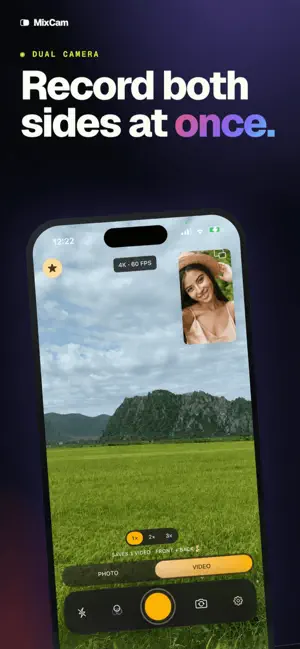
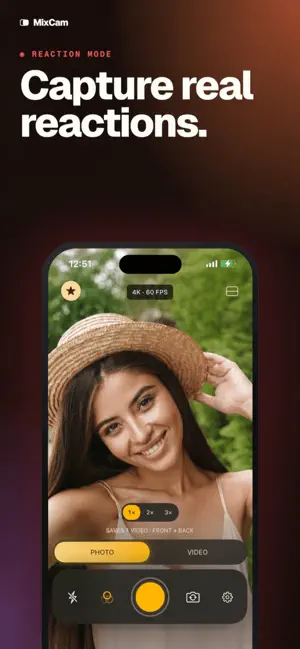
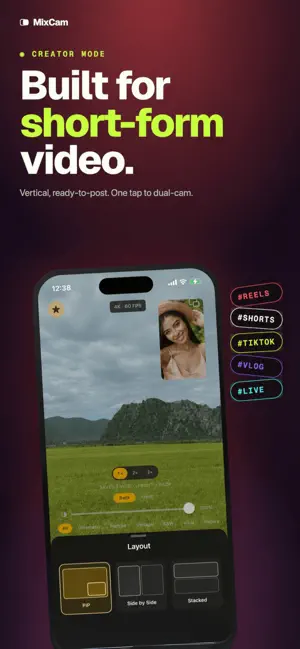
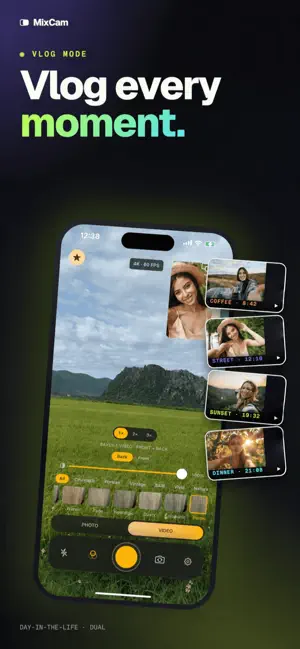
Record Your World, Capture Your Reaction: MixCam lets you use front+back cameras at once, so you never miss your own reaction while filming the scene. No need to reshoot – shoot amazing TikTok, Instagram Reels, YouTube vlogs, interviews and reaction videos in one take. Your audience craves authenticity with MixCam, give them every angle of the story. Feature Highlights: • Dual-Camera Shooting: Film yourself and your surroundings simultaneously. Save front, back, and merged video clips for flexible editing • Picture-in-Picture & Split-Screen: Instantly go from full-screen front camera to PiP or side-by-side split-screen. Perfect for comparing before/after, tutorials, or interviews • Dynamic “Switch Screen”: Flip between front/rear mid-record to keep every moment dynamic. Continue talking into the camera while showing what’s happening behind you. • Steady Pro Video: Use Action Mode for cinematic stabilization (4K at up to 60fps). Supports portrait or landscape, manual ISO, and zoom for broadcast-quality footage. • Smart Auto Features: Center Stage support automatically keeps you framed. Auto-adjust exposure & focus separately on each lens • Group Photo Mode: Take group selfies without a selfie-stick! Everyone’s in the shot – “never be left out of a photo again” • Built-In Creative Tools: Add motion blur effects live, apply filters, or use MixCam’s unique MixOver mode (control the front camera without lifting a finger) for interactive reaction shots. Why MixCam? MixCam helps creators capture front and rear camera perspectives in a single recording experience. It combines ease-of-use with pro tools – unlimited recording time, no watermarks, quick-share to social. Unlike other apps, MixCam is built for creators: it outputs ready-to-share formats (vertical + horizontal, square, or custom) and even offers a teleprompter and picture-in-picture presets. If you want more flexibility than Apple’s native options, MixCam is your go-to social video camera Designed for Content Creators: Teachers, vloggers, gamers and families love MixCam’s intuitive interface and social focus. Film your cooking tutorial and reaction in one clip, record a concert audience and stage in split-screen, or do a live unboxing with your smile in PiP. Post directly to TikTok, Instagram, or YouTube – no editing required. **Terms of Use:** By using MixCam, you agree to our Terms of Use: https://black-knight-studio.web.app/tos For support or feedback, please contact us at [email protected].
What’s new
Version 2.0 · Updated October 17, 2026
- Support for iOS 27 and iPhone Duo.
App privacy
The developer, Yen Nguyen Thi Hai, reported these privacy practices to Apple.
Data Not Collected
The developer does not collect any data from this app.
Alternatives to MixCam: Dual Video Recorder
Looking for apps like MixCam: Dual Video Recorder? Here are 6 similar apps on the App Store. The highest rated is MixCam: Dual Camera Recorder (5.0/5), and all 6 are free to download.
-
 MixCam: Dual Camera Recorder
5.0
MixCam: Dual Camera Recorder
5.0
-
 Mixcam - Dual Camera Recorder
4.0
Mixcam - Dual Camera Recorder
4.0
-
 SplitCam Dual Camera Recorder
4.8
SplitCam Dual Camera Recorder
4.8
-
 Double Camera Recorder
4.7
Double Camera Recorder
4.7
-
 SplitRig: Dual Camera Recorder
5.0
SplitRig: Dual Camera Recorder
5.0
-
 MixCam - Dual Video Recorder
4.6
MixCam - Dual Video Recorder
4.6
| App | Rating | Price | Last updated | Compare |
|---|---|---|---|---|
| MixCam: Dual Video Recorder | 5.0 / 5 (2 ratings) | Free | October 17, 2026 | |
| MixCam: Dual Camera Recorder | 5.0 / 5 (2) | Free | Oct 19, 2026 | Compare |
| Mixcam - Dual Camera Recorder | 4.0 / 5 (4) | Free | Oct 22, 2026 | Compare |
| SplitCam Dual Camera Recorder | 4.8 / 5 (13) | Free | Oct 23, 2026 | Compare |
| Double Camera Recorder | 4.7 / 5 (201) | Free | Aug 20, 2026 | Compare |
| SplitRig: Dual Camera Recorder | 5.0 / 5 (39) | Free | Oct 10, 2026 | Compare |
| MixCam - Dual Video Recorder | 4.6 / 5 (1,321) | Free | Aug 28, 2026 | Compare |