

SplitLens Dual Camera
APG Pictures Photo & Video iPhoneiPadiPod touch
SplitLens Dual Camera is a free Photo & Video app for iPhone and iPad by APG Pictures. Rated 5.0/5 from 2 ratings. Requires iOS 16.0.
- Rating
- 5.0
- 2 ratings
- Price
- Free
- on the App Store
- Size
- 36 MB
- Age 4+
- Updated
- Sep 24
- 2026 · v2.2.4
Screenshots


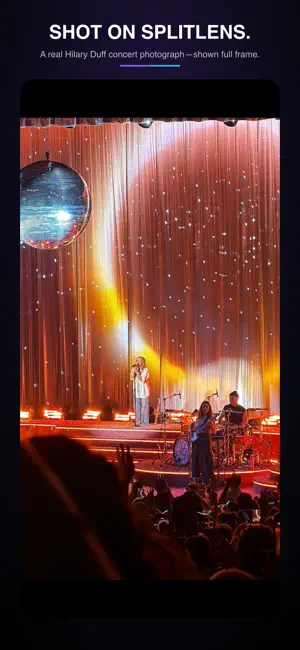

About SplitLens Dual Camera
Your iPhone has multiple cameras. SplitLens lets you use them together. Capture the full play and the close-up. Record portrait and landscape in one take. Put yourself in the action with Picture-in-Picture. SplitLens gives one person the coverage that normally takes multiple cameras—right from the iPhone already in your hand. JUST LIFT. — SMART ACTION CAPTURE Long-press the record button. SplitLens goes to READY. Then let your hands do the rest: • Lift the phone level with the action — recording starts on its own • Drop the phone to your side — the clip stops and saves on its own • Every lift is a new clip. Every lower is a new file in Photos. Distinct haptics tell you READY, ROLLING, CUT, and STANDBY without ever looking at the screen. Built for sideline coaches, sports parents, ski moms, dog walkers, wedding guests, and content creators. FOUR WAYS TO SHOOT EVERY ANGLE • Wide + Telephoto — both rear lenses recording at once • Portrait + Landscape — capture both orientations from a single take • Picture-in-Picture — rear camera full screen, front camera as an inset • Dual Separate Files — two cameras, two files for post-production control MANUAL CONTROLS • 1080p and 4K resolution (device-dependent) • 24, 30, and 60fps (device-dependent) • Per-pane pinch-to-zoom with optional Link Zooms • Continuous autofocus and video stabilization SUBSCRIPTION • Choose Monthly or Annual before Premium access begins • Eligible new subscribers receive a 3-day full-access free trial with no watermark • The selected plan automatically renews at the displayed price after the trial unless cancelled • Prices are shown before purchase and may vary by country or region • There is no freemium tier. Without an active trial, subscription, or valid gift entitlement, camera access is locked • Manage or cancel in Apple ID subscription settings DEVICE REQUIREMENTS MultiCam requires iPhone XS or later (except iPhone XR). 4K MultiCam requires iPhone 11 Pro or later. Smart Action Capture works on every supported device. Recordings save straight to your Photos app — no accounts, no uploads, no cloud required. Terms of Use (EULA): https://www.apple.com/legal/internet-services/itunes/dev/stdeula/ Privacy Policy: https://splitlens.app/privacy
What’s new
Version 2.2.4 · Updated September 24, 2026
SplitLens 2.2.4 improves onboarding, subscriptions, tutorials, and privacy-permission reliability: • The App Tracking Transparency choice now appears first during initial permission setup. • Clearer first-launch explanations for Wide + Telephoto, Portrait + Landscape, Front + Back, and Picture-in-Picture. • Quick Action Capture is introduced after the camera preview. • New users choose Monthly or Annual before premium camera access; eligible users receive a 3-day trial. • Tutorials are easier to reach from the reorganized menu. • Improved menu touch handling so camera focus does not interfere. • Added anonymous funnel analytics to help improve activation and subscriptions. • Additional stability and usability improvements.
App privacy
The developer, APG Pictures, reported these privacy practices to Apple.
Data Used to Track You
The following data may be used to track you across apps and websites owned by other companies:
- Purchases: Purchase History
- Identifiers: Device ID
- Usage Data: Product Interaction
Data Linked to You
The following data, which may be collected and linked to your identity, may be used for the following purposes:
- Identifiers: Device ID
- Purchases: Purchase History
- Usage Data: Product Interaction
Used for: Third-Party Advertising, Developer’s Advertising or Marketing, Analytics, App Functionality
Data Not Linked to You
The following data, which may be collected but is not linked to your identity, may be used for the following purposes:
- Other Data: Other Data Types
- Diagnostics: Crash Data
Used for: Analytics, App Functionality
Alternatives to SplitLens Dual Camera
Looking for apps like SplitLens Dual Camera? Here are 6 similar apps on the App Store. The highest rated is Kiso Camera (5.0/5), and all 6 are free to download.
-
 Camera HD & Pro Raw Photo HDR
-
 WonderFilm: Cinema Camera
-
 CDNC — Video Camera
3.7
CDNC — Video Camera
3.7
-
 SnapX - Xoom Camera
-
 Digital Camera - Photo & Video
1.0
Digital Camera - Photo & Video
1.0
-
 Kiso Camera
5.0
Kiso Camera
5.0
| App | Rating | Price | Last updated | Compare |
|---|---|---|---|---|
| SplitLens Dual Camera | 5.0 / 5 (2 ratings) | Free | September 24, 2026 | |
| Camera HD & Pro Raw Photo HDR | – | Free | Oct 2, 2026 | Compare |
| WonderFilm: Cinema Camera | – | Free | Aug 21, 2026 | Compare |
| CDNC — Video Camera | 3.7 / 5 (3) | Free | Oct 2, 2026 | Compare |
| SnapX - Xoom Camera | – | Free | Jul 21, 2026 | Compare |
| Digital Camera - Photo & Video | 1.0 / 5 (1) | Free | Sep 11, 2026 | Compare |
| Kiso Camera | 5.0 / 5 (3) | Free | Aug 8, 2026 | Compare |