

Clavio: Voice to Text Keyboard
Juste Tools LTD Productivity iPhoneiPadiPod touch
Clavio: Voice to Text Keyboard is a free Productivity app for iPhone and iPad by Juste Tools LTD. Requires iOS 17.6. Updated October 12, 2026.
- Price
- Free
- on the App Store
- Size
- 42 MB
- Age 4+
- Updated
- Oct 12
- 2026 · v1.1.0
Screenshots


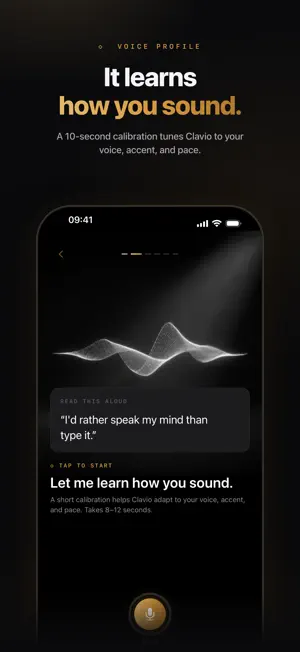

About Clavio: Voice to Text Keyboard
Turn speech into text that's ready to send. Clavio is a voice-first AI keyboard for iPhone. Speak naturally in a supported text field. Clavio transcribes your recording, polishes the wording in a tone you choose, and returns ready-to-send text to the app you were using. SPEAK NATURALLY. WRITE CLEARLY. • Choose Casual, Work, Formal, Pro, Punchy, or Raw output. • Refine text with the active tone. • Reinsert your latest dictation with Last. • Save reusable snippets for replies, intros, addresses, and more. • Review raw and polished versions in History, then copy or share. STAY IN CONTROL Recording status and Stop controls remain visible in a Live Activity. When the Voice Service is ready, you can disarm it at any time. The keyboard extension itself does not record audio; the Clavio app handles recording with your permission. DESIGNED FOR YOUR WORKFLOW Use Clavio in messages, email, notes, and many apps that support third-party keyboards. Switch to Raw when you want a direct transcription, or choose a tone when you want Clavio to clean up the phrasing. Free includes 30 minutes of voice dictation per month. Clavio Pro unlocks unlimited voice dictation while your subscription is active. Subscriptions are billed through Apple and renew automatically unless cancelled in App Store settings. Requires iOS 17.6 or later. Voice dictation requires microphone permission, Full Access for the keyboard handoff, an internet connection, and Live Activities. Privacy Policy: https://clavioapp.com/legal/privacy Terms of Use: https://clavioapp.com/legal/terms
What’s new
Version 1.1.0 · Updated October 12, 2026
More control over dictation and personalization. Improved recovery for saved recordings, along with bug fixes and usability improvements.
App privacy
The developer, Juste Tools LTD, reported these privacy practices to Apple.
Data Used to Track You
The following data may be used to track you across apps and websites owned by other companies:
- Identifiers: Device ID
Data Linked to You
The following data, which may be collected and linked to your identity, may be used for the following purposes:
- Identifiers: Device ID, User ID
- Purchases: Purchase History
- Contact Info: Email Address, Name
- User Content: Audio Data, Other User Content
Used for: Third-Party Advertising, Developer’s Advertising or Marketing, Analytics, App Functionality
Data Not Linked to You
The following data, which may be collected but is not linked to your identity, may be used for the following purposes:
- Usage Data: Product Interaction, Other Usage Data
- Diagnostics: Other Diagnostic Data, Crash Data
Used for: Analytics, App Functionality
Alternatives to Clavio: Voice to Text Keyboard
Looking for apps like Clavio: Voice to Text Keyboard? Here are 6 similar apps on the App Store. The highest rated is Lanson Flow: AI Voice Keyboard (5.0/5), and all 6 are free to download.
-
 Stingwave: AI Voice Keyboard
-
 VoiBoard: AI Voice Keyboard
-
 Lanson Flow: AI Voice Keyboard
5.0
Lanson Flow: AI Voice Keyboard
5.0
-
 KeySpeech: Voice Keyboard
-
 mmumble: Voice Typing
-
 Solo Voice Dictation
| App | Rating | Price | Last updated | Compare |
|---|---|---|---|---|
| Clavio: Voice to Text Keyboard | – | Free | October 12, 2026 | |
| Stingwave: AI Voice Keyboard | – | Free | Oct 17, 2026 | Compare |
| VoiBoard: AI Voice Keyboard | – | Free | Oct 15, 2026 | Compare |
| Lanson Flow: AI Voice Keyboard | 5.0 / 5 (2) | Free | Sep 29, 2026 | Compare |
| KeySpeech: Voice Keyboard | – | Free | Oct 20, 2026 | Compare |
| mmumble: Voice Typing | – | Free | Jun 6, 2026 | Compare |
| Solo Voice Dictation | – | Free | Jun 15, 2026 | Compare |