

Sunlight Sim
Dear Friend Digital GmbH Utilities iPhoneiPadiPod touch
Sunlight Sim is a free Utilities app for iPhone and iPad by Dear Friend Digital GmbH. Requires iOS 26.0. Updated May 27, 2026.
- Price
- Free
- on the App Store
- Size
- 13 MB
- Age 4+
- Updated
- May 27
- 2026 · v1.0
Screenshots

About Sunlight Sim
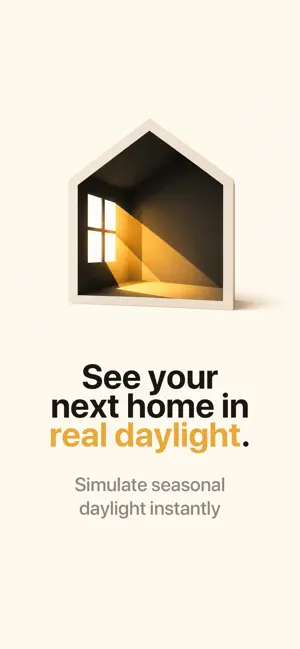
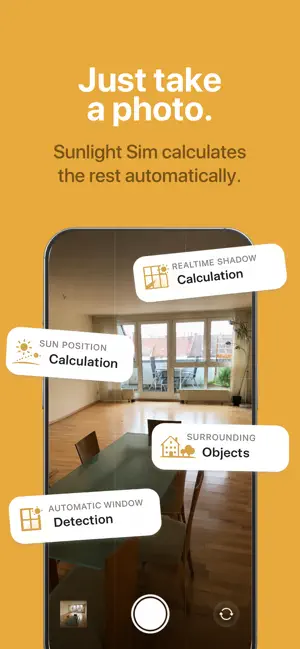
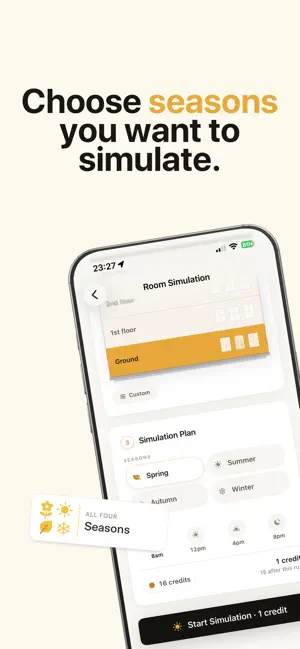
See your next home in real daylight — before you sign. An open house shows you one moment. Sunlight Sim shows you the whole day — and all four seasons. Take a photo of the room. Seconds later, see how sun and shadow move through the windows: bright in the morning, softer by afternoon, lower in winter, longer in summer - or no direct sunlight at all? Why Sunlight Sim? Many homes look radiant at noon — then turn surprisingly dark after 4 p.m. Or the kitchen gets almost no direct sun in winter. Sunlight Sim helps you spot those surprises early: when renting, buying, or comparing several places. Agents use it to help clients decide faster with clear, visual light reports. How it works 1. Capture or import a photo — Camera or library. Time, location, and compass heading are read from metadata when available. 2. Configure the room — Window direction, map pin, seasons and times. Nearby buildings from inform shading. 3. Run the simulation — On-device sun position, incidence angle, and occlusion. Then AI generates realistic interior lighting — same furniture and window frames, new light. 4. Explore results — Up to a 16-image grid (4 seasons × 4 times of day), light score per cell, full-screen viewer with time chips. 5. Save & share — History by address and room, export to Photos, PDF summary via AirDrop or Mail. What you get • Year-round preview — Spring, summer, autumn, winter in one consistent view • Full day — Morning, noon, afternoon, evening • Physics, not guesswork — Astronomical sun position, window orientation, building shadowing • Your room, your geometry — Always starts from your photo — not stock imagery • Organize by place — Multiple addresses, light scores per room at a glance • Works offline for saved work — Stored results and on-device math; generation needs internet Pay fairly — no subscription No monthly fee. Buy credits when you need images. One credit = one generated image. A full room with all 16 combinations = 16 credits. Credits never expire. You are only charged for successfully rendered images. Who it’s for • Renters and first-time buyers • Anyone choosing between several homes • Realtors and architects who need fast, shareable light reports Privacy Photos are processed only to fulfill your request, are not used for model training, and are not kept on our servers. Your history stays on your device. On accuracy Sun timing and direction use established calculations (GPS, date, window, surroundings) — typically within a very short time. Images are AI-rendered to show realistic light on your photo; they are not a guaranteed lux measurement.
App privacy
The developer, Dear Friend Digital GmbH, reported these privacy practices to Apple.
Data Not Collected
The developer does not collect any data from this app.
Alternatives to Sunlight Sim
Looking for apps like Sunlight Sim? Here are 6 similar apps on the App Store. The highest rated is PDF to CAD Converter (5.0/5), and all 6 are free to download.
-
 Quick CAD - DWG Quick Draw
-
 City Pointer: Compass Cities
-
 3D Tape Measure
3.0
-
 PDF to CAD Converter
5.0
-
 MyHomeScout
4.4
-
 HINATA: Sunlight & Shadow Map
5.0
| App | Rating | Price | Last updated | Compare |
|---|---|---|---|---|
| Sunlight Sim | – | Free | May 27, 2026 | |
| Quick CAD - DWG Quick Draw | – | Free | Oct 19, 2026 | Compare |
| City Pointer: Compass Cities | – | Free | Apr 2, 2026 | Compare |
| 3D Tape Measure | 3.0 / 5 (2) | Free | Nov 27, 2025 | Compare |
| PDF to CAD Converter | 5.0 / 5 (1) | Free | Nov 7, 2025 | Compare |
| MyHomeScout | 4.4 / 5 (13) | Free | Aug 11, 2026 | Compare |
| HINATA: Sunlight & Shadow Map | 5.0 / 5 (1) | Free | Mar 29, 2026 | Compare |
Compare Sunlight Sim with the top alternatives: ratings, updates, ASO score and keyword gaps →