

dhumb "scReen TiME & App LoCK"
Brainmedia Productivity iPhoneiPadiPod touch
dhumb "scReen TiME & App LoCK" is a free Productivity app for iPhone and iPad by Brainmedia. Requires iOS 17.0. Updated May 22, 2026.
- Price
- Free
- on the App Store
- Size
- 25 MB
- Age 9+
- Updated
- May 22
- 2026 · v1.0
Screenshots

About dhumb "scReen TiME & App LoCK"
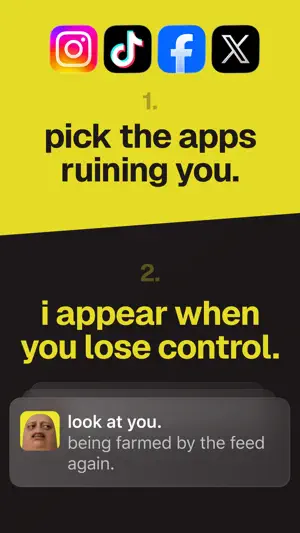
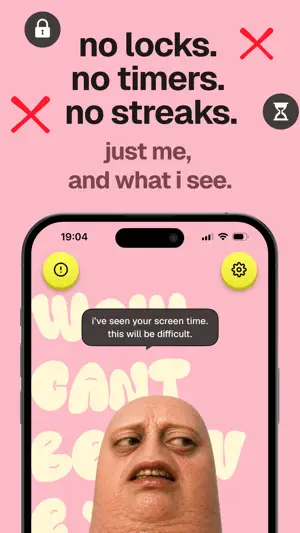
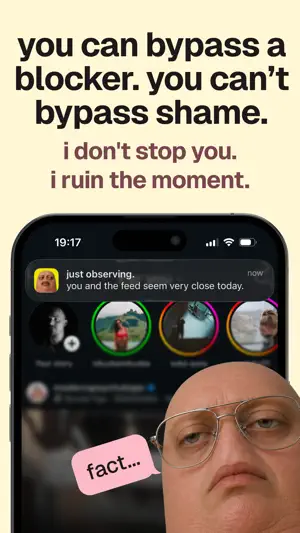
DHUMB sends brutally honest push notifications to interrupt your doom scroll habit. Your thumb is having a crisis. It opened Instagram again. It knows about the TikTok rabbit hole from last night. It’s tired, it’s judgmental, and it now has a face. DHUMB is a screen time intervention app for people who already know they scroll too much — and don’t need another polite wellness coach pretending a breathing exercise will fix it. Instead of locking you out, DHUMB watches the distracting apps you choose, tracks your screen time patterns, and sends brutally honest reminders when your scrolling crosses the line. What DHUMB does: — Tracks selected distracting apps and scroll habits — Sends optional intervention notifications after you pass your screen time limits — Shows your screen time stats through the lens of one deeply disappointed thumb — Turns wasted attention into reports, receipts, and uncomfortable little reality checks DHUMB is subscription-based. App monitoring, screen time stats, intervention notifications, and reports require an active subscription or lifetime purchase. Who it’s for: You’ve tried Apple’s built-in Screen Time settings. You turned them off within a week. You’ve downloaded blockers, timers, and app locks, then found a way around them because apparently that’s who we are now. DHUMB doesn’t block you. It doesn’t lock your apps. It doesn’t pretend shame is a productivity system. It shows up after your scrolling has already gone too far — right when the pattern is hardest to ignore. Subscription options: DHUMB offers weekly, annual, and lifetime access options. Payment gives you access to the app’s screen time monitoring, stats, reports, and optional intervention notifications. Why it works: Blockers try to stop you before you scroll. Then you bypass them, disable them, or convince yourself this one time doesn’t count. DHUMB works differently. It creates awareness while the habit is happening. When you cross your own screen time limits, DHUMB interrupts the autopilot with a small, uncomfortable reality check — enough to make you notice what you’re doing, without locking you out of your phone. No locks. No timers. No streaks. Just your screen time, unfortunately observed. Get dhumb or stay dhumb. Privacy policy: https://www.getdhumb.com/privacy-policy/ Terms of use: https://www.getdhumb.com/terms-of-use/ Support: Contact us on [email protected]
App privacy
The developer, Brainmedia, reported these privacy practices to Apple.
Data Used to Track You
The following data may be used to track you across apps and websites owned by other companies:
- Purchases: Purchase History
- Identifiers: User ID
- Usage Data: Product Interaction
Data Linked to You
The following data, which may be collected and linked to your identity, may be used for the following purposes:
- Purchases: Purchase History
- Identifiers: User ID
- Usage Data: Product Interaction
- Contact Info: Name
Used for: Third-Party Advertising, Analytics, Product Personalization, App Functionality
Alternatives to dhumb "scReen TiME & App LoCK"
Looking for apps like dhumb "scReen TiME & App LoCK"? Here are 6 similar apps on the App Store. The highest rated is Spring - Habit Tracker (5.0/5), and all 6 are free to download.
-
 Spring - Habit Tracker
5.0
Spring - Habit Tracker
5.0
-
 11AI: AI Voice Analysis
-
 MEGA Pass Password Manager
4.7
MEGA Pass Password Manager
4.7
-
 Curiosity Quench: scroll less
4.4
Curiosity Quench: scroll less
4.4
-
 OmniFocus 4
4.0
OmniFocus 4
4.0
-
 PopMaker - Creator AI Tool
4.7
PopMaker - Creator AI Tool
4.7
| App | Rating | Price | Last updated | Compare |
|---|---|---|---|---|
| dhumb "scReen TiME & App LoCK" | – | Free | May 22, 2026 | |
| Spring - Habit Tracker | 5.0 / 5 (1) | Free | Jan 12, 2026 | Compare |
| 11AI: AI Voice Analysis | – | Free | Dec 15, 2025 | Compare |
| MEGA Pass Password Manager | 4.7 / 5 (43) | Free | Sep 5, 2026 | Compare |
| Curiosity Quench: scroll less | 4.4 / 5 (210) | Free | Mar 10, 2026 | Compare |
| OmniFocus 4 | 4.0 / 5 (343) | Free | Oct 22, 2026 | Compare |
| PopMaker - Creator AI Tool | 4.7 / 5 (2,185) | Free | Oct 19, 2026 | Compare |