

AudioLift & Audio Extractor
CodeNeuron Studios Photo & Video iPhoneiPadiPod touch
AudioLift & Audio Extractor is a free Photo & Video app for iPhone and iPad by CodeNeuron Studios. Requires iOS 17.0. Updated September 23, 2026.
- Price
- Free
- on the App Store
- Size
- 10 MB
- Age 4+
- Updated
- Sep 23
- 2026 · v1.1
Screenshots


About AudioLift & Audio Extractor
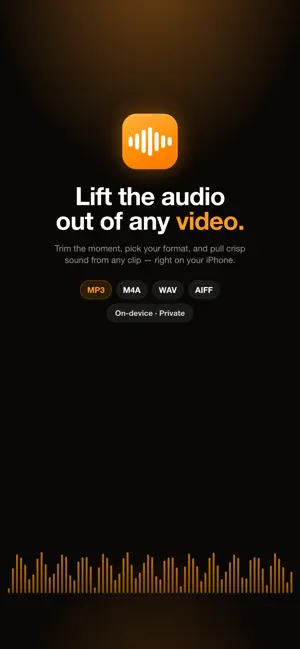
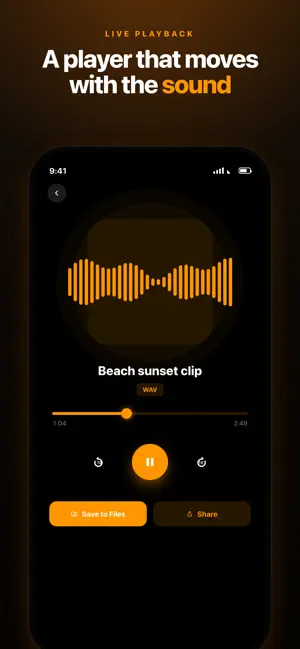
Lift the audio out of any video — right on your iPhone and iPad. AudioLift is the fastest way to pull clean, high-quality sound out of your videos. Choose a clip, trim the exact moment you need, pick your format, and export in seconds. Everything runs on-device, so your files never leave your phone. Why AudioLift • One-tap extraction: choose a video from Photos or Files and get audio instantly • Trim before you export: grab just the part you want • Pick the right track: got a video with more than one audio track? Choose exactly which one to extract • High-quality M4A export, right out of the box • 100% on-device: private by design, nothing is ever uploaded • Beautiful player: a live waveform that moves with the sound Free vs Pro AudioLift is free to try with 2 audio extractions and M4A export included. Unlock more with a one-time purchase (no subscription): • Pro: Unlimited extractions • Pro+: Everything in Pro, plus MP3, WAV & AIFF export and Batch (extract multiple videos at once) More Than Extraction • Record audio live: capture sound straight from your mic with real-time background-noise reduction — perfect for quick voice notes and interviews • Add audio to video: drop a new soundtrack or voice-over onto any clip and export a fresh video • Multi-track aware: videos with several audio tracks let you choose the exact one you want Built for Real Work • Batch mode (Pro+): extract a whole stack of videos at once • Save to Files or share anywhere in a single tap • Smart library: search, rename and bulk-delete your extractions • Designed for both iPhone and iPad Perfect For • Turning interviews, lectures and meetings into clean audio • Saving music, voice notes and sound from any clip • Podcasters, musicians, students and content creators • Making ringtones and samples from a favorite video Formats • M4A: small file size, great for sharing (free) • MP3: universal format, plays everywhere (Pro+) • WAV: lossless quality, ideal for editing (Pro+) • AIFF: lossless Apple format (Pro+) Privacy First AudioLift processes every video directly on your device. No account, no cloud, no tracking — your media stays yours. Download AudioLift and lift the audio out of anything.
What’s new
Version 1.1 · Updated September 23, 2026
A big update — AudioLift now does more than extract: • MP3 export — the universal format that plays everywhere (Pro+) • Record audio live with real-time background-noise reduction • Add audio to video — put a new soundtrack or voice-over onto any clip • Higher-quality output that preserves your video's original sample rate
App privacy
The developer, CodeNeuron Studios, reported these privacy practices to Apple.
Data Not Linked to You
The following data, which may be collected but is not linked to your identity, may be used for the following purposes:
- Usage Data: Other Usage Data
- Diagnostics: Crash Data, Performance Data
- User Content: Photos or Videos
Used for: Analytics, App Functionality
Alternatives to AudioLift & Audio Extractor
Looking for apps like AudioLift & Audio Extractor? Here are 6 similar apps on the App Store. The highest rated is Remuxer (3.7/5), and all 6 are free to download.
-
 AI Voice Changer: Effects
-
 Video to MP3 & Audio Extractor
-
 Music Remover - Vid Splitter
-
 Video Sound Extractor: MP3
-
 Remuxer
3.7
Remuxer
3.7
-
 Hair Color Changer: Hairly
3.0
Hair Color Changer: Hairly
3.0
| App | Rating | Price | Last updated | Compare |
|---|---|---|---|---|
| AudioLift & Audio Extractor | – | Free | September 23, 2026 | |
| AI Voice Changer: Effects | – | Free | Aug 18, 2026 | Compare |
| Video to MP3 & Audio Extractor | – | Free | Apr 21, 2026 | Compare |
| Music Remover - Vid Splitter | – | Free | May 5, 2025 | Compare |
| Video Sound Extractor: MP3 | – | Free | Sep 14, 2026 | Compare |
| Remuxer | 3.7 / 5 (9) | Free | Oct 11, 2026 | Compare |
| Hair Color Changer: Hairly | 3.0 / 5 (2) | Free | Jun 6, 2025 | Compare |