

Teleprompter: Script & Autocue
Dmytro Chirva Photo & Video iPhoneiPadiPod touch
Teleprompter: Script & Autocue is a free Photo & Video app for iPhone and iPad by Dmytro Chirva. Rated 1.0/5 from 1 ratings. Requires iOS 17.0.
- Rating
- 1.0
- 1 ratings
- Price
- Free
- on the App Store
- Size
- 30 MB
- Age 4+
- Updated
- Sep 7
- 2026 · v1.1.2
Screenshots


About Teleprompter: Script & Autocue
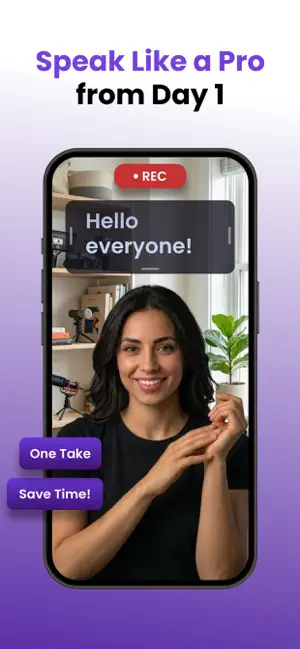
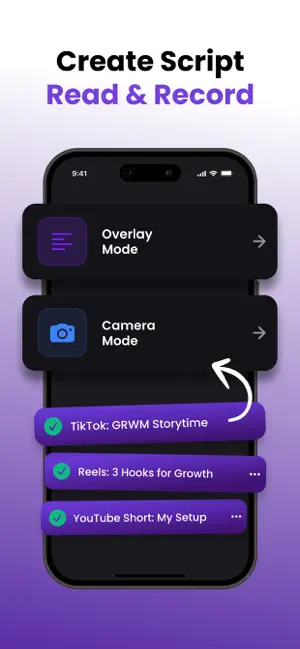
Turn your iPhone into a professional teleprompter and video recording studio. PromptCam helps content creators, YouTubers, podcasters, educators, and business professionals deliver flawless presentations — without memorizing a single line. SMART VOICE SCROLLING - Smart speech recognition scrolls text as you speak - Text follows your natural pace — speed up or slow down freely - Word-level highlighting shows exactly where you are 4 SCROLL MODES - Voice Control — text follows your speech in real time - Fixed Speed — set a constant scroll pace - Timed — scroll entire script within a set duration - Words Per Minute — match your natural reading speed RECORD VIDEO WHILE YOU READ - 1080p Full HD recording with front or rear camera - Live script overlay on camera preview - No watermarks on your recordings - Switch cameras mid-session - Text-only mode for voiceovers and narration PROFESSIONAL DISPLAY - Mirror mode for teleprompter glass setups - 7 fonts, 6 color themes, or fully custom colors - Adjustable font size, weight, spacing, and margins - Countdown timer before recording - Loop mode for rehearsals SCRIPT MANAGEMENT - Create unlimited scripts with folders - Word count, reading time, color tags - Import and export scripts - Search and sort your library NO ACCOUNT NEEDED - Works fully offline - No login required — start instantly - All data stays on your device - No ads, no tracking SUBSCRIPTION - Weekly: $5.99/week - Yearly: $49.99/year (3-day free trial) - Payment charged to Apple ID at confirmation - Auto-renews unless canceled 24h before period end - Manage in Account Settings Download PromptCam and nail every take. Privacy Policy: https://sites.google.com/view/teleprompt-privacy Terms of Use: https://sites.google.com/view/teleprompter-contacts Support: [email protected]
What’s new
Version 1.1.2 · Updated September 7, 2026
- Remote Control — use a second device as a wireless remote (PIN-paired). - Pause & resume recording — takes merge into one file. - Interruptions auto-save your recording. - New audio player — scrubbable waveform, 15s skip, share as audio. - Refined design, swipe-back everywhere. - Faster & more reliable — safer storage, memory fixes.
App privacy
The developer, Dmytro Chirva, reported these privacy practices to Apple.
Data Linked to You
The following data, which may be collected and linked to your identity, may be used for the following purposes:
- Purchases: Purchase History
- Location: Coarse Location
- Identifiers: Device ID
Used for: Analytics
Data Not Linked to You
The following data, which may be collected but is not linked to your identity, may be used for the following purposes:
- Usage Data: Product Interaction
- Diagnostics: Crash Data
Used for: Analytics, App Functionality
Alternatives to Teleprompter: Script & Autocue
Looking for apps like Teleprompter: Script & Autocue? Here are 6 similar apps on the App Store. The highest rated is Wispim Teleprompter (5.0/5), and all 6 are free to download.
-
 Wispim Teleprompter
5.0
-
 Teleprompter: Video & Script
-
 Teleprompter: Prompterly
-
 Teleprompter 4 Creators
-
 Teleprompter Pix: Video Script
-
 Teleprompter - Cinely
| App | Rating | Price | Last updated | Compare |
|---|---|---|---|---|
| Teleprompter: Script & Autocue | 1.0 / 5 (1 rating) | Free | September 7, 2026 | |
| Wispim Teleprompter | 5.0 / 5 (3) | Free | Oct 14, 2026 | Compare |
| Teleprompter: Video & Script | – | Free | Aug 17, 2026 | Compare |
| Teleprompter: Prompterly | – | Free | Sep 21, 2026 | Compare |
| Teleprompter 4 Creators | – | Free | Apr 1, 2026 | Compare |
| Teleprompter Pix: Video Script | – | Free | Sep 10, 2026 | Compare |
| Teleprompter - Cinely | – | Free | Jun 11, 2026 | Compare |