

Bouncer: Study Blocker
Aryan Yadav Productivity iPhoneiPadiPod touch
Bouncer: Study Blocker is a free Productivity app for iPhone and iPad by Aryan Yadav. Requires iOS 26.4. Updated July 20, 2026.
- Price
- Free
- on the App Store
- Size
- 52 MB
- Age 4+
- Updated
- Jul 20
- 2026 · v1.2
Screenshots

About Bouncer: Study Blocker
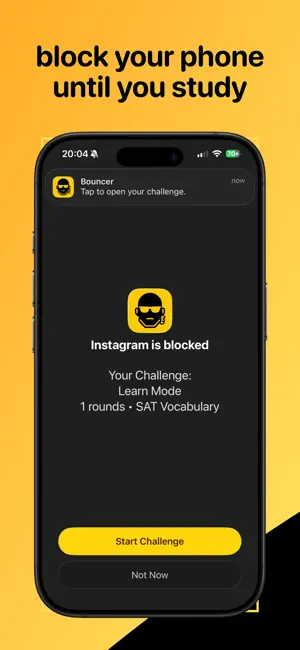
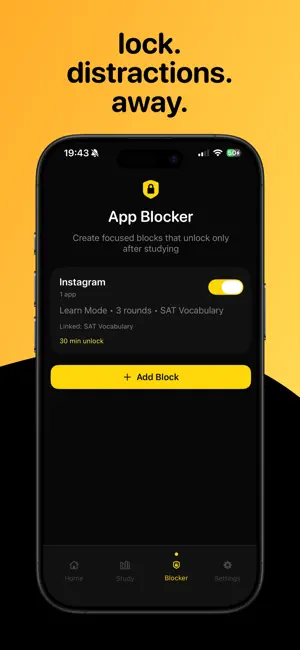
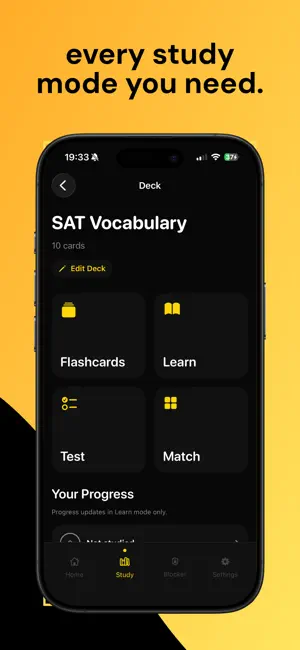
Bouncer turns distracting apps into a reason to study. Choose the apps that pull you off track, block them using Apple’s Screen Time controls, and earn access back by completing flashcard and study challenges. Instead of relying on willpower alone, Bouncer gives you a simple system: Study first. Scroll later. HOW BOUNCER WORKS 1. Choose the apps you want to block 2. Start a focus block 3. Complete a flashcard or study challenge 4. Unlock your selected apps and continue your day STUDY TOOLS • Create and organise flashcard decks • Generate flashcards from your notes using AI • Practise terms you are still learning in Learn mode • Test yourself to see what you actually remember • Track mastered and still-learning terms • Complete study challenges to earn access back to blocked apps • Restore and manage your subscription through Apple BUILT FOR STUDENTS Bouncer is designed for students who: • Keep reaching for distracting apps while studying • Want a stronger system than ordinary focus timers • Need motivation to revise flashcards consistently • Want to replace scrolling with useful study sessions • Prefer a simple study-first approach to screen time BOUNCER PRO SUBSCRIPTION An active Bouncer Pro subscription is required to access Bouncer and its main features. Bouncer does not provide a free-access version of its core functionality. Available subscription options, durations and current local prices are shown in the app before you purchase. Payment will be charged to your Apple ID when your purchase is confirmed. Subscriptions automatically renew unless auto-renewal is turned off at least 24 hours before the end of the current subscription period. You can manage or cancel your subscription at any time through your App Store account settings. You can restore an existing subscription from the Bouncer paywall or Settings screen. PRIVACY Bouncer does not require you to create an account. Your flashcard decks and study progress are stored on your device. When you choose to generate flashcards using AI, the text you provide is securely sent to our service and OpenAI to generate the requested study content. Bouncer does not use your study content for advertising or cross-app tracking. Study first. Scroll later. Terms of Use: https://bouncerstudy.com/terms/ Privacy Policy: https://bouncerstudy.com/privacy/
What’s new
Version 1.2 · Updated July 20, 2026
bug fixes!
App privacy
The developer, Aryan Yadav, reported these privacy practices to Apple.
Data Not Collected
The developer does not collect any data from this app.
Alternatives to Bouncer: Study Blocker
Looking for apps like Bouncer: Study Blocker? Here are 6 similar apps on the App Store. The highest rated is SnapLock: App Blocker (5.0/5), and all 6 are free to download.
-
 SpiralAI: Focus for Study
-
 Argue - AI Screentime Blocker
4.6
Argue - AI Screentime Blocker
4.6
-
 Screen Time Limit App Blocker
4.9
Screen Time Limit App Blocker
4.9
-
 TaskGate: Focus & App Blocker
-
 SnapLock: App Blocker
5.0
SnapLock: App Blocker
5.0
-
 OCR Scanner - Paper to Text
1.7
OCR Scanner - Paper to Text
1.7
| App | Rating | Price | Last updated | Compare |
|---|---|---|---|---|
| Bouncer: Study Blocker | – | Free | July 20, 2026 | |
| SpiralAI: Focus for Study | – | Free | Jul 28, 2025 | Compare |
| Argue - AI Screentime Blocker | 4.6 / 5 (8) | Free | Oct 11, 2026 | Compare |
| Screen Time Limit App Blocker | 4.9 / 5 (7) | Free | Aug 11, 2026 | Compare |
| TaskGate: Focus & App Blocker | – | Free | Jul 6, 2026 | Compare |
| SnapLock: App Blocker | 5.0 / 5 (2) | Free | Oct 7, 2026 | Compare |
| OCR Scanner - Paper to Text | 1.7 / 5 (3) | Free | Jun 5, 2026 | Compare |