

Stitch Studio - Pixel Art
Max Ehrlich Games iPhoneiPadiPod touch
Stitch Studio - Pixel Art is a free Games app for iPhone and iPad by Max Ehrlich. Rated 5.0/5 from 7 ratings. Requires iOS 15.1. Updated August 24, 2026.
- Rating
- 5.0
- 7 ratings
- Price
- Free
- on the App Store
- Size
- 47 MB
- Age 4+
- Updated
- Aug 24
- 2026 · v1.3.2
Screenshots
About Stitch Studio - Pixel Art
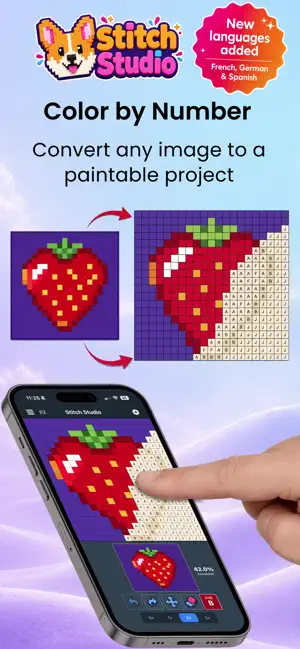
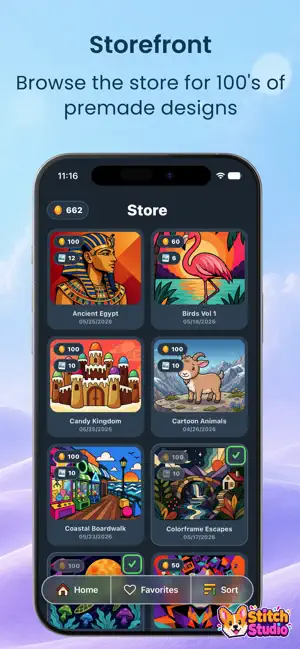
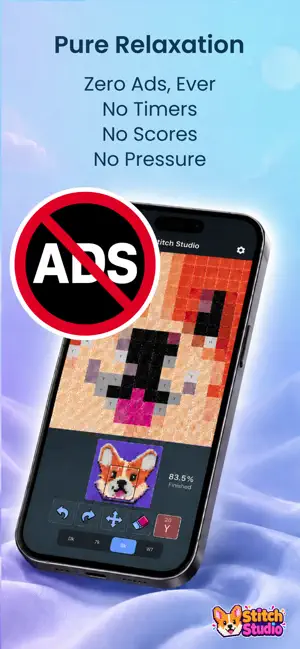
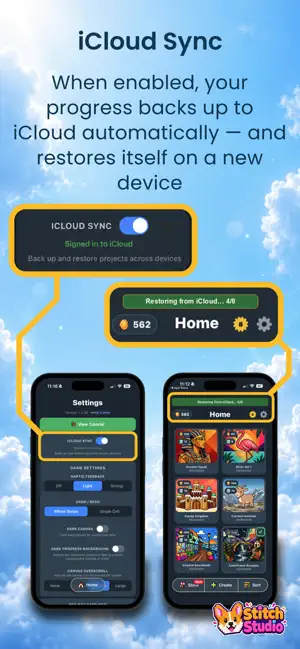
Stitch Studio brings the calm, focused joy of cross-stitch to your iPhone. Import any photo and watch it transform into a pattern you can complete - one satisfying stitch at a time. CREATE FROM ANYTHING Import any photo and convert it into a cross-stitch pattern. Adjust the resolution and palette size to control how detailed or minimal your design looks. Smarter palettes keep dark tones true - dark reds, navy blues, and browns stay as real colors instead of collapsing to black. Unlimited previews let you tune the settings and see the result before you commit to a new project. STITCH AT YOUR OWN PACE Your canvas zooms to four levels so you can work with fine detail or take in the whole picture. Swipe to fill cells, tap to place individual stitches, and undo by stroke or by single cell - whichever suits your style. Rich haptic feedback makes every stitch feel satisfying. Play one-handed with Left-Hand Mode, which flips the in-game controls to your other side in both portrait and landscape. Prefer a relaxed, mistake-free experience? Unlock EZ Mode with coins to skip wrong-color taps and stitch without ever placing an error cell - it stays unlocked for that image, even if you re-download or regenerate it. DESIGN PACKS Browse more than 80 curated packs of ready-to-stitch designs, with new ones added regularly - Midnight Cats, Pop Art, Interesting Portraits, Ancient Egypt, Mythical Creatures, Mushroom World, Landscapes, Cartoon Animals, and many more. Tap any design to view it full screen and swipe through the entire pack before you spend a thing. Mark your favorites, sort and filter your collection, and earn coins by completing projects to spend on new packs. TRACK YOUR PROGRESS Each project tracks your time played, completion percentage, and stitch history. Earn XP as you stitch, level up, and hit milestones that reward bonus coins. When a project is finished, watch a full replay of every stitch animating into place in the exact order you placed them - then share it with anyone you like. PLAY IN YOUR LANGUAGE Stitch Studio is fully translated into German, Spanish, and French, from menus to in-game controls, so you can stitch in the language you are most comfortable with. MADE TO RELAX Everything in Stitch Studio is designed to be calming and distraction-free. A redesigned Settings screen puts every option within reach, with clear info buttons that explain each one and easy-to-grab sliders with satisfying haptic ticks. Works in portrait and landscape, with configurable haptic intensity. Automatic iCloud sync keeps your coins, level, stats, and projects backed up across devices and re-installs. Free to download with no ads and no subscriptions. Create one custom design per day for free, and earn coins by completing projects. Coin packs are available if you would rather not wait - but nothing in the app is ever locked behind them.
Ratings & reviews
5.0
7 ratings
What’s new
Version 1.3.2 · Updated August 24, 2026
What's New in 1.3.2 Everything since 1.3.0 - a rebuilt color engine, a proper full-screen pack viewer, and a handful of fixes. New Full-screen pack viewer - open any design full screen and swipe through the entire pack, instead of closing and reopening each image one at a time. Tap the arrows on either side to move between images, pinch to zoom as before, and see a counter plus the image and pack names under the picture. Poll reminders - a red dot appears on the Settings gear when there is a feedback poll you have not answered yet, with a matching New tag on the Feedback section. Open Project - when a store download finishes with a single project, jump straight into it instead of going back to Home first. Improved Rebuilt how colors are chosen, so your full color count actually gets used. Previously up to half the palette could go to colors covering less than 2% of the picture, leaving smoothly shaded areas like skin and fabric to band into two or three flat blocks. Off-white areas such as cream clothing now keep their own shade instead of flattening to pure white. Dark colors like navy, deep green, and oxblood hold their hue more reliably, including across large flat areas rather than only at outlines. All of the above applies both to photos you import and to designs from the store. In Left-Hand Mode, the full-screen close button moves to the left side. Fixed Stray dark specks scattered across smooth areas such as faces, which came from outlines being detected too eagerly along softened edges. Mark All Seen no longer fails when you are offline - badges now clear from what the app already knows instead of giving up when it cannot reach the server. The full-screen close button, counter, and arrows no longer sit under the notch in landscape.
Play today's Inkspill puzzle
Spread your ink until the whole board is one color, within the move limit. A free daily puzzle from Fiplay, same board for everyone. It plays right here, no download.
App privacy
The developer, Max Ehrlich, reported these privacy practices to Apple.
Data Not Linked to You
The following data, which may be collected but is not linked to your identity, may be used for the following purposes:
- Usage Data: Product Interaction, Other Usage Data
Used for: Analytics
Alternatives to Stitch Studio - Pixel Art
Looking for apps like Stitch Studio - Pixel Art? Here are 6 similar apps on the App Store. The highest rated is ColorNumber Doodle (5.0/5), and all 6 are free to download.
-
 Coloring Pixel - Paint by No.
-
 ColorNumber Doodle
5.0
ColorNumber Doodle
5.0
-
 Pixel Paint: Color by Number
5.0
Pixel Paint: Color by Number
5.0
-
 Pixel Paint: Color & Create
5.0
Pixel Paint: Color & Create
5.0
-
 Pop Stitch
5.0
Pop Stitch
5.0
-
 Color Magic: Paint by Number
| App | Rating | Price | Last updated | Compare |
|---|---|---|---|---|
| Stitch Studio - Pixel Art | 5.0 / 5 (7 ratings) | Free | August 24, 2026 | |
| Coloring Pixel - Paint by No. | – | Free | Jun 18, 2026 | Compare |
| ColorNumber Doodle | 5.0 / 5 (1) | Free | Apr 13, 2026 | Compare |
| Pixel Paint: Color by Number | 5.0 / 5 (1) | Free | Oct 16, 2026 | Compare |
| Pixel Paint: Color & Create | 5.0 / 5 (2) | Free | Oct 25, 2026 | Compare |
| Pop Stitch | 5.0 / 5 (1) | Free | Feb 14, 2026 | Compare |
| Color Magic: Paint by Number | – | Free | May 1, 2026 | Compare |