

CC Converter
Weida Fan Utilities iPhoneiPadiPod touch
CC Converter is a free Utilities app for iPhone and iPad by Weida Fan. Requires iOS 15.0. Updated April 28, 2026.
- Price
- Free
- on the App Store
- Size
- 5 MB
- Age 4+
- Updated
- Apr 28
- 2026 · v1.0
Screenshots
About CC Converter
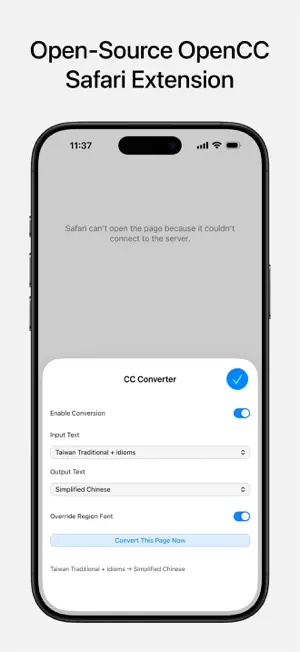
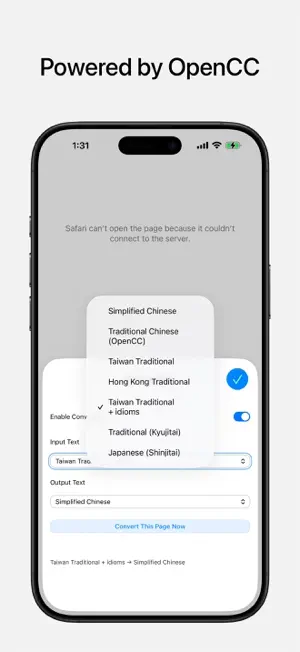
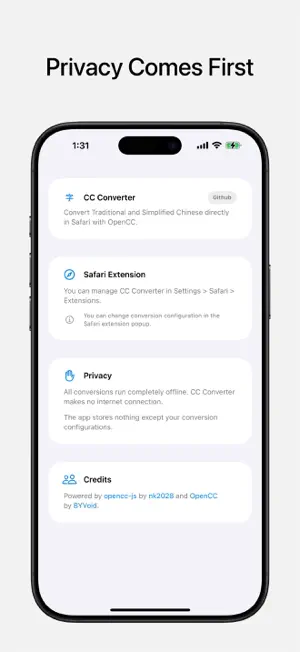
CC Converter brings accurate Chinese text conversion to Safari on iPhone, iPad, and Mac. Powered by OpenCC, CC Convert webpage text between Simplified and Traditional Chinese variants in one tap, including region-specific standards for Mainland China, Taiwan, Hong Kong, and Japanese Kanji mappings. CC Converter runs locally on your device using the trusted OpenCC conversion engine, so your browsing content is not sent to external servers for conversion. Use CC Converter to: • Convert Chinese text directly on Safari webpages • Switch between multiple conversion presets (such as s2t, t2s, s2tw, s2hk, t2jp, and more) • Replace source-region fonts with destination-region fonts • Enable or disable conversion anytime from the extension popup Built for people who read Chinese across different writing systems and regional standards. Privacy first: • On-device conversion • No cloud processing of page text • Only your extension settings are stored locally This app uses OpenCC but is not affiliated with, sponsored by, or endorsed by the OpenCC developers.
App privacy
The developer, Weida Fan, reported these privacy practices to Apple.
Data Not Collected
The developer does not collect any data from this app.
Alternatives to CC Converter
Looking for apps like CC Converter? Here are 6 similar apps on the App Store. The highest rated is Mewseum: Art & Museum Guide (5.0/5), and all 6 are free to download.
-
 OpenCCman Open Chinese Convert
-
 backtime.live
-
 Mewseum: Art & Museum Guide
5.0
Mewseum: Art & Museum Guide
5.0
-
 How To Cook
-
 CILink
-
 验机宝助手
验机宝助手
| App | Rating | Price | Last updated | Compare |
|---|---|---|---|---|
| CC Converter | – | Free | April 28, 2026 | |
| OpenCCman Open Chinese Convert | – | Free | Oct 1, 2026 | Compare |
| backtime.live | – | Free | Sep 28, 2026 | Compare |
| Mewseum: Art & Museum Guide | 5.0 / 5 (5) | Free | Sep 23, 2026 | Compare |
| How To Cook | – | Free | Sep 21, 2026 | Compare |
| CILink | – | Free | Oct 16, 2026 | Compare |
| 验机宝助手 | – | Free | Aug 20, 2026 | Compare |
Compare CC Converter with the top alternatives: ratings, updates, ASO score and keyword gaps →