

PDF Scanner: Doc & OCR Convert
Parthiv Vanani Productivity iPhoneiPadiPod touch
PDF Scanner: Doc & OCR Convert is a free Productivity app for iPhone and iPad by Parthiv Vanani. Requires iOS 15.6. Updated May 27, 2026.
- Price
- Free
- on the App Store
- Size
- 86 MB
- Age 4+
- Updated
- May 27
- 2026 · v1.0
Screenshots

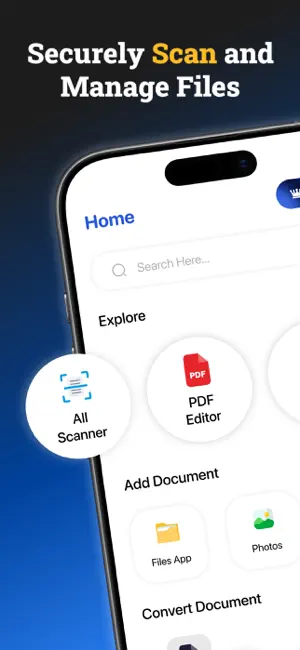


About PDF Scanner: Doc & OCR Convert
PDF Converter & Doc Scanner+ turns your iPhone into a smart, portable scanner for documents, receipts, notes, invoices, IDs, books, and more. Capture sharp, high-quality scans anytime, anywhere with a fast and effortless process. Whether for work, study, or personal use, it helps you manage important files on the go. Scan single or multiple pages and save them as PDF files or images in seconds. Smart auto edge detection accurately crops documents, while advanced enhancement tools improve brightness, contrast, and clarity for clean, professional-looking results every time. Convert photos from your gallery into PDFs and keep everything organized in one place. Stay productive with powerful features like OCR text recognition, digital signatures, PDF compression, and instant file sharing. Extract text from scanned pages, sign forms electronically, reduce file sizes, and send documents via Mail, Messages, AirDrop, cloud storage, and more with ease. Easily convert files between multiple formats with built-in PDF tools. Turn images into PDFs or convert PDFs into high-quality images for quick sharing and editing. Merge multiple documents into a single file or split large PDFs into smaller, manageable sections—perfect for organising reports, presentations, and study materials. Protect your private files with password security and secure storage options. Organize documents with folders, custom names, and sorting tools for quick access whenever needed. With a clean, user-friendly interface and smooth performance, PDF Converter & Doc Scanner+ makes scanning, converting, and managing documents simple, fast, and reliable. The app offers the following subscription options: - Weekly at $4.99 and Yearly at $ 19.99 - Payment will be charged to your iTunes Account at confirmation of purchase. - Subscription automatically renews unless auto-renew is turned off at least 24-hours prior to the end of the current subscription period. - The account is charged for renewal within 24-hours before the end of the current subscription period. - Subscriptions can be managed by the user and auto-renewal can be turned in the user's Account Settings after purchase. By using the app, you agree to our Privacy Policy and Terms of Use: Privacy Policy: https://parthivprivacy.blogspot.com/2025/12/privacy-policy.html Terms & Conditions: https://parthivprivacy.blogspot.com/2025/12/tearms-and-condition.html
App privacy
The developer, Parthiv Vanani, reported these privacy practices to Apple.
Data Used to Track You
The following data may be used to track you across apps and websites owned by other companies:
- Identifiers: Device ID
- Usage Data: Advertising Data
Data Not Linked to You
The following data, which may be collected but is not linked to your identity, may be used for the following purposes:
- Identifiers: Device ID
- Usage Data: Advertising Data
- Diagnostics: Performance Data
Used for: Third-Party Advertising, Analytics
Alternatives to PDF Scanner: Doc & OCR Convert
Looking for apps like PDF Scanner: Doc & OCR Convert? Here are 6 similar apps on the App Store. The highest rated is EasyScan: PDF Scanner (5.0/5), and all 6 are free to download.
-
 PDF Converter - Smart Scanner
-
 Scanly — PDF Scanner & Tools
-
 EasyScan: PDF Scanner
5.0
-
 iScanVault
-
 Mailmaster AI: Email Assistant
-
 PDFAuto-Local PDF AI assistant
| App | Rating | Price | Last updated | Compare |
|---|---|---|---|---|
| PDF Scanner: Doc & OCR Convert | – | Free | May 27, 2026 | |
| PDF Converter - Smart Scanner | – | Free | Sep 24, 2026 | Compare |
| Scanly — PDF Scanner & Tools | – | Free | May 27, 2026 | Compare |
| EasyScan: PDF Scanner | 5.0 / 5 (1) | Free | Jun 11, 2026 | Compare |
| iScanVault | – | Free | Mar 18, 2026 | Compare |
| Mailmaster AI: Email Assistant | – | Free | Jul 19, 2026 | Compare |
| PDFAuto-Local PDF AI assistant | – | Free | Jun 21, 2026 | Compare |