

Signature Maker - Sign AI
Amina Sehar Productivity iPhoneiPadiPod touch
Signature Maker - Sign AI is a free Productivity app for iPhone and iPad by Amina Sehar. Requires iOS 15.6. Updated May 12, 2026.
- Price
- Free
- on the App Store
- Size
- 45 MB
- Age 4+
- Updated
- May 12
- 2026 · v1.0
Screenshots

About Signature Maker - Sign AI
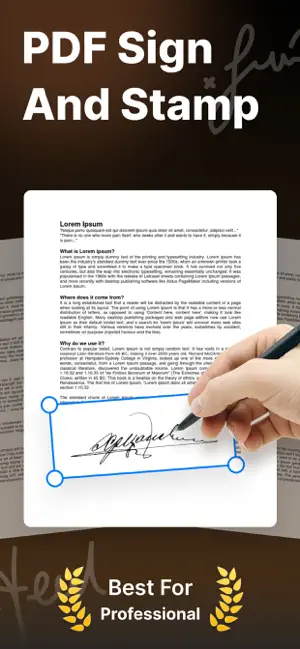
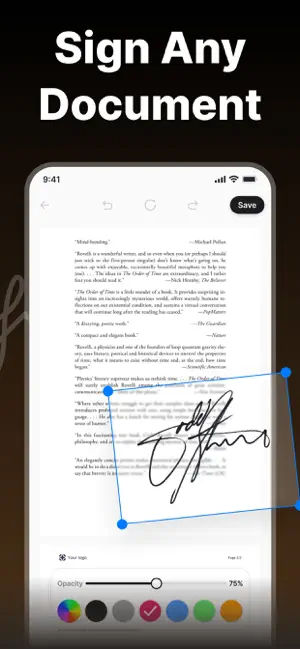
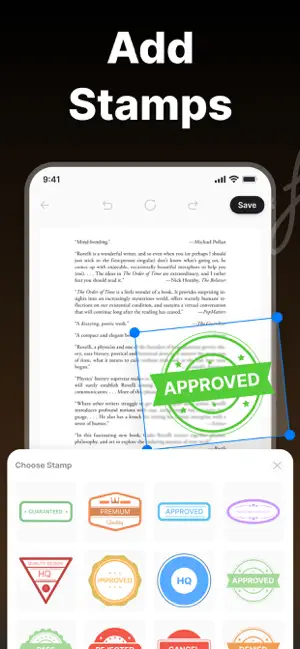
Create your perfect signature anytime, anywhere with Signature Maker – a simple, fast, and powerful tool designed to help you design professional digital signatures in seconds. Whether you need a signature for documents, emails, contracts, or personal branding, this app gives you full creative control to generate a signature that matches your style. Signature Maker is built with a clean and user-friendly interface so anyone can easily design, customize, and save their signature without any technical skills. You can draw your signature manually or generate stylish text-based signatures using different fonts, styles, and adjustments. 〚 Key Features: 〛 • Create Digital Signatures Easily Draw your signature directly on the screen using smooth touch controls for a natural handwriting experience. • Stylish Signature Fonts Choose from a variety of elegant and professional fonts to create text-based signatures in seconds. • Custom Personalization Adjust stroke thickness, color, background, and size to make your signature truly unique. • Save & Reuse Anytime Save multiple signatures securely in your device and use them whenever needed. • Export & Share Options Export your signature in high-quality image format and easily share it across apps, emails, or documents. • Transparent Background Support Create signatures with transparent backgrounds for professional use in PDFs and official documents. • Undo & Redo Controls Easily fix mistakes and refine your signature with smooth editing options. • Offline & Secure All signatures are created and stored locally on your device. No data is uploaded to any server, ensuring complete privacy and security. 〚 Perfect For: 〛 Business professionals, students, freelancers, and anyone who needs a quick and stylish digital signature for documents, forms, or personal use. With Signature Maker, you don’t need expensive tools or complicated software. Just open the app, design your signature, and use it instantly anywhere you want. Your signature, your identity – simple, fast, and secure. Privacy Policy: https://www.freeprivacypolicy.com/live/4d65a82b-addf-4998-88f4-a651445feaf4 Terms & conditions: https://appsglobalstudio.blogspot.com/2024/07/terms-of-use.html
App privacy
The developer, Amina Sehar, reported these privacy practices to Apple.
Data Not Collected
The developer does not collect any data from this app.
Alternatives to Signature Maker - Sign AI
Looking for apps like Signature Maker - Sign AI? Here are 6 similar apps on the App Store. The highest rated is AI Image Detector: Detecty (5.0/5), and all 6 are free to download.
-
 Spoko: Focus & App Blocker
-
 AI Image Detector: Detecty
5.0
AI Image Detector: Detecty
5.0
-
 AI Humanizer-OCR,Image to text
-
 Signature Generator - SignIt
-
 Audibly: Text to Speech
5.0
Audibly: Text to Speech
5.0
-
 Anees AI
| App | Rating | Price | Last updated | Compare |
|---|---|---|---|---|
| Signature Maker - Sign AI | – | Free | May 12, 2026 | |
| Spoko: Focus & App Blocker | – | Free | Sep 30, 2026 | Compare |
| AI Image Detector: Detecty | 5.0 / 5 (1) | Free | Jun 25, 2026 | Compare |
| AI Humanizer-OCR,Image to text | – | Free | Sep 10, 2025 | Compare |
| Signature Generator - SignIt | – | Free | Jul 1, 2026 | Compare |
| Audibly: Text to Speech | 5.0 / 5 (4) | Free | Sep 21, 2026 | Compare |
| Anees AI | – | Free | Oct 16, 2026 | Compare |