

Markflow — Markdown Reader
Santiago Alonso Alexandre Productivity iPhoneiPadiPod touch
Markflow — Markdown Reader is a free Productivity app for iPhone and iPad by Santiago Alonso Alexandre. Rated 5.0/5 from 2 ratings. Requires iOS 26.0.
- Rating
- 5.0
- 2 ratings
- Price
- Free
- on the App Store
- Size
- 7 MB
- Age 4+
- Updated
- May 12
- 2026 · v0.2.0
Screenshots
About Markflow — Markdown Reader
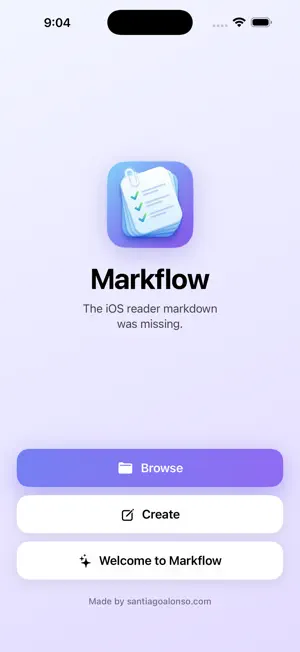
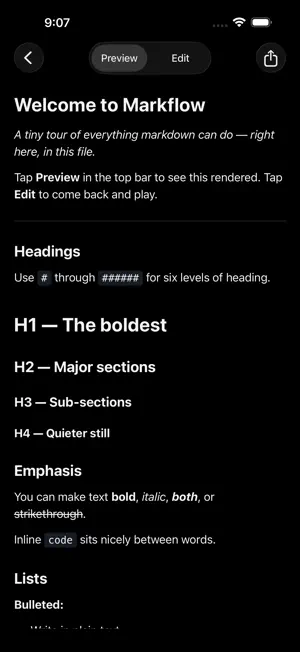
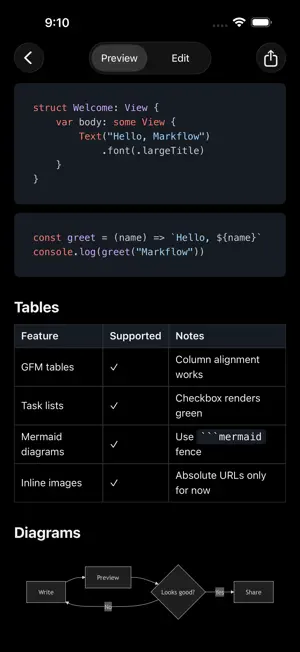
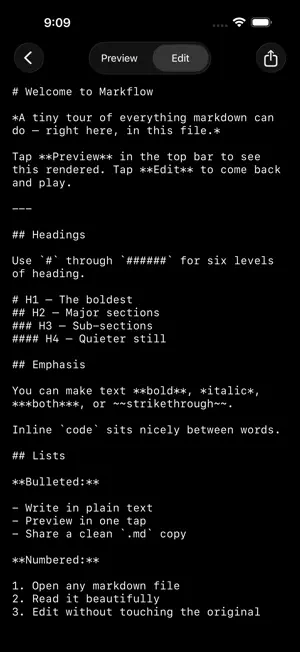
The markdown reader you've been missing. Markflow opens .md files from Files, Mail, Safari downloads, or the share sheet and renders them properly. GitHub-flavored markdown, syntax-highlighted code, mermaid diagrams, tables, task lists, and more. Originals are never touched. Edits live in memory until you explicitly Save, Save as New File, or Share a copy. WHAT YOU CAN DO • Open any .md, .markdown, or .mdown file from any app • Read with a clean, native preview • Edit with a markdown toolbar above the keyboard. Bold, italic, headings, lists, links, images, code, quotes, all one tap away. • Pinch to zoom in both Preview and Edit • Export an edited copy via the system share sheet • Tap Create to start a new blank file, or "Welcome to Markflow" for a full feature tour WHAT IT RENDERS • Headings, lists, blockquotes, links, images • Syntax-highlighted code blocks • Mermaid flowcharts and diagrams • GitHub-flavored markdown tables • Task lists with checkboxes • Inline images (absolute URLs) PRIVACY Markflow makes zero network requests and collects zero data. No accounts. No login. No analytics. No tracking. No ads. The renderer is a sandboxed local file with a Content Security Policy that blocks all remote resources. Your files stay on your device. DESIGN Built native with SwiftUI and the Liquid Glass nav bar. Light and dark mode. Adaptive home screen. Stock Apple Human Interface Guidelines throughout. WHO IT'S FOR • Writers who keep notes in markdown • Developers reading READMEs and docs on the go • Anyone who's been emailed a .md and had nowhere to open it • People who want a markdown reader that does one thing well Open source. MIT licensed. github.com/madebysan/markflow
What’s new
Version 0.2.0 · Updated May 12, 2026
v0.2.0 — Themes, fonts, and a lot more NEW • Pick from 5 color themes (Indigo, Forest, Sunset, Ocean, Graphite). Each is tuned for both light and dark mode. • Switch between System, Light, and Dark from Settings. • Choose your reading font: System, Rounded, Charter, Monospace, iA Writer, or JetBrains Mono. • Editor and Preview font sizes are independently adjustable. • Recent files appear on the Home screen. • Insert images directly into your markdown via the photo picker. On Save, images are copied next to your .md file so they render in any other markdown app too. • Export any document as a PDF. • Filename shows in the nav bar. Tap the menu to rename in place. POLISHED • Floating glass toolbar in the editor with larger touch targets and a working hide-keyboard button. • Single-icon mode toggle: tap the eye to read, pencil to write. • Swipe from the left edge to dismiss any open document. • Settings shortcut from inside any document's menu. • Softer light/dark home palette. PRIVACY Markflow continues to make zero network requests and collect no data. This release ships with the App Store privacy manifest.
App privacy
The developer, Santiago Alonso Alexandre, reported these privacy practices to Apple.
Data Not Collected
The developer does not collect any data from this app.
Alternatives to Markflow — Markdown Reader
Looking for apps like Markflow — Markdown Reader? Here are 6 similar apps on the App Store. The highest rated is Notelane - Markdown Editor (5.0/5), and all 6 are free to download.
-
 Notelane - Markdown Editor
5.0
Notelane - Markdown Editor
5.0
-
 Bookmark Manager - Markfully
4.5
Bookmark Manager - Markfully
4.5
-
 Marked — Markdown Editor
5.0
Marked — Markdown Editor
5.0
-
 AI Notes: Smart Writing
-
 Markdown.md - Notes & Preview
-
 SaveIt - Save Links & Notes
5.0
SaveIt - Save Links & Notes
5.0
| App | Rating | Price | Last updated | Compare |
|---|---|---|---|---|
| Markflow — Markdown Reader | 5.0 / 5 (2 ratings) | Free | May 12, 2026 | |
| Notelane - Markdown Editor | 5.0 / 5 (5) | Free | Jul 1, 2026 | Compare |
| Bookmark Manager - Markfully | 4.5 / 5 (2) | Free | Jan 5, 2026 | Compare |
| Marked — Markdown Editor | 5.0 / 5 (3) | Free | May 14, 2026 | Compare |
| AI Notes: Smart Writing | – | Free | May 28, 2026 | Compare |
| Markdown.md - Notes & Preview | – | Free | Apr 18, 2026 | Compare |
| SaveIt - Save Links & Notes | 5.0 / 5 (3) | Free | Oct 19, 2026 | Compare |