

Speech To Text Voice Typing.
codesbunny Productivity iPhoneiPadiPod touch
Speech To Text Voice Typing. is a free Productivity app for iPhone and iPad by codesbunny. Rated 4.0/5 from 3 ratings. Requires iOS 15.5.
- Rating
- 4.0
- 3 ratings
- Price
- Free
- on the App Store
- Size
- 114 MB
- Age 4+
- Updated
- Sep 23
- 2026 · v1.0.3 (1)
Screenshots


About Speech To Text Voice Typing.
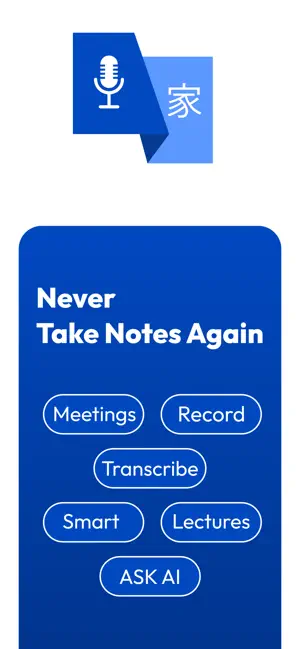
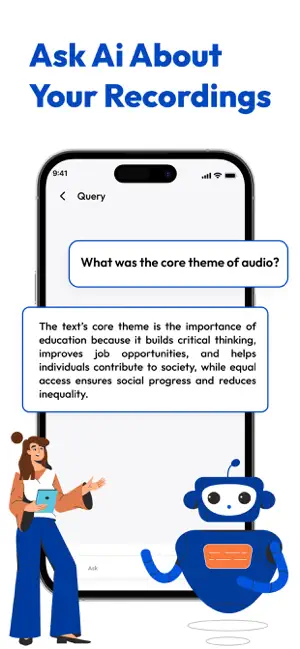
Smart Voice to Text is a high-performance technical speech recognition utility engineered to bridge the gap between spoken thought and structured digital data. In an era where information moves at the speed of sound, manual typing can be a bottleneck. Our application serves as a robust functional tool designed to capture ideas, transcribe complex meetings, and convert multi-source audio into precise, editable text. By integrating voice, audio, and video transcription into a single, seamless environment, it provides a sophisticated solution for modern data management. 2- Features Real-Time Speech to Text: Experience instantaneous conversion of vocal input into digital text. This feature is ideal for live drafting of documents, composing long-form emails, and sending messages on the go, eliminating the need for tedious manual typing. Audio to Text Converter: Transform your pre-recorded archives into actionable intelligence. The app supports a wide array of audio formats, making it an essential tool for qualitative research, legal documentation, and archival digitizing. Continuous Recognition Engine: Unlike standard voice assistants that timeout after a few seconds of silence, our engine is built for endurance. It supports extended recording sessions—perfect for university seminars, corporate board meetings, or long-form storytelling. Video Transcription & Scripting: Bridge the gap between visual and written media. Extract high-fidelity audio from video files to automatically generate written scripts, captions, or subtitles, streamlining the workflow for educators and media professionals. Global Voice Translation: Break down linguistic barriers with integrated translation. Record audio in one language and generate translated text in another. Our utility supports a vast spectrum of global languages, facilitating international collaboration. Advanced Data Management & Export: Efficiency doesn’t end with transcription. Store your files in a secure internal database with advanced search and organization capabilities. When ready, export your data into industry-standard formats including PDF, Microsoft Word (.docx), and Plain Text (.txt). 3- Who Benefits from Smart Voice to Text? For Students: Revolutionize your learning experience. Convert complex spoken lectures into comprehensive written study notes, allowing you to engage more deeply with the instructor rather than rushing to write every word. For Professionals: Maintain an impeccable paper trail. Seamlessly record and transcribe meetings, verbal agreements, and interviews to streamline administrative tasks and ensure no detail is lost in translation. For Content Creators: Boost your creative output. Use the natural voice interface to dictate video scripts, outline blog posts, or capture fleeting creative sparks before they vanish. For Accessibility: Empowering all users. This utility provides a vital alternative for individuals with motor impairments or those who simply find voice-based input more intuitive and efficient than traditional keyboards. 4- Why Choose This Utility? Smart Voice to Text is more than a simple recorder; it is a functional utility suite that prioritizes reliability and professional utility. We focus on providing tools that allow for easy categorization, rapid retrieval, and high-quality file exports. Our interface is meticulously designed for users who require a technical tool that handles organized data storage with the precision of a professional workstation. Integrate Smart Voice to Text into your daily routine today and transform the way you capture, manage, and share information.
What’s new
Version 1.0.3 (1) · Updated September 23, 2026
• Improved voice-to-text transcription accuracy • Faster audio-to-text conversion • Import audio files and transcribe them easily • Enhanced YouTube Analyzer experience • Improved AI Email Writer • Better speaker recognition for conversations • Smoother performance and improved stability • Bug fixes and overall app improvements
App privacy
The developer, codesbunny, reported these privacy practices to Apple.
Data Used to Track You
The following data may be used to track you across apps and websites owned by other companies:
- Identifiers: Device ID
- Usage Data: Advertising Data
Data Not Linked to You
The following data, which may be collected but is not linked to your identity, may be used for the following purposes:
- Identifiers: Device ID
- Usage Data: Advertising Data
- Diagnostics: Crash Data, Other Diagnostic Data
Used for: Third-Party Advertising, App Functionality
Alternatives to Speech To Text Voice Typing.
Looking for apps like Speech To Text Voice Typing.? Here are 6 similar apps on the App Store. The highest rated is Speech To Text: Voice Typing (4.3/5), and all 6 are free to download.
-
 SpeakType: Voice to Text
-
 Аб: речь в текст с пунктуацией
-
 Speech To Text: Voice Typing
4.3
Speech To Text: Voice Typing
4.3
-
 Speech Scribe: Voice to Text
-
 Lirivo: Text to Speech
-
 Transcribe: Audio to Text AI
| App | Rating | Price | Last updated | Compare |
|---|---|---|---|---|
| Speech To Text Voice Typing. | 4.0 / 5 (3 ratings) | Free | September 23, 2026 | |
| SpeakType: Voice to Text | – | Free | Jul 8, 2026 | Compare |
| Аб: речь в текст с пунктуацией | – | Free | Oct 11, 2026 | Compare |
| Speech To Text: Voice Typing | 4.3 / 5 (3) | Free | Dec 17, 2024 | Compare |
| Speech Scribe: Voice to Text | – | Free | Oct 7, 2026 | Compare |
| Lirivo: Text to Speech | – | Free | Oct 29, 2026 | Compare |
| Transcribe: Audio to Text AI | – | Free | Oct 27, 2026 | Compare |