

Pattern Studio
Cengiz Bodur Graphics & Design iPad
Pattern Studio is a free Graphics & Design app for iPad by Cengiz Bodur. Rated 2.0/5 from 2 ratings. Requires iOS 17.0. Updated September 24, 2026.
- Rating
- 2.0
- 2 ratings
- Price
- Free
- on the App Store
- Size
- 5 MB
- Age 4+
- Updated
- Sep 24
- 2026 · v2.2
Screenshots


About Pattern Studio
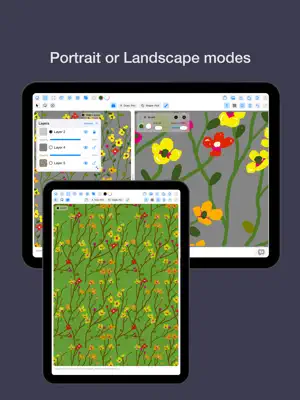
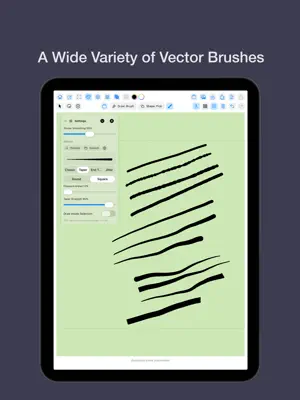
Pattern Studio is an all-in-one creative app for vector illustration and seamless pattern design on iPad. Whether you are a surface designer, illustrator, textile artist, or creative hobbyist, this app gives you powerful yet intuitive tools to turn your ideas into professional designs. Create original vector illustrations from scratch, transform them into perfectly repeating seamless patterns, and export your work for print, web, or product design — all from one lightweight and easy-to-use app. —Vector Drawing Tools • Create clean, scalable vector-based illustrations • Draw freely with precision tools • Edit shapes, paths, colors, and strokes • Perfect for icons, motifs, symbols, and illustrations • Fully non-destructive workflow —Seamless Pattern Creator • Instantly turn your artwork into tileable seamless patterns • Real-time pattern preview • Adjust spacing, layout, and repetition • Ideal for textiles, wallpapers, packaging, and digital backgrounds • Create endless variations with ease —Seamless repeats Choose how the tile connects to its neighbors: full drop, half drop, quarter or third drop, brick, diamond, hex, and more. The preview updates as you work so you can catch gaps and awkward joins early. —Editor modes Switch between a tile editor (with optional repeat preview), a full pattern field, and illustration mode depending on whether you are polishing detail, checking overall rhythm, or working in a simpler layout. —Drawing & workflow Optional grid with snap, mirror and radial symmetry, layers, blend modes on selections, brush tools with pressure-sensitive strokes, Art brush stamps (from paths or imported SVG), randomization helpers, and image import when you want to trace or collage. Apple Pencil and touch are supported, with an optional stylus-only mode. —Save, export, share Keep documents in an in-app gallery with thumbnails. Export to Files as PNG, JPEG, or vector formats depending on your plan, save snapshots to Photos, and use Share for design-elements packages. Premium unlocks high-resolution print exports and SVG export options for professional workflows. —Privacy Pattern Studio is designed to keep your creative work on your device. See the Privacy Policy link on the App Store for details. Requirements iPad. Privacy Policy https://sites.google.com/view/patterncreator-privacy/ Terms of Use https://sites.google.com/view/patterncreator-terms/
What’s new
Version 2.2 · Updated September 24, 2026
Important Performance update. Stamp ( Texture ) brush style added. A small draggable quick tools strip is now available on the canvas. The Layers panel now always opens on the preview side.
App privacy
The developer, Cengiz Bodur, reported these privacy practices to Apple.
Data Not Collected
The developer does not collect any data from this app.
Alternatives to Pattern Studio
Looking for apps like Pattern Studio? Here are 6 similar apps on the App Store. The highest rated is PatternDraw by Fashionary (4.7/5), and 4 of the 6 are free to download.
-
 Kaleido Pattern
-
 PatternDraw by Fashionary
4.7
PatternDraw by Fashionary
4.7
-
 Brusher・Brushes & Stamps
4.0
Brusher・Brushes & Stamps
4.0
-
 Amadine: Vector Design and Art
4.1
Amadine: Vector Design and Art
4.1
-
 Feather: Draw in 3D
4.1
Feather: Draw in 3D
4.1
-
 Fontself - Make your own fonts
4.6
Fontself - Make your own fonts
4.6
| App | Rating | Price | Last updated | Compare |
|---|---|---|---|---|
| Pattern Studio | 2.0 / 5 (2 ratings) | Free | September 24, 2026 | |
| Kaleido Pattern | – | Free | Sep 29, 2026 | Compare |
| PatternDraw by Fashionary | 4.7 / 5 (184) | Free | Sep 4, 2026 | Compare |
| Brusher・Brushes & Stamps | 4.0 / 5 (56) | Free | Oct 19, 2026 | Compare |
| Amadine: Vector Design and Art | 4.1 / 5 (122) | Free | Oct 29, 2026 | Compare |
| Feather: Draw in 3D | 4.1 / 5 (115) | 14.99 USD | Feb 3, 2026 | Compare |
| Fontself - Make your own fonts | 4.6 / 5 (1,173) | 19.99 USD | Jun 16, 2026 | Compare |
Compare Pattern Studio with the top alternatives: ratings, updates, ASO score and keyword gaps →