

Compresser: Compress & Convert
Maciej Sieminski Utilities iPhoneiPadiPod touch
Compresser: Compress & Convert is a free Utilities app for iPhone and iPad by Maciej Sieminski. Requires iOS 15.5. Updated September 12, 2026.
- Price
- Free
- on the App Store
- Size
- 56 MB
- Age 4+
- Updated
- Sep 12
- 2026 · v2.0.8
Screenshots

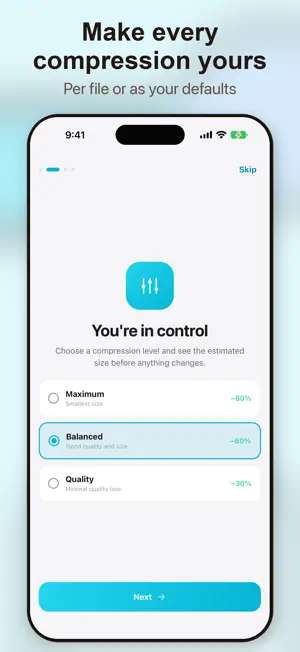


About Compresser: Compress & Convert
Compresser is a fast, private way to shrink files on your iPhone & iPad. Reclaim storage, share smaller files – all 100% on your device. Your files are processed on your device. Why Compresser? Your privacy matters. Compresser processes everything locally. This means: • No Cloud Uploads: Files stay on device. • No Accounts, No Sign-Up. • No account and no cloud upload — files are processed on your device. • Fast Results: Results in seconds. • Quality Preservation: Reduce size, maintain quality. What You Can Compress: • Photos: JPEG, PNG, HEIC, WebP – adjust quality, resize, convert. • Videos: MP4, MOV, AVI – dramatically reduce size. • PDFs: Optimize structure, strip metadata. • Audio Files: MP3, WAV, AAC, FLAC – smaller files, great sound. Key Features: • Batch Processing: Compress multiple files simultaneously. • Smart Auto-Detection: Compresser finds an efficient way to shrink any file. • Before & After Preview: See exact space saved. • Compression History: Record all compressed files and savings. • Format Conversion: Change image and video formats. • Quality Controls: Adjust output quality and dimensions. • Share Out: Send compressed files straight to any app. • Works Offline: No internet needed. How It Works: 1. Tap 'Quick Compress' or select file type. 2. Choose your files. 3. Adjust settings (optional). 4. Tap 'Compress' – done in seconds! 5. Save or share. Privacy First: Compresser is built on privacy. Your files are processed locally, never uploaded. We do not upload your files for compression. The free version uses Unity Ads, and the app uses crash and performance diagnostics as described in the privacy policy. Ad personalization follows your consent choices. Free & Premium: Enjoy Compresser's powerful features for free with banner ads. Upgrade to Compresser Premium via in-app purchase to remove all ads and unlock exclusive extras, including advanced batch options and priority support. Additional Details: • Light and Dark Theme • Haptic Feedback • Accessibility Support • iPad-Optimized • 11 Languages: English, Polish, Spanish, German, French, Portuguese, Russian, Ukrainian, Japanese, Korean, Chinese Terms of Use (EULA): https://www.apple.com/legal/internet-services/itunes/dev/stdeula/
What’s new
Version 2.0.8 · Updated September 12, 2026
• Contacting support now works even if your phone has no default email app — pick an app or copy the address. • The support email address is shown on the contact screen and can be copied with one tap. • Messages to support no longer include the device name you set yourself. • New: share files to Compresser straight from other apps. • Reporting a bug or suggesting a feature is easier to find — the app now points you to it and it always lives on the contact screen. • Small fixes and improvements.
App privacy
The developer, Maciej Sieminski, reported these privacy practices to Apple.
Data Used to Track You
The following data may be used to track you across apps and websites owned by other companies:
- Identifiers: Device ID
- Usage Data: Advertising Data
Data Not Linked to You
The following data, which may be collected but is not linked to your identity, may be used for the following purposes:
- Identifiers: Device ID
- Usage Data: Advertising Data
- Diagnostics: Crash Data, Performance Data, Other Diagnostic Data
Used for: Third-Party Advertising, App Functionality
Alternatives to Compresser: Compress & Convert
Looking for apps like Compresser: Compress & Convert? Here are 6 similar apps on the App Store. The highest rated is Video Size Reducer (5.0/5), and all 6 are free to download.
-
 Fyorn: File Compressor
-
 Snipkit Photo Compress Convert
-
 Video Size Reducer
5.0
Video Size Reducer
5.0
-
 Compress 10x
5.0
Compress 10x
5.0
-
 Photo Compressor: Shrink Size
-
 File Converter - FileSnap
| App | Rating | Price | Last updated | Compare |
|---|---|---|---|---|
| Compresser: Compress & Convert | – | Free | September 12, 2026 | |
| Fyorn: File Compressor | – | Free | Sep 1, 2026 | Compare |
| Snipkit Photo Compress Convert | – | Free | May 3, 2026 | Compare |
| Video Size Reducer | 5.0 / 5 (1) | Free | Aug 26, 2026 | Compare |
| Compress 10x | 5.0 / 5 (3) | Free | May 5, 2026 | Compare |
| Photo Compressor: Shrink Size | – | Free | May 31, 2026 | Compare |
| File Converter - FileSnap | – | Free | Oct 1, 2026 | Compare |