

Snipkit Photo Compress Convert
Takuya Nemoto Utilities iPhoneiPadiPod touch
Snipkit Photo Compress Convert is a free Utilities app for iPhone and iPad by Takuya Nemoto. Requires iOS 16.0. Updated May 3, 2026.
- Price
- Free
- on the App Store
- Size
- 57 MB
- Age 4+
- Updated
- May 3
- 2026 · v1.0.1
Screenshots

About Snipkit Photo Compress Convert
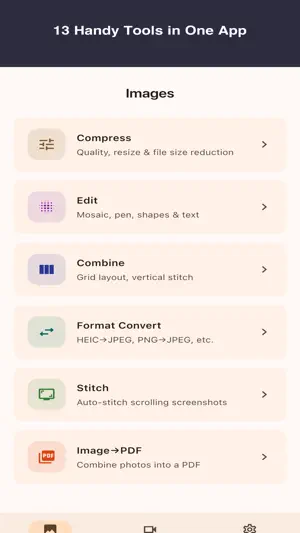
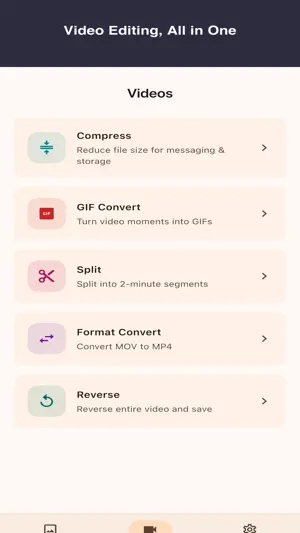
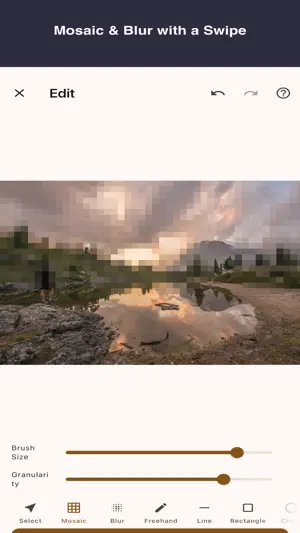
"I just want to compress this image before sending…" "I need to split a video into 2-minute clips." "Convert HEIC to JPEG." Snipkit is a utility app that solves everyday image and video tasks in just a few taps. All processing happens on your device — your photos and videos are never uploaded to any server. ■ Image Tools • Lighten — Reduce file size with quality and resize sliders • Combine — Merge multiple images into one with grid or vertical layout • Edit — Add mosaic, blur, pen, shapes, and text • Format Convert — HEIC→JPEG, PNG→WebP, and more • Batch Lighten — Compress multiple images at once (Premium) • Batch Convert — Convert multiple formats at once (Premium) • Screenshot Stitch — Auto-stitch multiple screenshots into one long image • Image→PDF — Combine photos and screenshots into a PDF ■ Video Tools • Compress — Reduce file size for messaging and storage • Split — Divide long videos into equal segments (e.g., 2 min each) • Format Convert — MOV→MP4 • GIF Convert — Turn any clip into a GIF animation • Reverse — Reverse an entire video and save ■ Features • Fully Offline — All processing on-device • Privacy First — Your media never leaves your device • Simple UI — Intuitive, no learning curve • Minimal Ads — Never shown during editing Terms of Use: https://snipkit.nekmon.app/legal/terms Privacy Policy: https://snipkit.nekmon.app/legal/privacy-policy
What’s new
Version 1.0.1 · Updated May 3, 2026
Snipkit 1.0.1 A small housekeeping update, like untangling a few cables in the drawer. • Minor fixes and stability improvements for image compression • Improved translations for multilingual display No fireworks this time, just a little less getting lost.