

GlowDeck: Recording to Slides
CLOUD VERTEX LLC Productivity iPhoneiPadiPod touch
GlowDeck: Recording to Slides is a free Productivity app for iPhone and iPad by CLOUD VERTEX LLC. Rated 5.0/5 from 1 ratings. Requires iOS 13.0.
- Rating
- 5.0
- 1 ratings
- Price
- Free
- on the App Store
- Size
- 23 MB
- Age 4+
- Updated
- Apr 29
- 2026 · v1.0.2
Screenshots
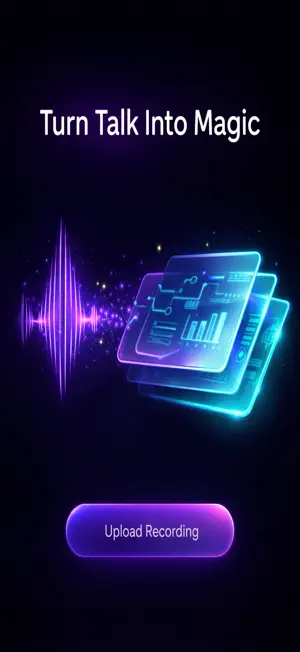


About GlowDeck: Recording to Slides
GlowDeck is a Creative Catalyst that transforms your meeting recordings, lectures, and conversations into visually stunning presentations — in minutes, not hours. Drop a video or audio recording. GlowDeck's AI listens to every word, detects key moments, identifies speakers, and builds a story-driven slide deck with smart layouts, diagrams, and AI-generated illustrations. Not just bullet points — a narrative. HOW IT WORKS 1. Upload or record a video/audio file 2. Choose your style, theme, and language 3. AI builds your presentation automatically 4. Share your PPTX — done STORY ARC ENGINE GlowDeck doesn't just summarize. It maps the conversation arc — detecting eureka moments, key debates, and critical decisions. Each slide gets the layout that fits: flowcharts for processes, timelines for milestones, Venn diagrams for comparisons, statistics callouts for big numbers, and AI-generated illustrations that reinforce your message. VIBE MONITOR Who said what and when. AI identifies speakers and attributes quotes, decisions, and action items to the right person. Add participant names for even sharper accuracy. STYLE INFUSION Five styles to match your energy: Boardroom for corporate polish, Storyteller for creative flair, Zen for minimalist clarity, High Voltage for bold impact, Scholar for academic precision. FRESH THEMES Six color palettes that go beyond generic: Midnight, Clean Slate, Ocean Deep, Forest Flow, Sunset Glow, and Neon Pulse. SLIDE HINTS Guide the AI with optional instructions: "Show Q3 revenue as a bar chart" or "Compare Product A vs B in a Venn diagram." Leave it empty and AI decides everything. EVERYTHING YOU NEED - Video input: MP4, MOV, WebM - Audio input: MP3, M4A, WAV, OGG, AAC - Record directly from your phone - 14 output languages - Speaker notes on every slide - Slide transitions - PPTX export for PowerPoint, Keynote, and Google Slides - Up to 20 slides per deck SIMPLE PRICING Your first conversion is free — the full experience, no limits. After that, $9.99 per deck. No subscription. No hidden fees. Pay only when you create. WORKS WITH: - Microsoft PowerPoint - Apple Keynote - Google Slides - Any PPTX-compatible app Privacy first: Your recordings are processed securely and deleted after your presentation is generated. Full disclosure provided in-app before first use.
What’s new
Version 1.0.2 · Updated April 29, 2026
- Video Frame Montage — key frame grid on title slide - Audience, Content Density, Slide Size, Transitions options - Summary Slide toggle - From Photos picker for video and audio - Wakelock during conversion (prevents timeout) - Clean output filenames (GlowDeck_YYYY-MM-DD.pptx) - In-app review prompt - File size validation (200MB max)
App privacy
The developer, CLOUD VERTEX LLC, reported these privacy practices to Apple.
Data Not Collected
The developer does not collect any data from this app.
Alternatives to GlowDeck: Recording to Slides
Looking for apps like GlowDeck: Recording to Slides? Here are 6 similar apps on the App Store. The highest rated is Drawing Pad - Pencil, AI Write (3.8/5), and all 6 are free to download.
-
 recaid – AI Meeting Recorder
-
 PDF to slides!
-
 AI Slides: Presentation Maker
-
 UVA Мoments
-
 Drawing Pad - Pencil, AI Write
3.8
-
 SlideGPT : PPT Maker & Editor
3.7
| App | Rating | Price | Last updated | Compare |
|---|---|---|---|---|
| GlowDeck: Recording to Slides | 5.0 / 5 (1 rating) | Free | April 29, 2026 | |
| recaid – AI Meeting Recorder | – | Free | May 7, 2026 | Compare |
| PDF to slides! | – | Free | Oct 5, 2026 | Compare |
| AI Slides: Presentation Maker | – | Free | Oct 29, 2026 | Compare |
| UVA Мoments | – | Free | Oct 23, 2026 | Compare |
| Drawing Pad - Pencil, AI Write | 3.8 / 5 (4) | Free | Mar 14, 2025 | Compare |
| SlideGPT : PPT Maker & Editor | 3.7 / 5 (9) | Free | Jul 14, 2025 | Compare |