
PDF to slides!
琳 李 Productivity iPhoneiPadiPod touchMac
PDF to slides! is a free Productivity app for iPhone and iPad by 琳 李. Requires iOS 16.6. Updated October 5, 2026.
- Price
- Free
- on the App Store
- Size
- 40 MB
- Age 4+
- Updated
- Oct 5
- 2026 · v3.3
Screenshots
About PDF to slides!
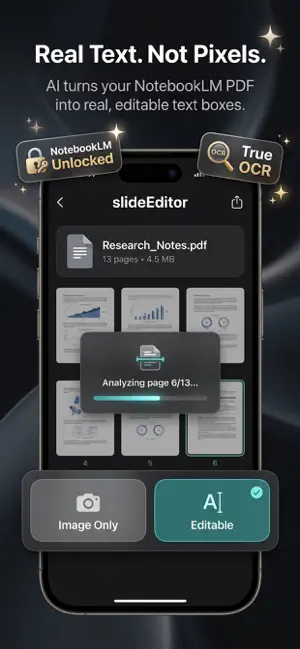
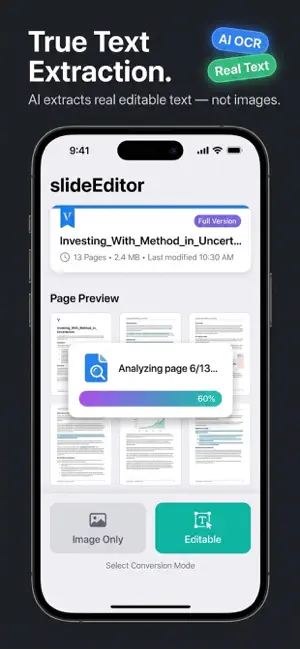
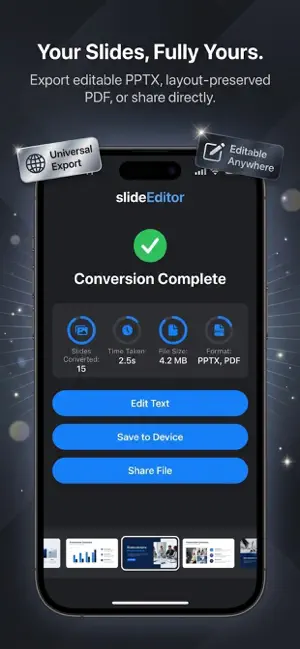
EXTRACT REAL TEXT FROM ANY IMAGE PDF. A scanned PDF is just pixels. A photo of a slide is just pixels. An AI-generated deck is just pixels. SlideEdit reads those pixels the way you do — and gives back real text, real fonts, and a layout you can edit. WHAT YOU GET OUT • Editable PPTX — opens in PowerPoint, Keynote, and Google Slides • Searchable PDF — selectable text, real fonts, vector layout • Plain text and Markdown exports WHAT IT READS • Scanned PDFs, printed documents, receipts, contracts • Photos of slides, whiteboards, books, notes • AI-generated PDFs (NotebookLM, ChatGPT, Gamma, and others) • Old PowerPoint files exported as PDF • Screenshots and print-to-PDF output EDIT IT YOUR WAY • Output PPTX slides are fully editable — change text, fonts, colors • Output PDFs keep selectable text and vector graphics • Built-in preview lets you check before exporting HOW IT WORKS • On-device OCR plus layout reconstruction • 10 seconds for a typical deck. No upload, no account, no waiting • Works offline. Airplane mode is fine • Files never leave your Mac, iPhone, or iPad Mac · iPhone · iPad Privacy first. No account. No upload. No cloud. Free to try. Pro unlocks everything. Terms of Use (EULA): https://frankali480449.github.io/SlideEdit---PDF-to-PPT-support/terms.html Privacy Policy: https://frankali480449.github.io/SlideEdit---PDF-to-PPT-support/privacy.html
What’s new
Version 3.3 · Updated October 5, 2026
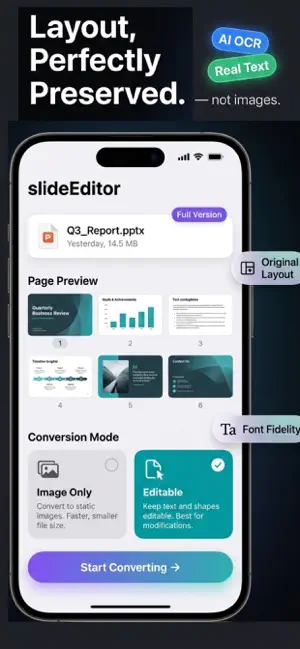
What's New in 3.3: • Layout reconstruction now matches the original PDF more closely — text, fonts, colors, and reading order stay true to the source. • Improved image preprocessing — shadows, scanner noise, and low-contrast pages are handled before OCR runs. • Faster conversion engine — a typical deck finishes in under 10 seconds. • Better mixed-language OCR — Chinese, Japanese, Korean, and Latin scripts in the same document no longer confuse each other.
App privacy
The developer, 琳 李, reported these privacy practices to Apple.
Data Not Collected
The developer does not collect any data from this app.
Alternatives to PDF to slides!
Looking for apps like PDF to slides!? Here are 6 similar apps on the App Store. The highest rated is StageGenius - PDF to Slides (5.0/5), and all 6 are free to download.
-
 StageGenius - PDF to Slides
5.0
StageGenius - PDF to Slides
5.0
-
 Convert PDF to PPT
5.0
Convert PDF to PPT
5.0
-
 Word Anchors
-
 AI PDF Translate
-
 Leaf: Document Scanner & PDF
-
 MD Slides
| App | Rating | Price | Last updated | Compare |
|---|---|---|---|---|
| PDF to slides! | – | Free | October 5, 2026 | |
| StageGenius - PDF to Slides | 5.0 / 5 (1) | Free | Apr 4, 2026 | Compare |
| Convert PDF to PPT | 5.0 / 5 (1) | Free | Apr 10, 2026 | Compare |
| Word Anchors | – | Free | Feb 26, 2026 | Compare |
| AI PDF Translate | – | Free | May 17, 2026 | Compare |
| Leaf: Document Scanner & PDF | – | Free | Sep 13, 2026 | Compare |
| MD Slides | – | Free | Aug 24, 2026 | Compare |
Compare PDF to slides! with the top alternatives: ratings, updates, ASO score and keyword gaps →