

TaskTimer: Reminders & Alarms
JTR Labs LLC Productivity iPhoneiPadiPod touchApple Watch
TaskTimer: Reminders & Alarms is a free Productivity app for iPhone and iPad by JTR Labs LLC. Rated 5.0/5 from 1 ratings. Requires iOS 26.0.
- Rating
- 5.0
- 1 ratings
- Price
- Free
- on the App Store
- Size
- 44 MB
- Age 4+
- Updated
- Oct 27
- 2026 · v1.1.22
Screenshots


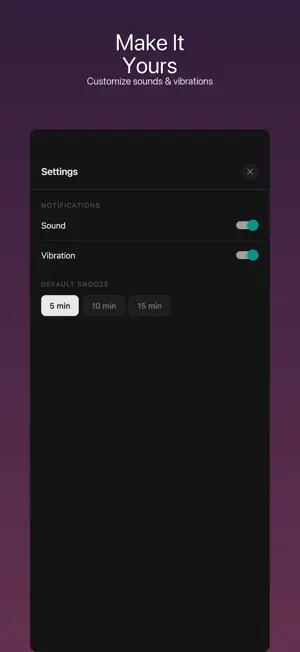
About TaskTimer: Reminders & Alarms
TaskTimer Plus is the simple countdown timer for daily life. Whether you are cooking dinner, switching laundry, cleaning for 15 minutes, studying, working out, or taking a quick break, TaskTimer Plus helps you start a timer fast and stay on track without clutter. Choose a quick preset, enter a custom duration, and let the app handle the rest. When time is up, get a loud timer alert, then dismiss or snooze it with one tap. Why TaskTimer Plus? TaskTimer Plus is built for people who want a timer that feels fast, calm, and easy. There are no complicated dashboards to learn and no account required. Open the app, pick a time, and start. Quick presets for common tasks Start 5, 10, 15, 30, or 45-minute timers, or choose longer 1-hour and 2-hour presets for deeper work, chores, cooking, and study blocks. Custom countdown timers Need a specific time? Enter any duration for your task, from a few minutes to a longer session. Soft background colors Make your timer feel like yours. Choose from soft theme colors to create a calm, personal timer screen for cooking, studying, breaks, workouts, or chores. Widgets, Live Activities, and Dynamic Island Check your active timer from the Home Screen, Lock Screen, or Dynamic Island without constantly reopening the app. History and favorites Reuse timers you start often. Save frequent tasks and view your recent timer history so your next session is even faster. Made for iPhone and iPad Use TaskTimer Plus on iPhone when you are on the move or on iPad as a full-screen desk, kitchen, study, or workout timer. Simple by design No account required. TaskTimer Plus keeps everyday timing focused, fast, and easy to understand. Download TaskTimer Plus today and make every task easier to time.
What’s new
Version 1.1.22 · Updated October 27, 2026
• Apple Watch app: see, start, pause and finish your timers right from your wrist • Optimized for iPhone Duo, including the folding display and split view • Watch a short video to go ad-free for 24 hours • Performance improvements and bug fixes
App privacy
The developer, JTR Labs LLC, reported these privacy practices to Apple.
Data Used to Track You
The following data may be used to track you across apps and websites owned by other companies:
- Identifiers: Device ID
Data Linked to You
The following data, which may be collected and linked to your identity, may be used for the following purposes:
- Location: Coarse Location
- Identifiers: Device ID
- Usage Data: Product Interaction, Advertising Data
Used for: Third-Party Advertising, Developer’s Advertising or Marketing, Analytics, App Functionality
Data Not Linked to You
The following data, which may be collected but is not linked to your identity, may be used for the following purposes:
- Diagnostics: Performance Data, Other Diagnostic Data, Crash Data
- Identifiers: Device ID
Used for: Third-Party Advertising, Developer’s Advertising or Marketing, Analytics, App Functionality
Alternatives to TaskTimer: Reminders & Alarms
Looking for apps like TaskTimer: Reminders & Alarms? Here are 6 similar apps on the App Store. The highest rated is Block It Out (5.0/5), and all 6 are free to download.
-
 Block It Out
5.0
Block It Out
5.0
-
 Tidy Days
-
 easy timer-the simplest timer
-
 Plnr · Event planning
-
 WakeMeBot: Alarms & Reminders
-
 TaskJogger: Life Organizer
| App | Rating | Price | Last updated | Compare |
|---|---|---|---|---|
| TaskTimer: Reminders & Alarms | 5.0 / 5 (1 rating) | Free | October 27, 2026 | |
| Block It Out | 5.0 / 5 (2) | Free | Mar 17, 2026 | Compare |
| Tidy Days | – | Free | May 13, 2026 | Compare |
| easy timer-the simplest timer | – | Free | May 30, 2026 | Compare |
| Plnr · Event planning | – | Free | Oct 22, 2026 | Compare |
| WakeMeBot: Alarms & Reminders | – | Free | Aug 27, 2026 | Compare |
| TaskJogger: Life Organizer | – | Free | Apr 24, 2026 | Compare |